
Navigation and commands
Every way to move around VCode and every command it runs, with the phone way and the desktop way side by side. Each row links to the page with the details.
Why you would use it
You know what you want to do, such as switching tabs, renaming one or opening the files, but not the gesture on a phone or the key on a desktop. Find the action here, then follow its link.
How to use it
Find the action in the tables below. The Phone column is touch. The Desktop column is a mouse and a hardware keyboard. The keys also work on a phone or tablet with a keyboard attached.
Mod is ⌘ on a Mac, iPhone or iPad, and Ctrl everywhere else. The other platform's key does nothing: on a Mac, Ctrl+T is not a new thread. The tooltips on the buttons show the key for your platform, as in "New thread (⌘T)".
Some rows need the wide layout, a window at least 760 px wide (see the wide layout).
Tabs and threads
| Action | Phone | Desktop |
|---|---|---|
| Switch tab | Tap the tab in the strip, or swipe the transcript sideways | Click the tab |
| Next or previous tab | Swipe left or right on the transcript | Ctrl+PageDown or Ctrl+PageUp (Ctrl on a Mac as well). Wraps at both ends; hold to keep moving |
| Scroll a long tab strip | Drag it sideways | Mouse wheel over the strip |
| New thread | Tap + (#new-tab), or swipe past the last tab to the new-thread page and tap + (#endpage-plus) |
Mod+T or Mod+N, or click + |
| New tab in this folder | /new, or /new <folder> |
The same |
| Close tab | Tap the × on the active tab | Mod+W, or click the × (it shows on hover). With the tab focused, Delete or Backspace |
| Close a tab with a turn running | Tap × twice within 3 s. The first tap turns it red | Mod+W twice within 3 s. The first press shows "Running. Ctrl+W again within 3s stops the turn and closes the tab" |
| Reopen a closed tab | Threads sheet, the CLOSED section, then the reopen button on the row | The same. Mod+Shift+T stays the browser's |
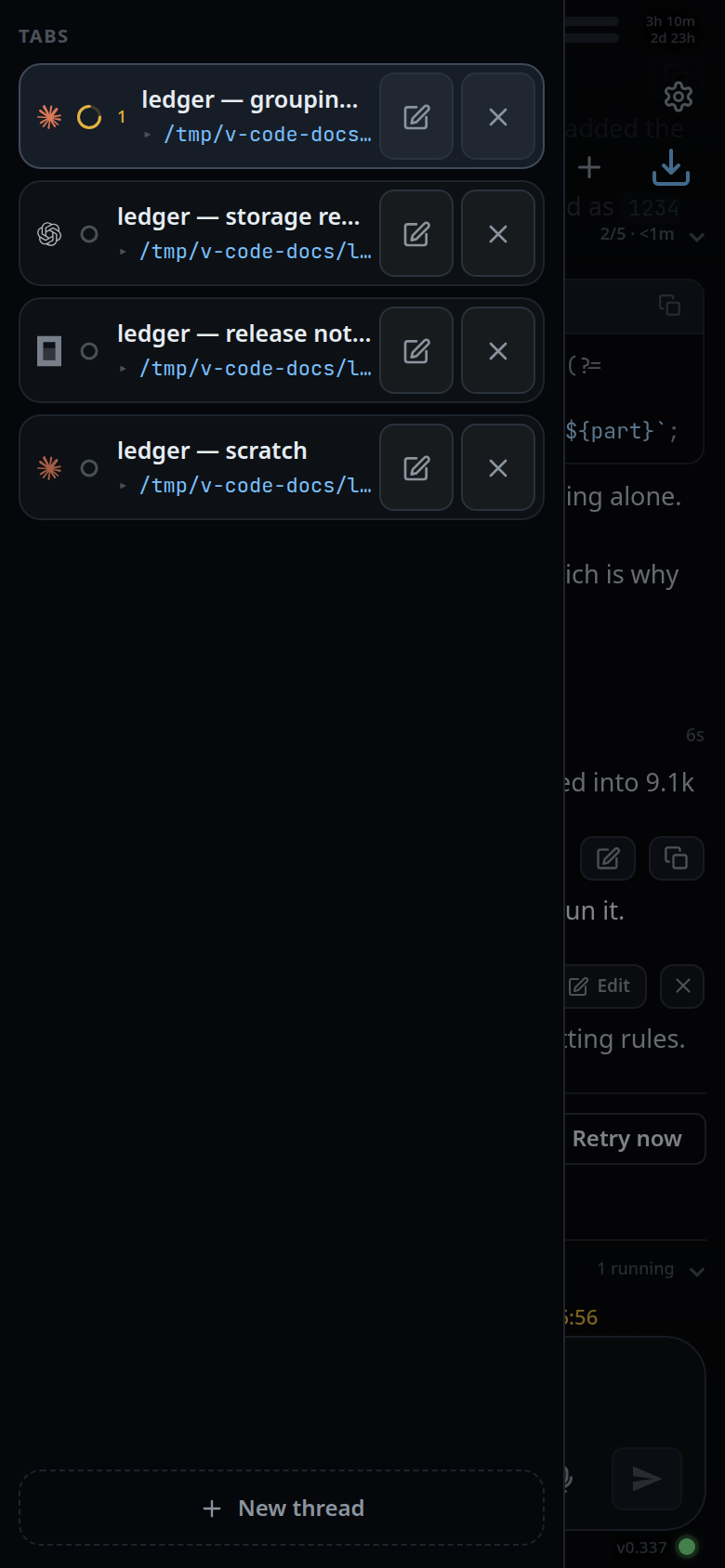
| Rename a tab | Pencil (Rename) on its row in the tab drawer or the Threads sheet; Enter saves, Escape cancels | The pencil in the Threads sheet, or /rename <name> (/r) |
| Reorder tabs | Hold a tab for 350 ms, then drag | Drag the tab |
| Colour a tab | /colour <name> (/color): red, orange, yellow, green, cyan, blue, purple, pink, or none |
The same |
| Move a tab to another folder | Folder button (Move to another folder) on its row in the Threads sheet | The same |
| Open the tab drawer | Swipe right from the left edge of the transcript | None: the tab strip is the drawer |
| Open the Threads sheet | All threads in the new-thread card, the ⑂ branch segment of the status bar, or /resume (/sessions) |
The same |
| Hand the tab to another agent | The agent pick (#agentpick) under the box, or /handoff <agent> |
The same |
Going back and closing things
| Action | Phone | Desktop |
|---|---|---|
| Close the top sheet, drawer or menu | The phone's back button or gesture; each press closes one layer | Escape, or the browser's back button |
| Close a drawer | Tap the dimmed area beside it, or swipe it back | Escape |
| Stop the running turn | ■ Stop in the streaming card | Escape with nothing else open, or ■ Stop |
| Hide a toast | Tap it | Click it |
The message box
| Action | Phone | Desktop |
|---|---|---|
| Send | Tap send (#send) or the keyboard's send key |
Enter |
| New line | None: the keyboard's Enter sends | Shift+Enter |
| Steer the running turn instead of queueing | Tap Steer (#steer) |
The same |
| Start typing from anywhere | Tap the box | Type: the first key goes into the box |
| Previous prompts | None | ↑ on the first line, ↓ on the last |
| Clear the box | Select all and delete, or hold Backspace | Escape twice within 700 ms |
| Delete word by word | Hold Backspace: after 2 s it takes whole words | Alt+Backspace (on a Mac, the Mac's own Option+Backspace) |
| Move a word | None | Alt+← or Alt+→ off a Mac (the Mac keeps its own Option keys) |
| Attach a file | Tap + (#attach) for a photo; hold it for any file |
Click +; right-click it for any file. Or paste an image into the box |
| Switch model or effort | The model and effort picks under the box, or /model, /effort |
The same |
| Shell mode | The Agent / Shell chips beside send | The same |
| Run one shell command | Start the line with ! |
The same |
The slash menu
| Action | Phone | Desktop |
|---|---|---|
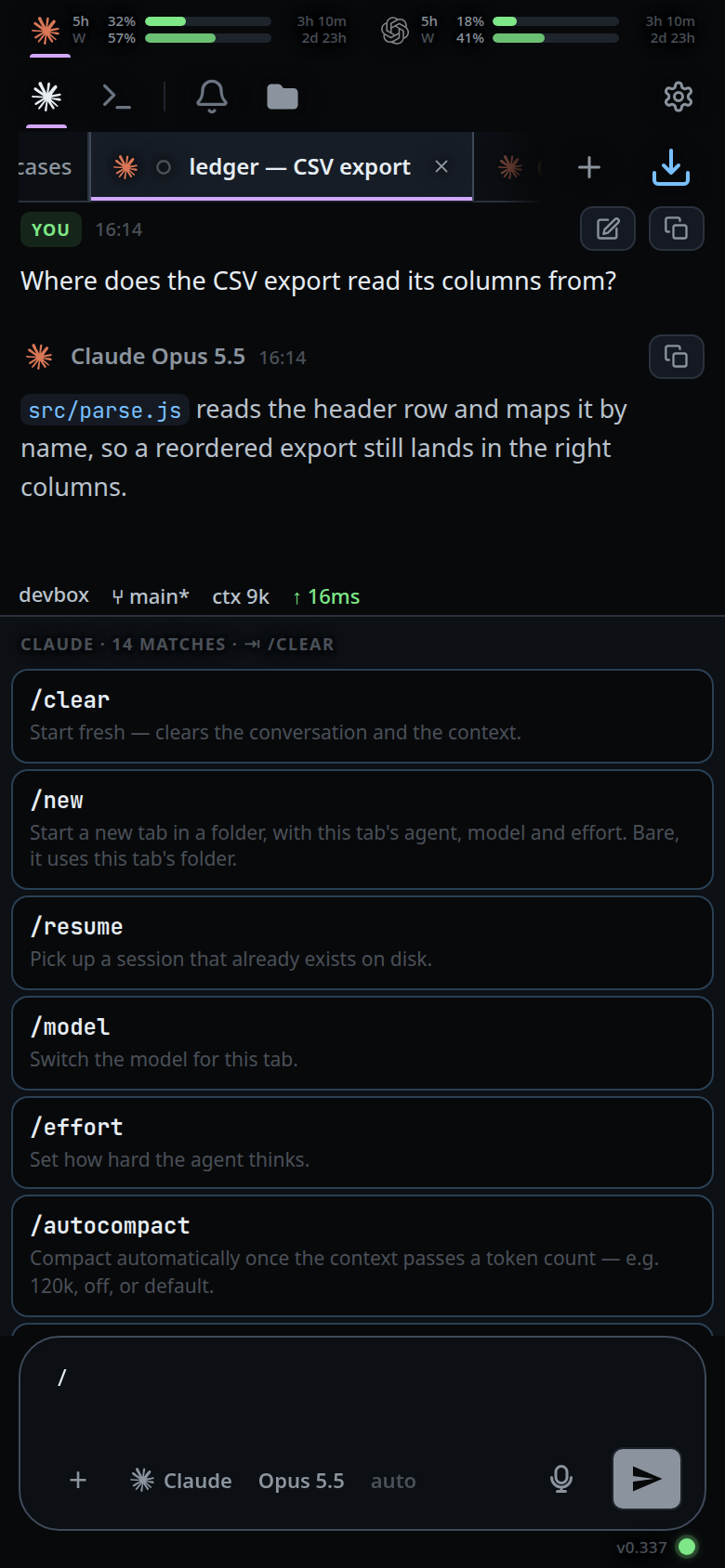
| Open the menu | Type / in the box |
The same |
| Pick a row | Tap it | ↓ and ↑ to walk, then Enter or Tab |
| Take the top match | None | Tab |
| Close the menu | Back, or delete the / |
Escape |
Split panes (wide layout only)
| Action | Keys |
|---|---|
| Split right / split down | Mod+D / Mod+Shift+D, or the Split right and Split down buttons (#split-right, #split-down) |
| Move to the pane in a direction | Alt+Shift+arrow (⌘⌥+arrow on a Mac), or click the pane |
| Ctrl+B, then a key within 1.5 s | % split right, " split down, an arrow to move, o next pane, z zoom, x close the pane (the tab stays open), Escape to cancel |
| Resize | Drag the line between two panes |
| Move a tab to another pane | Drag it from the pane's strip onto the other pane |
| New thread in an empty pane | Focus the pane and press any letter, Space or Enter |
On a phone there are no panes: one tab fills the screen.
Files
| Action | Phone | Desktop |
|---|---|---|
| Open the file explorer | Tap the folder button (#files-open), or swipe left from the right edge |
Mod+P, which also puts the cursor in the filter. From 1080 px wide the explorer is a column you hide and show |
| Find a file | Type in the filter | The same; Escape clears the filter, then closes the drawer |
| New file, folder, rename, delete | Hold a row for half a second | Right-click the row |
| Save an edit | The save button (#viewer-save) in the viewer |
Mod+S |
| Put a file's path in the message | Put path in message in the viewer | The same |
The transcript and the shell
| Action | Phone | Desktop |
|---|---|---|
| Jump to the latest message | Tap the arrow (#tobottom) |
The same |
| Page through | Scroll | PageUp and PageDown, even from the message box |
| Keys a phone keyboard lacks | The keycaps in shell mode: Tab, Esc, ↑, ↓, ^C, ^L, ⏎, ^D | Type them |
Commands VCode runs itself
Type these in the box, or pick them from the slash menu. The agents column is
where each one is offered.
| Command | Agents | What it does |
|---|---|---|
/clear |
all | Starts the agent on a fresh context in the same tab |
/new [folder] |
all | Opens a tab with this tab's agent, model and effort, in this folder or the one named |
/resume, /sessions |
all | Opens the Threads sheet at the sessions you can resume |
/model [name] |
all | Sets the model; bare, it shows the current one |
/effort [level] |
claude, codex, opencode | Sets the reasoning effort |
/autocompact [120k|off|default] |
claude, codex, opencode | Sets this tab's auto compact mark |
/handoff <agent>, /vendor, /harness, /agent |
all | Hands the tab to another agent |
/rename <name>, /r |
all | Renames the tab |
/colour <name>, /color |
all | Colours the tab; bare, it lists the colours |
/exit, /quit |
all | Closes the tab |
!<command> |
all | Runs one shell command in the tab's folder and shows the output as a card |
/compact goes to claude and opencode as typed. A skill with the same name as
one of these wins. Commands the agents' own terminals have but VCode cannot run,
such as /cost, /diff or /mcp, answer with a toast naming what to do
instead. They are listed in vendor slash commands.
What you see
Buttons with a key carry it in their tooltip on a desktop: "New thread (Ctrl+T)", "Files (Ctrl+P)", "Split right (Ctrl+D)", "Save (Ctrl+S)", with ⌘ on a Mac. A key that does nothing in the current place, such as Ctrl+PageDown inside a sheet, is swallowed rather than passed to the browser.
Limits and known gaps
- Keys do nothing while a sheet, drawer or popup has the focus, except Escape. Ctrl+B and the pane keys also skip text fields other than the message box.
- There is no key for reopening a closed tab: Mod+Shift+T, like Mod+Shift+P, Mod+Shift+N and Mod+Shift+W, stays with the browser.
- The tab drawer has no desktop way in. The tab strip does its job.
- The prompt history keys work in agent mode only, not in shell mode.
Related
- Switch tabs — the tab strip and its keys in detail
- Split panes — everything about panes
- The slash menu — how the menu matches and completes
- The back button — the order the layers close in