
Jump back to the latest message
Scroll up and a pill appears above the composer with a down arrow and a count of what arrived while you were away. Tap it to ride back to the newest card.
Why you would use it
You scroll back to check an earlier command while the agent keeps working. The count tells you how much you have missed, and one tap takes you back without flicking through it.
How to use it
Scroll up in the transcript.
The pill (
#tobottom) appears just above the composer, its badge (#tobottom-n) showing how many cards arrived since you left the bottom.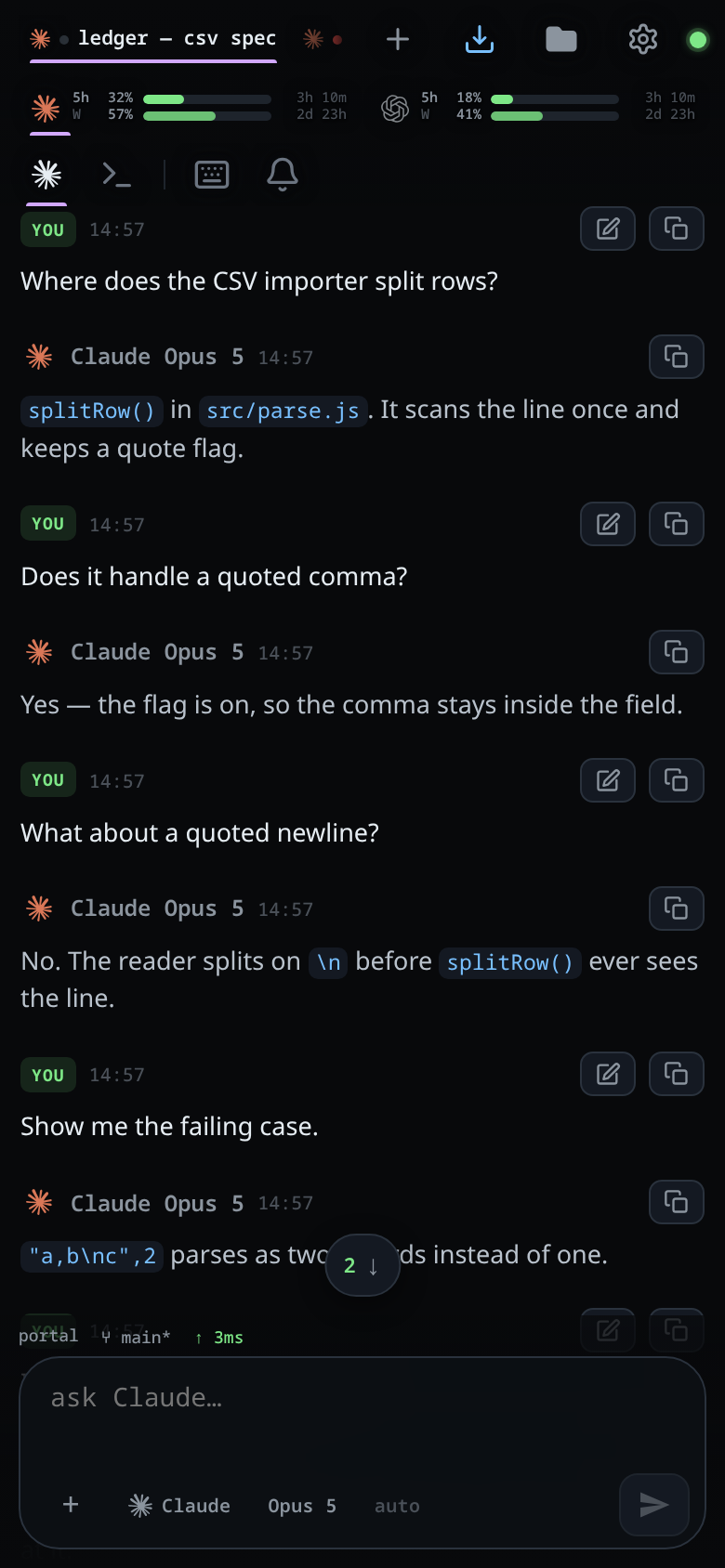
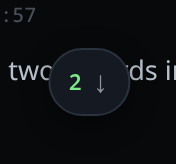
Tap it. The transcript scrolls smoothly to the end and the pill goes.
What you see
The pill carries ↓ and, when there is something new, a number. Its accessible
label is Jump to the latest message. It sits just above
the composer and moves with it as the composer
grows, clearing the status line and
the attachment strip.
While you are at the bottom, the transcript follows the tail: new cards jump into view instantly rather than gliding, because a smooth scroll fired several times a second during streaming never catches up. A transcript that changes size while you are at the bottom — a pane laid out at boot, a window resized, the file column docked, a screenshot arriving in the last card — lands on the newest message again rather than keeping the distance it had.
Limits and known gaps
- The pill is hidden while the slash menu is open or in shell mode, where the shell keypad occupies the bottom band.
- The count is cards arrived since you left the bottom, not a running total, and it resets when you get back.
- Loading
▴ N earlierhistory does not add to the count: old cards are not new ones. - A transcript you have scrolled away from keeps its place when it is resized. Only one at the bottom follows the size change.
Related
- read-the-transcript — the transcript itself
- activity-line — what sits at the bottom during a turn
- page-through-the-transcript — the keys that scroll away from the bottom
- floating-chrome — the bars the pill has to stay clear of
- send-a-message — the composer it rides above
- shell-mode — one of the modes that hides it
- split-panes — the panes that each open on their newest message