
Send a keystroke to the shell
Keycaps for the keys a phone keyboard does not offer: Tab, Esc, ↑, ↓,
^C, ^L, ⏎ and ^D. They go to the tab's shell pane.
Why you would use it
A soft keyboard has no Escape and no Ctrl. A command is running and you want to stop it. A prompt is waiting for a key. The last command needs recalling with the up arrow. None of these is a line of text you can type and send.
How to use it
Switch to Shell. The two-row keypad (
#tray-keys) stays visible in the bottom band while Shell mode is selected. Its keycaps readTab,Esc,↑,↓,^C,^L,⏎and^D.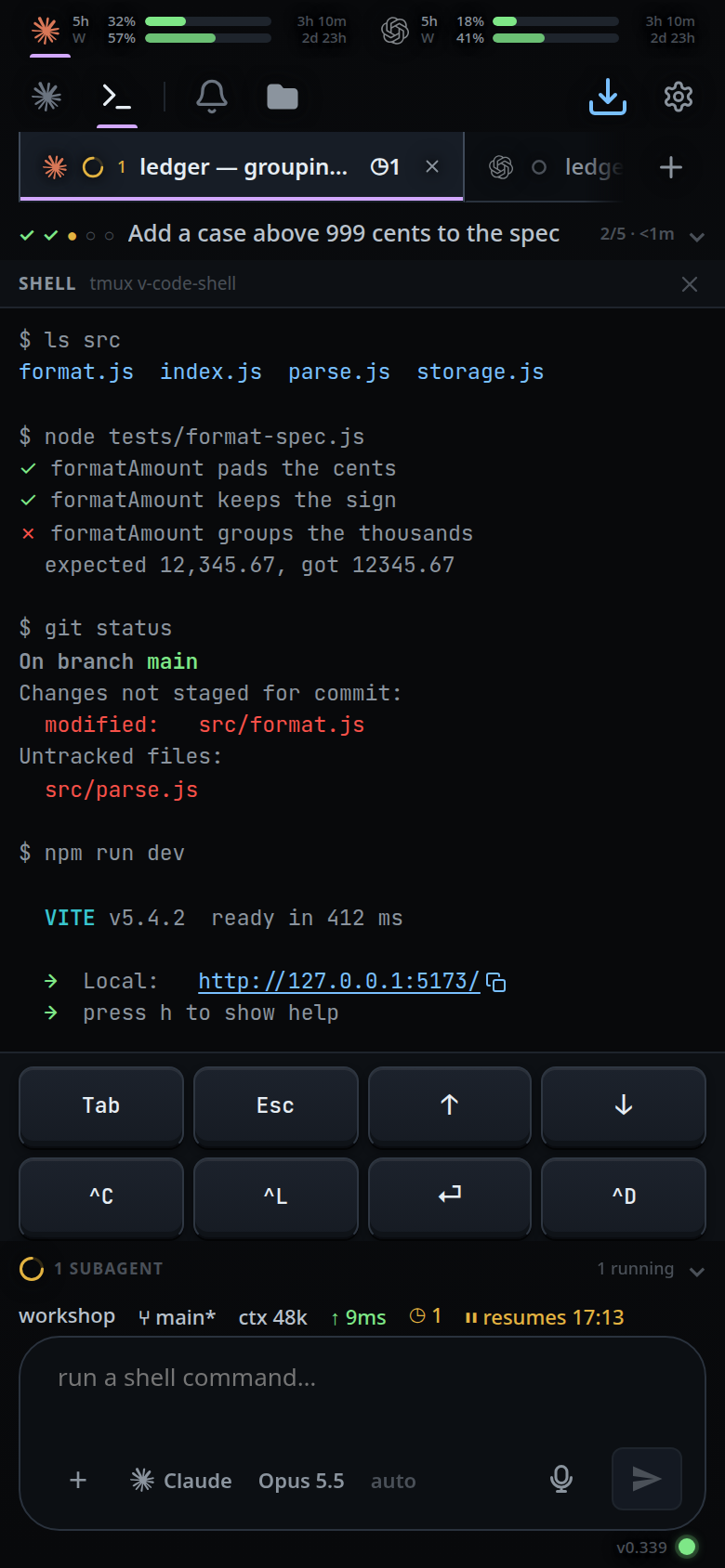
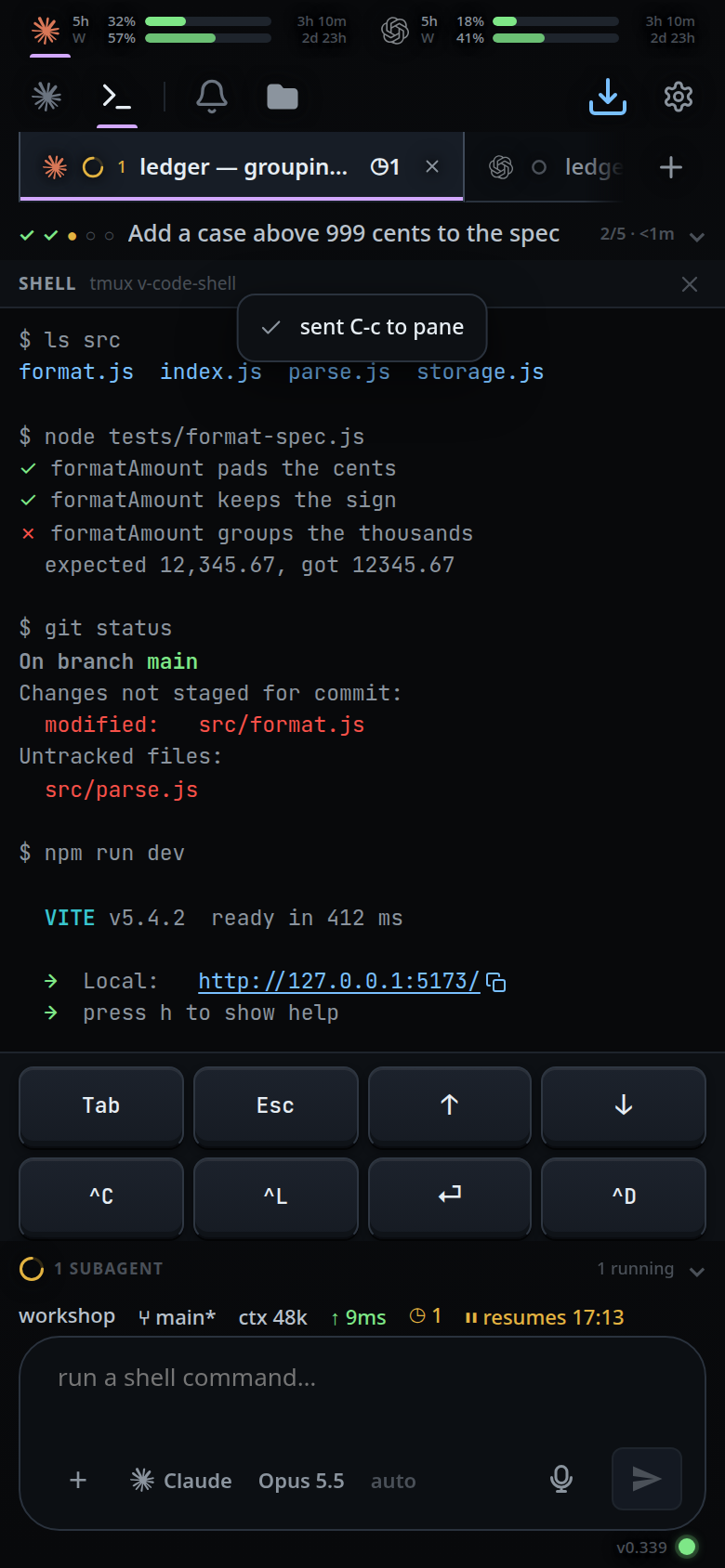
Tap a key to send it to the shell pane. A successful send shows a toast.
What you see
The keypad is hidden in Agent mode and always visible in Shell mode. On a wide screen, it follows the focused pane's mode.
The six-key row that used to sit directly below shell output is removed; the two-row keypad is the one set of shell key buttons.
A key from the tray toasts
sent <key> to pane— for examplesent C-c to paneafter tmux accepts it. A rejected key shows an error toast beginningshell unavailable:.The keys are drawn as raised keycaps.
^C,^Land^Dsend tmux'sC-c,C-landC-d;Tab,Esc,↑,↓and⏎sendTab,Escape,Up,DownandEnter. The tmux name is each key's accessible name, so a screen reader saysC-c, and it is the name the toast uses.The jump-to-latest pill is hidden while the keypad is visible.
Options and settings
| Option | Default | What it changes |
|---|---|---|
VCODE_SHELL_SESSION |
v-code-shell (-prod in the installed unit) |
The tmux session the keys reach |
Limits and known gaps
- Each button goes to the shell pane, never to the agent. There is no way to send a raw keystroke to a running agent turn.
- The keypad's key list is fixed. There is no way to add a key.
- With no tmux the send fails and the toast says so.
Related
- shell-mode — the pane these keys reach
- bang-command — one command, answered in the transcript instead
- floating-chrome — where the keypad sits
- wide-layout — how the keypad follows the focused pane
- toasts — the
sent <key> to panemessage - stop-a-running-turn — the agent's stop, which these keys are not
- agent-or-shell-mode — choosing the shell mode for these keys