
Stop a running turn
Cut the agent off mid-answer. The turn closes, and whatever you had queued behind it goes next.
Why you would use it
It is off down the wrong path, it is about to run something you do not want, or you have changed your mind and want to say something else first.
How to use it
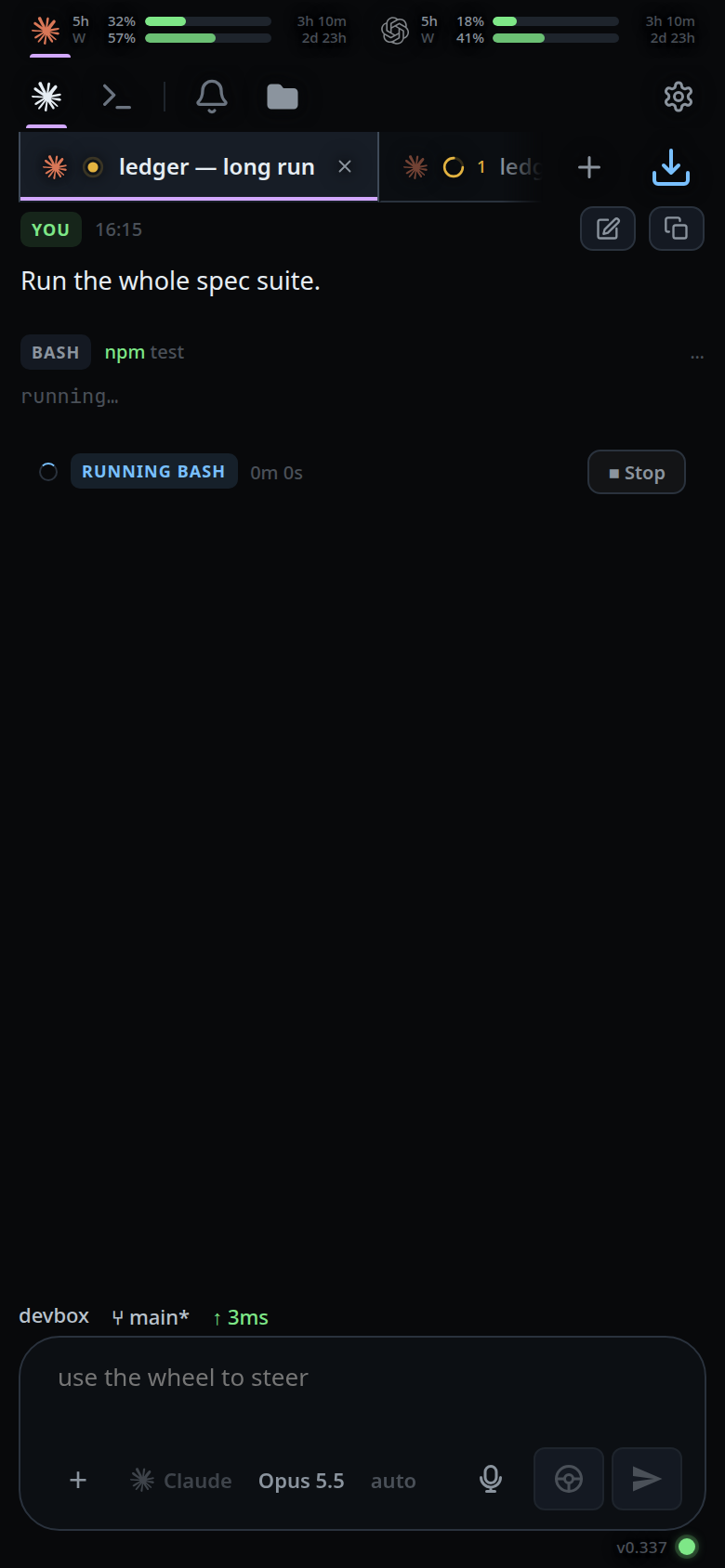
- While a turn runs, the activity card above the composer shows what the agent is
doing, how long it has been going, and a
■ Stopbutton. - Tap
■ Stop.
On a keyboard, press Escape. It stops the turn from wherever the cursor is, the
composer included, so a prompt you regret is cut off without reaching for the
button. Anything open over the screen takes the key first — a sheet, a drawer, the
file viewer — so press it again once that is closed. See
back-button.
Sending a message with the interrupt mode does the same thing and then sends your message, so the interruption and the correction are one action.
What you see
The activity card disappears. A warning line
lands in the transcript: interrupted by you. The turn is recorded as ended with
the reason interrupted.

If anything was queued behind the turn, it starts immediately.
Limits and known gaps
- Stop always unsticks the tab. If the agent process is already gone, there is nothing to signal, but the turn is still closed — otherwise the queue would stay blocked behind a turn nothing can finish.
- No auto compact runs after a turn you stopped. The same goes for a turn that errored or failed: the point of compaction is a healthy agent summarising finished work.
- On opencode a cancel usually settles in about 40 ms. If it has not after 15
seconds the process is stopped and you get
opencode did not stop the interrupted turn within 15000ms, so its process was stopped; send the message again. A message still waiting behind the cancelled prompt is dropped rather than sent. - On claude the interrupt returns the list of anything still queued inside the CLI and ends the turn there.
- Stopping mid-compaction closes the compaction card with
compaction interruptedrather than leaving it counting up. - Stop does not kill background work the agent started, such as a background Bash command or a cron job it registered.
Escapedoes nothing in shell mode: there the key belongs to whatever is running in the pane. Use■ Stop, or leave shell mode first.- Holding
Escapedown sends one interrupt, not one per repeat. - An
Escapethat neither closed a layer nor sent an interrupt returns the focus to the composer — see type-to-start-a-message. That covers no turn running, shell mode, and the repeats of a held key. The stop is tried first, so a turn is never left running by a key that only moved the cursor. - A field that does something of its own with
Escapekeeps it: the file filter with something in it, a tab being renamed, the slash menu. So does an input method mid-word, and the login screen.
Related
- resume-after-a-restart — a turn closed by the machine rather than by you
- auto-compact — why a stopped turn is never followed by a compaction
- activity-line — the card the stop button lives on
- queue-or-steer — interrupting and correcting in one send
- back-button — the layers
Escapecloses before it reaches the turn - type-to-start-a-message — what
Escapedoes when there is nothing to close and nothing to stop - clear-the-message-box — what a second Escape does once the turn is stopped