
Run shell commands in the tab
Switch the composer from the agent to a shell. What you type runs in a real shell on the machine, in this tab's folder, and the output fills the screen where the transcript was.
Why you would use it
You are on a phone and you want to run git status, start a dev server, or read
the output of a build the agent is not going to run for you. You also want it in
the tab's own folder, without telling an agent to do it and hoping it does.
How to use it
Tap Shell in the strip above the composer (
#send-modes, the chip with the>_mark). The transcript is replaced by the shell pane (#panel). On a wide screen the same button is in each pane's header, and the shell fills that pane alone, under its header; the other panes keep their conversations.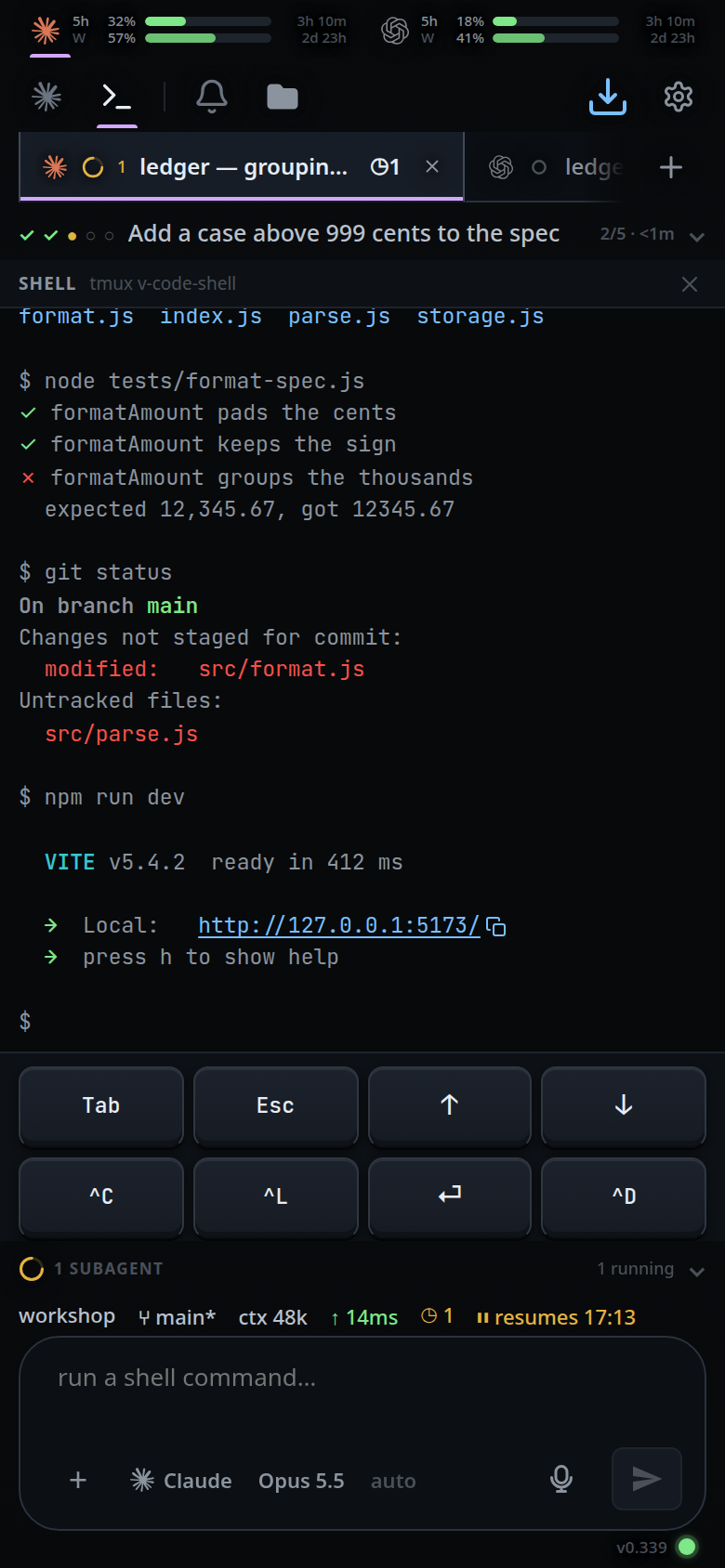
Type a command in the composer (
#draft) — the placeholder now readsrun a shell command…— and tap send (#send).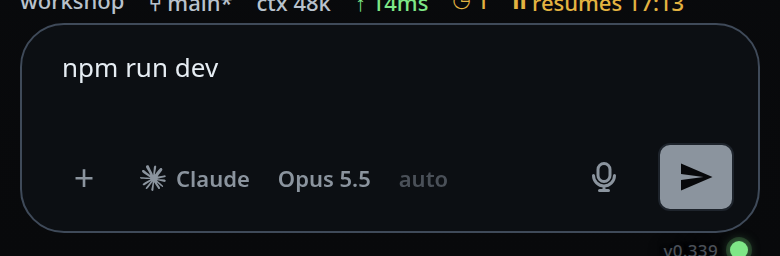
Read the output in the pane. It refreshes on its own every 2 seconds while the pane is showing and you are online.
In Shell mode the two-row keypad stays open in the bottom band. Tap a key to send it to the pane.
Tap Agent in the same strip, or the ✕ in the pane header (
#panel-close, "Back to the agent"), to go back to the transcript. On a wide screen a pane that loses the focus shows its transcript again, and comes back to the shell when it is focused.
What you see
The pane header says
SHELL(#panel-title) and, beside it,tmux <session name>(#panel-sub) —tmux v-code-shell-produnder the unit.
The last 60 lines of the shell, with the colours the shell is actually printing: prompt,
ls, test output. Scroll through those captured lines; new output follows the end while you are there, and keeps your position when you scroll back to read.Before the first command lands:
starting a shell….With no tmux on the machine:
shell unavailable: tmux not running, or the error tmux gave.URLs and
host:portstrings in the output are tappable, each with a copy button beside it. See terminal-output-and-links.The jump-to-latest pill (
#tobottom) is hidden while the pane is showing.
Options and settings
| Option | Default | What it changes |
|---|---|---|
VCODE_SHELL_SESSION |
v-code-shell (v-code-shell-prod in the unit) |
Name of the tmux session the panes live in |
VCODE_SHELL_COLS |
120 |
Width the session is created at |
VCODE_SHELL_ROWS |
40 |
Height the session is created at |
Limits and known gaps
- It is a tmux tail plus key sending, not a terminal emulator. Full-screen
programs — vim, lazygit,
top— are out of reach. - The mode is a mode: prose typed while Shell is selected is run as a command.
Switching agent with
/handoffputs the composer back into Agent mode so the next message cannot go to tmux by accident. - Shell mode is not per tab. Selecting another tab keeps you in the shell, but the pane then shows that tab's own shell. On a wide screen the mode is per pane, and the panes share one tmux session, so two panes in Shell mode are looking at the same shell.
- The pane reads 60 lines. Scrollback further than that is not reachable from the app.
- Each tmux call gives up after 2.5 seconds.
- Without tmux installed nothing works and the pane says so.
- There is no shell segment in the status bar: the mode strip, or a pane header
on a wide screen, is the only way in. A
!line does not come here — it runs on its own and answers in the transcript (see bang-command).
Related
- bang-command — run one command without leaving the agent
- run-a-command-from-a-code-block — run a bash block from a reply with one tap
- shell-keys — send
^C,Taband the arrows - terminal-output-and-links — get a URL out of the output
- agent-or-shell-mode — the chips that switch the composer between the two
- thread-working-folder — the folder each pane starts in
- floating-chrome — the slot the pane takes over
- wide-layout — where the shell sits when there is more than one pane
- environment-variables —
VCODE_SHELL_SESSIONand the pane size