
A tab's working folder, and moving it
Every tab is rooted in one directory, chosen when the tab is created. The folder button on a row in the Threads sheet moves the tab to another one — the repair for a tab pointed at a worktree that has since been merged and removed.
Why you would use it
The folder is where the agent runs, so when it disappears every turn in that tab fails on a path that is not there. Moving the tab fixes it without losing the transcript. It is also how you point an existing conversation at a fresh worktree.
How to use it
- Open the Threads sheet: tap the plus and then All threads in the card's
header.
/resumein the composer opens it too; the status bar's branch segment does not appear for a tab whose folder is gone, which is the tab this is usually for. - On the row you want to move, tap the folder button (
.wsmove, labelled "Move to another folder"). - The folder line turns into a picker listing the known repos plus wherever the tab currently points.

- Pick one. Tap away or press Escape to abandon the change.
What you see
The tab's folder is shown in several places: on its rows in the drawer and the
sheet with a ▸ in front, in the tab's tooltip in the strip, in the
file explorer's header, and as the folder the
resume list scans.
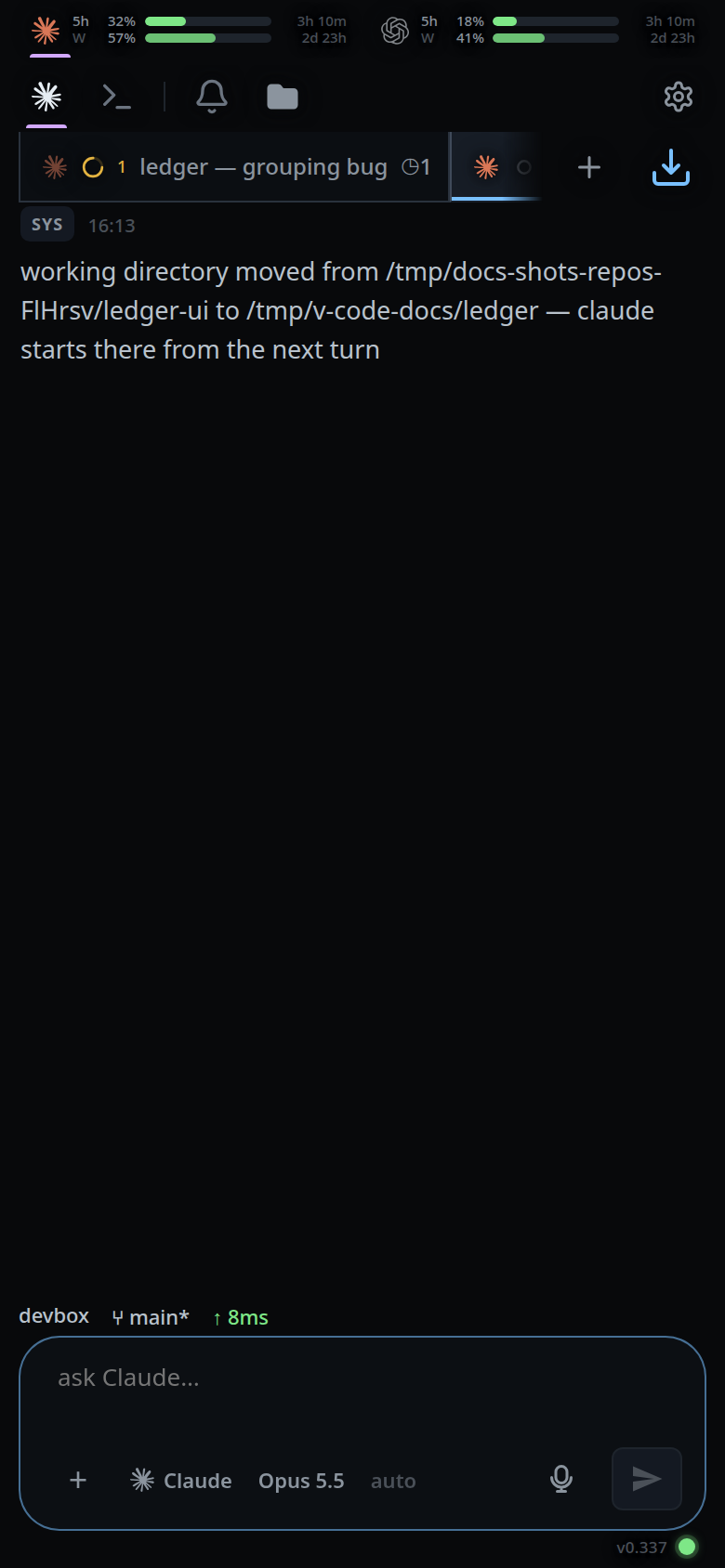
After a move the transcript gets a system line:
working directory moved from <old> to <new> — <agent> starts there from the next turn.
Anything queued behind a start that failed in the old folder is sent as soon as
the move lands.
Refusals come back as error toasts: cwd must be an absolute path, <path> does not exist, <path> is not a directory, cwd is required, and — while a turn is
running — stop the running turn before moving this tab.
Limits and known gaps
- The folder is fixed at creation otherwise; there is no slash command for it.
- The move stops the agent. It is refused while a turn is running, and while the
agent is still starting:
<agent> is still starting; try again in a moment. - The vendor session comes along, but only as far as it can. Claude keys its
session files by the git root rather than the literal directory, so a move
within one repo still resumes; a move that orphans the session fails visibly at
the next start, and
/clearis the way out. - The directory being left is deliberately not checked — it is usually gone, which is the reason for the move.
- The picker lists the repos under
~/gitplus the tab's current folder. It has no free text and no path completion; the new-thread box is the one with those.
Related
- pick-a-folder — choosing a folder when the tab is made
- threads-sheet — where the folder button lives
- start-a-thread — where a folder is first set
- file-explorer — the tree that follows the folder
- hand-a-tab-to-another-agent — the other move that stops the agent
- stop-a-running-turn — what to do when the move is refused mid-turn
- manage-queued-messages — what is sent once the move lands