
Pick the folder a tab works in
The folder box in the new-thread form is a typeable list of your repos that also completes any path on the machine. What you pick is the directory the agent runs in.
Why you would use it
Every tab is rooted in one directory: the agent starts there, the
file explorer shows it,
shell mode opens there, and the
resume list scans it. On a phone you
cannot type /home/you/git/some-repo comfortably, so the box ranks your repos by
a few letters and completes real paths from the disk when you type one.
How to use it
- Tap the folder box (
.new-cwd) in the new-thread card (#newthread) or in the Threads sheet's NEW THREAD section. - Type a few letters of the repo's name. The menu (
.new-cwd-menu) narrows as you type.
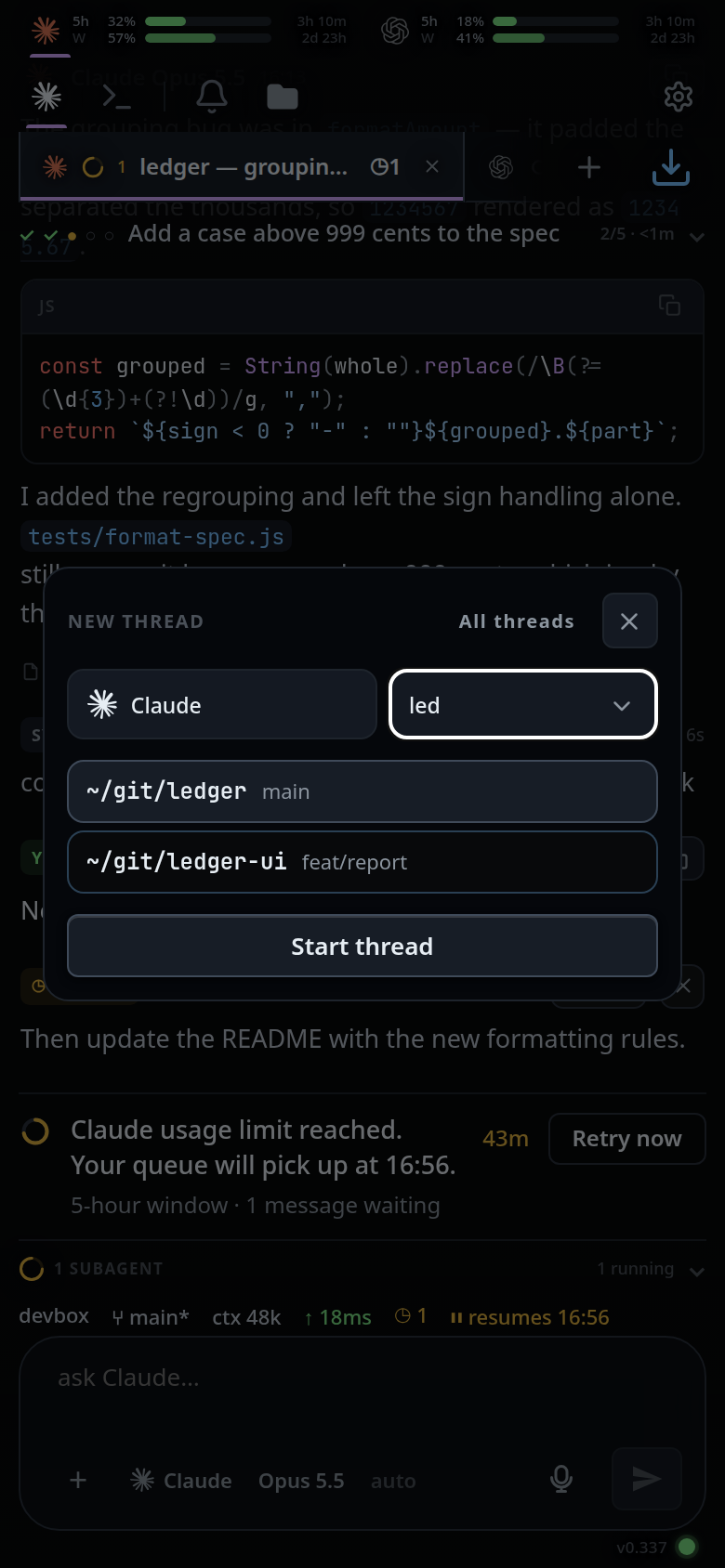 3. Tap the row you want, or press Enter to take the top row and start the thread
at once.
4. To browse instead of typing, tap the chevron at the right of the box
(
3. Tap the row you want, or press Enter to take the top row and start the thread
at once.
4. To browse instead of typing, tap the chevron at the right of the box
(.cwdchev) to show the whole list.
5. To use a folder that is not a repo under ~/git, type a path — anything
starting with /, ~ or ., or containing a /. The box asks the server
for the children of that directory and lists them.
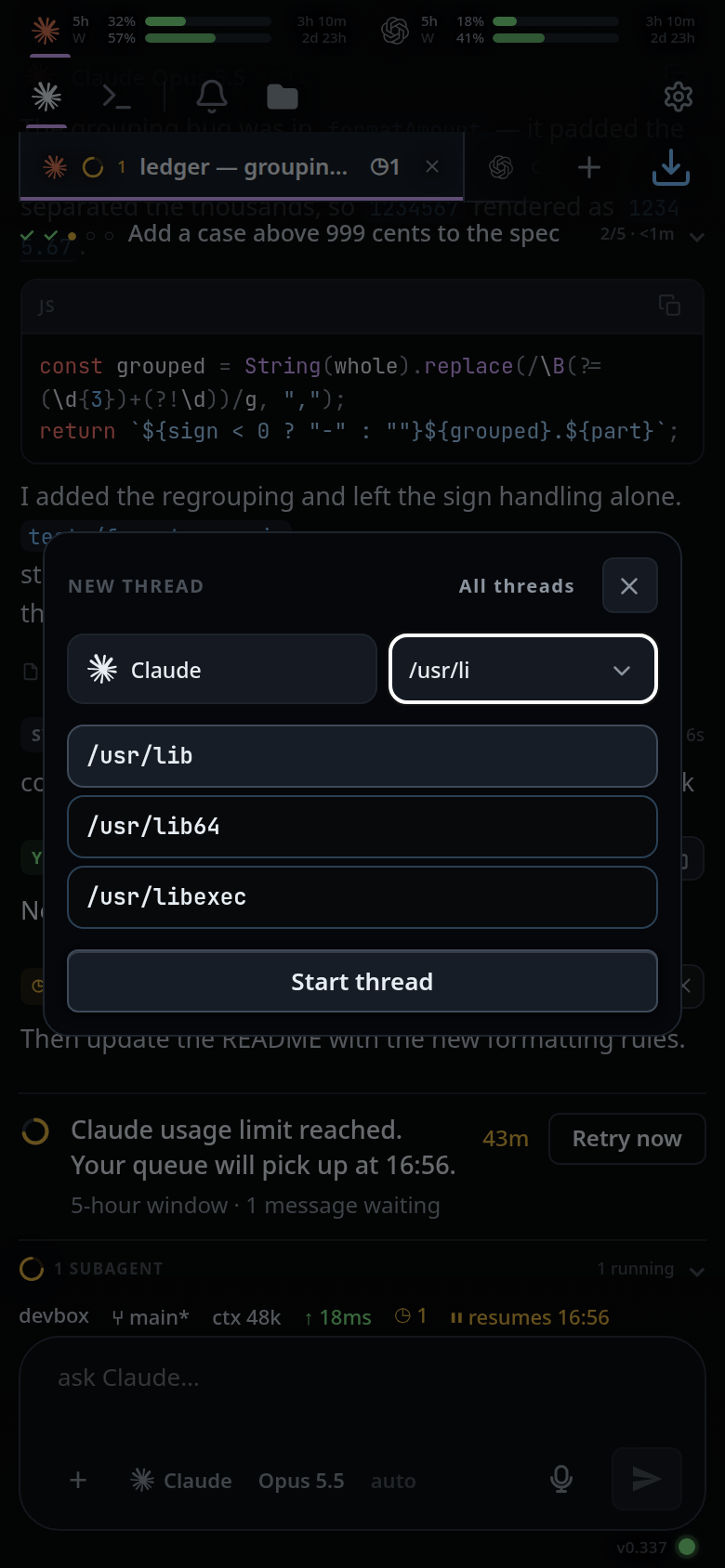
What you see
The box is empty-placeholdered folder and seeded with the current tab's folder
as a ~-short label. The row of the folder you already have is marked. Once you
start typing a filter, the top row is marked instead — that is the row Enter and
Start thread take.
Each row shows the folder's ~-short label and, for a repo, its current branch
on the right. A folder found by path completion that is not a repo shows no
branch.
The list of repos is re-read from the server every time the card opens, so a worktree you created a minute ago is there.
In the VCode app the list and the path completion are the picked box's: the box
pick (.new-box) comes first in the row, and picking another box refills an
untouched folder box with that box's folder and re-reads its list. A folder you
typed stays, and belongs to the box picked while you typed it: Start on another
box refuses it with that folder is on <box>, not <box>: pick it again. See
work-on-several-boxes.
Options and settings
| Option | Default | What it changes |
|---|---|---|
| typed text | empty | Under ~ the whole word is a filter over the known repos; a path-shaped text (/, ~, . or containing /) also completes against the disk |
| completion debounce | 150 ms after the last keystroke (COMPLETE_DEBOUNCE_MS in public/app.js) |
How long typing pauses before the disk is read |
| completion limit | 40 entries | How many children of a directory come back |
Limits and known gaps
- The repo list is the directories directly under
~/gitthat are git repositories, plus~/gititself. A box with no~/gitlists its home folder and the repos directly in it, and new threads start there. Nothing else is listed until you type a path. - Path completion lists directories and symlinks to directories only. Dotted names stay hidden until what you typed starts with a dot.
- A directory that is missing or unreadable gives an empty menu, not an error.
- A typed path only gives way to a known folder it is the start of, so a new directory is never swapped for a repo whose letters happen to scatter through what you typed.
- Some iOS builds ignore the select-all on focus; the box still works, it just keeps the caret where you tapped.
Related
- start-a-thread — the form the box lives in
- work-on-several-boxes — which box's folders the app lists
- new-tab-command — the same picker in the composer
- thread-working-folder — moving an existing tab
- file-explorer — what the picked folder shows
- insert-a-path — the other place a path is completed