
Put a file path in your message
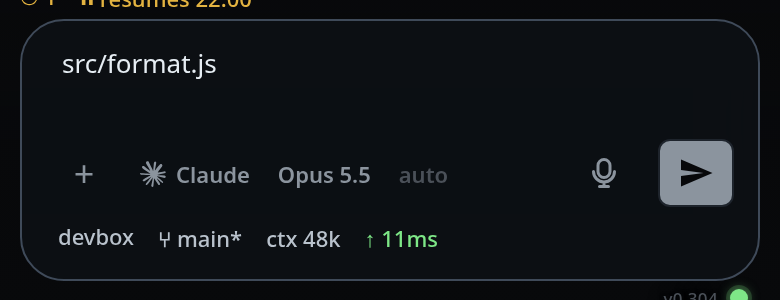
One tap in the viewer appends the open file's path to whatever you are typing, and gets both panels out of the way.
Why you would use it
Typing lib/adapters/stdio-rpc.js on a phone keyboard is slow and easy to get
wrong. Find the file in the explorer instead, open it, and tap the path into the
message.
How to use it
Open a file in the viewer.
Tap the insert button (
#viewer-insert, "Put path in message").The viewer and the explorer both close, the path is in the composer, and the keyboard is up with the cursor in it.
Type the rest of the message and send.
What you see
- The path appears in the composer (
#draft), relative to the thread's folder. - An empty composer gets the path on its own. A composer with text already in it gets a space and then the path appended.
- The composer grows to fit, the send button lights up, and the slash menu reacts the same way it does to typing.
Limits and known gaps
- It appends at the end, not at the cursor.
- There is no button for this on an explorer row; the file has to be open in the viewer.
- The path is relative to the thread's folder, which is the folder the agent runs in, so the agent reads it as-is.
Related
- file-viewer — where the button lives
- find-a-file — getting to the file in the first place
- send-a-message — the composer the path lands in
- drafts-kept-per-tab — what happens to it if you switch tabs