
Find a file by name
Type part of a name into the explorer's filter and the whole folder is walked for matches. The tree steps aside for a flat list of paths.
Why you would use it
You know the file is called something like runner but not which folder it sits
in, and opening folders one at a time on a phone is slow.
How to use it
Open the explorer (
#files-open).Type into the filter box (
#explorer-filter, placeholderfilter…).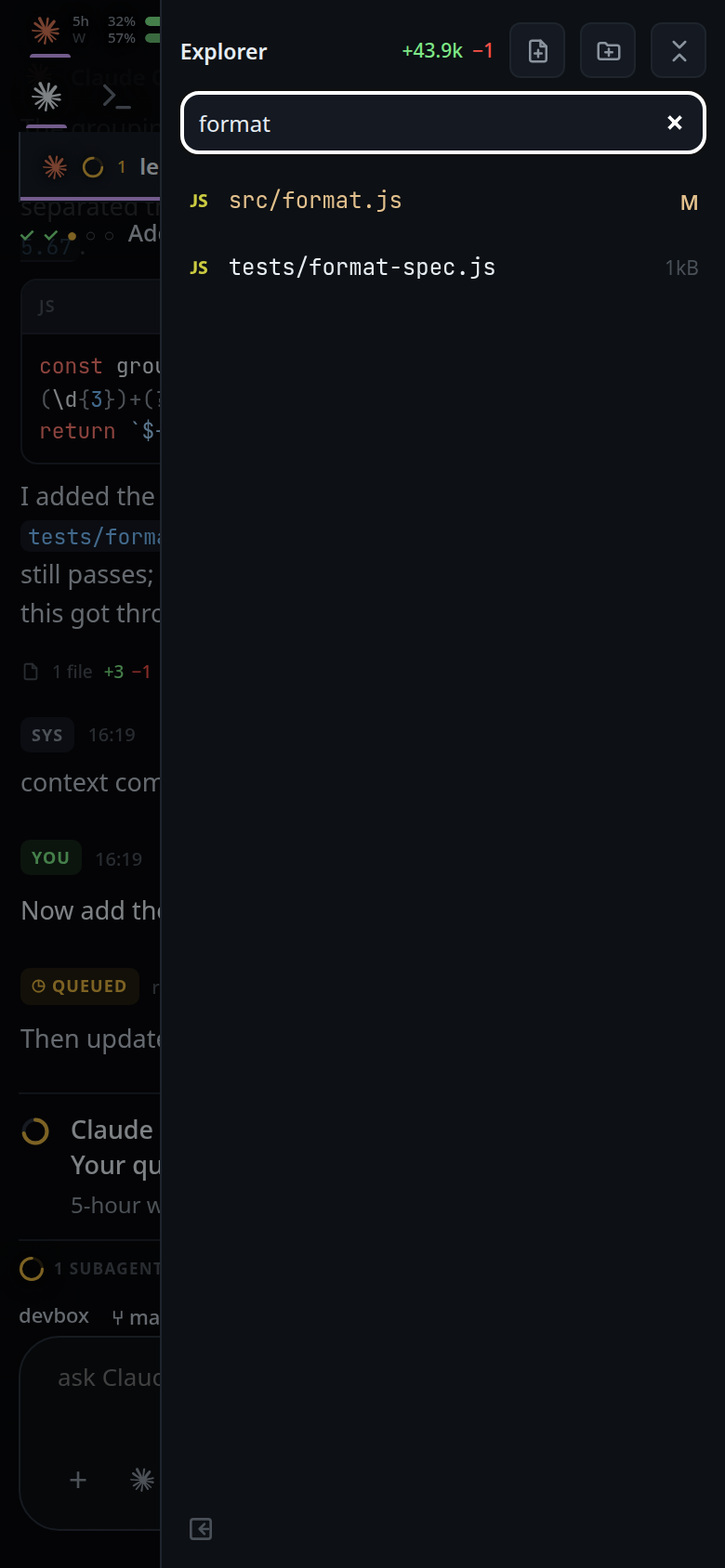
Tap a file result to open it in the viewer.
Tap a folder result to show it in the tree: the filter clears, every folder on the way down opens, and the row is scrolled into the middle of the panel.
Press Escape, or clear the box, to go back to the tree. With the box already empty, Escape in the drawer closes the drawer; in the docked column it does nothing.
What you see
- Each result is one row showing its whole path from the thread's folder, not just its name. A file result carries its icon, and a changed or ignored one its letter and colour, as in the tree.
- No match shows
no match. - More than 500 matches ends in a
Load morerow that appends the next page. - The tree is not drawn while the filter has text in it.
Options and settings
| Option | Default | What it changes |
|---|---|---|
| Typing delay | 150 ms | How long typing stops before the server is asked. Every keystroke would otherwise walk the tree |
| Page | 500 matches | How many come back at once |
| Depth | 12 levels | How far below the folder the walk goes |
Limits and known gaps
- It matches names, not file contents.
node_modulesand.gitare never walked into, though both are listed as ordinary folders in the tree.- Symlinked folders are not walked through: a cycle would never end, and what they point at is reachable by its own path.
- The match is a plain substring, case insensitive. No globs, no regular expressions.
- A folder that cannot be read is skipped without failing the search.
totalfor a query is the capped count of what the walk found, not an exact count of every match in the tree.
Related
- file-explorer — the tree the filter replaces
- file-viewer — what a result opens
- insert-a-path — putting the file you found into your message