
The slash menu
Type / in the composer and a list appears above it: the commands
VCode runs itself, and the skills the agent can load. Tap one, walk it with
the arrows, or press Tab to take the top match.
Why you would use it
You cannot remember whether the command is /effort or /reasoning, and on a
phone you do not want to find out by sending it. The menu is the list, scoped to
the agent this tab is running.
How to use it
Type
/in the box (#draft). The menu (#slashmenu) opens between the transcript and the box.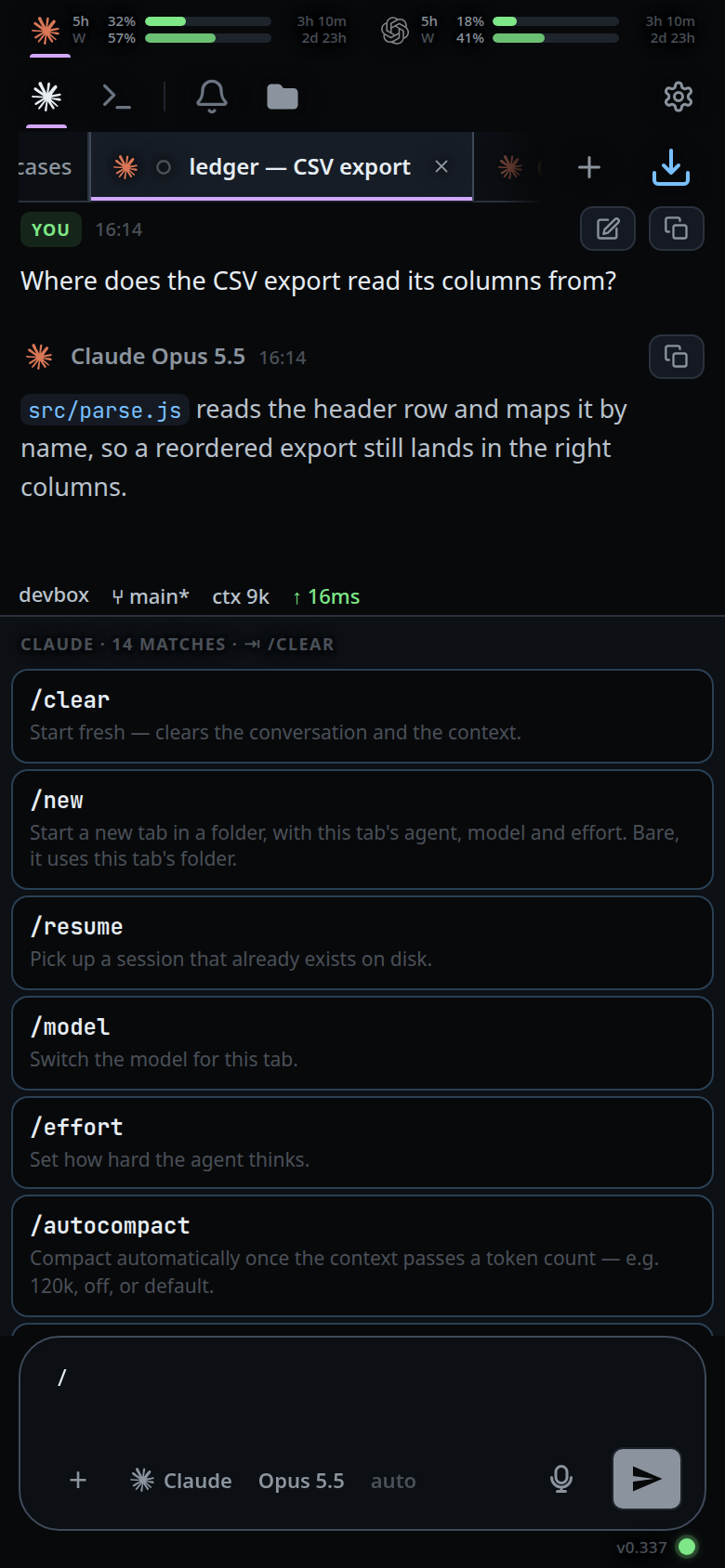
Keep typing to filter. Matching is fuzzy:
tddfindstest-driven-development.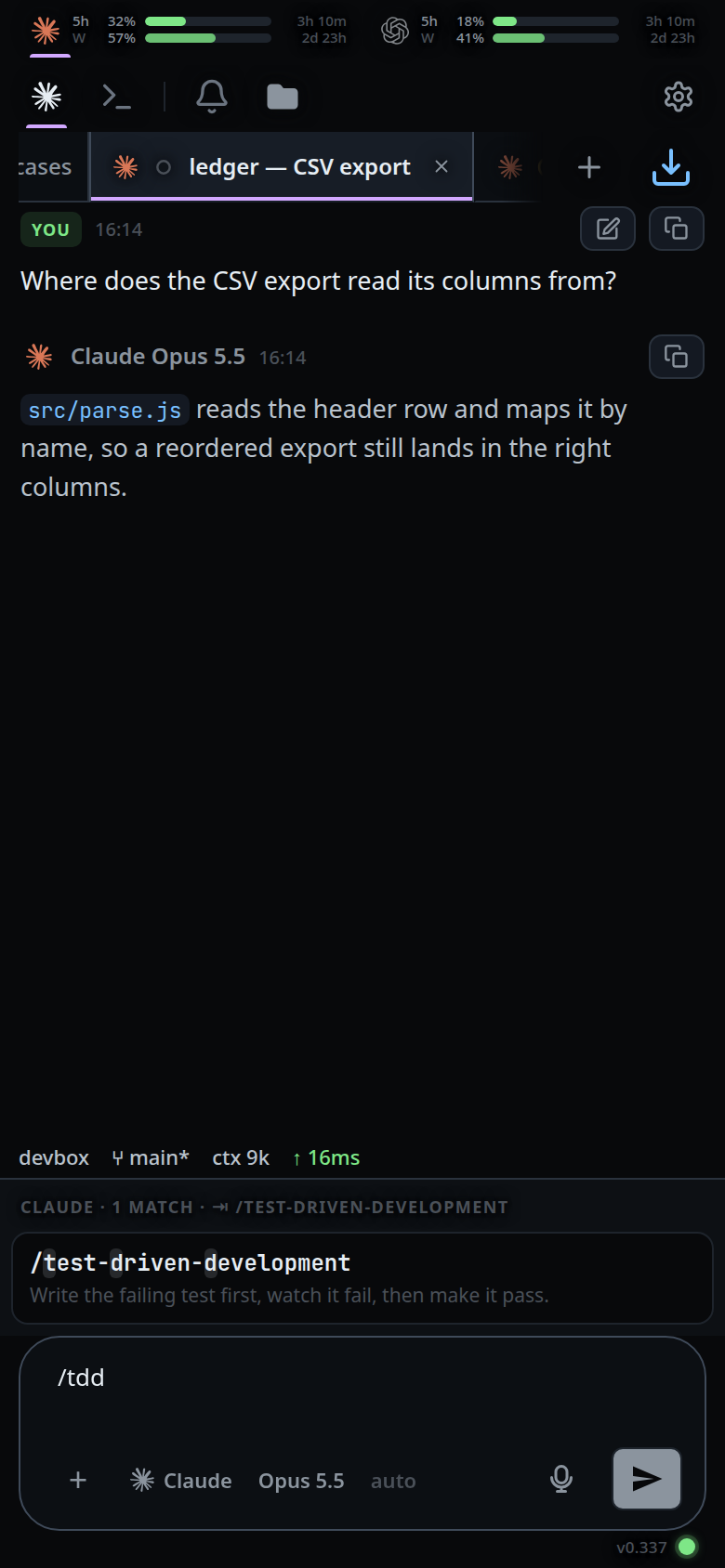
Press ↓ and ↑ to walk the rows. The list wraps at both ends, and ↑ from nothing selected starts at the bottom.
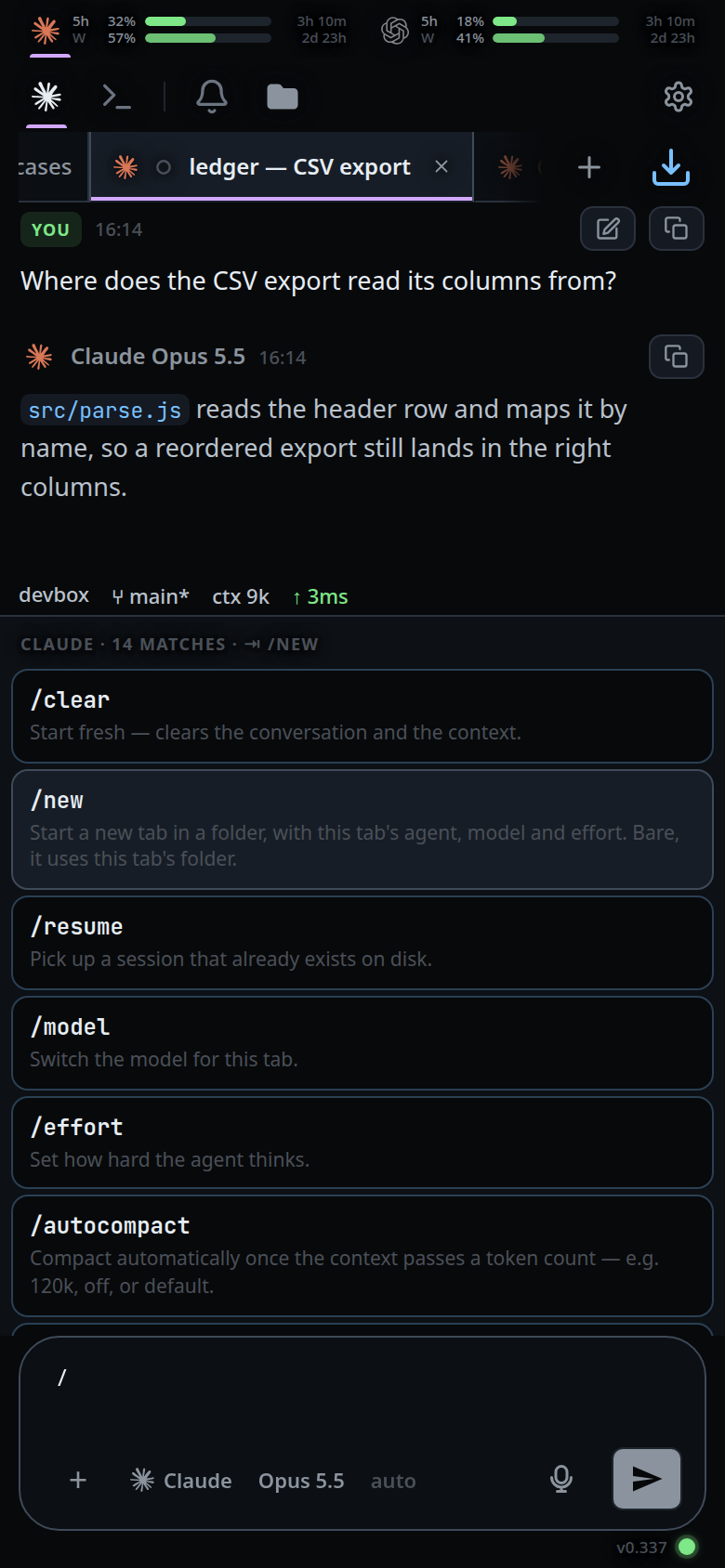
Take the selected row with Enter, with Tab, or by tapping it. All three do the same thing to it. With no row selected, Tab completes the top match and Enter sends what you typed. Escape closes the menu.
Taking a row writes
/nameinto the box with a trailing space, leaving the rest of your message alone — unless the command runs on its own, and then it runs where you took it./clearclears,/newopens a tab in this folder,/resumeopens the session list,/exitcloses the tab.A command you typed out in full runs on Tab as well:
/clearand one press, with nothing left to complete./cland one press is still/clear.
What you see
- A header line: the agent, then the count, then what Tab will do —
claude · 12 matches · ⇥ /clear. Once the arrows have moved, the hint names the row they are on. - The selected row lights its border and background, the way the folder box marks the folder you are in.
- In a list of values, the model or effort the tab is already on carries a green
tick and reads
in useat the head of its note. Every agent row carries its brand mark, so that menu says which one is running with brighter text and the noterunning this tab now. - With more matches than fit, the header says so:
46 matches · showing 40, keep typing. - Each row is the command or skill name with the characters that earned the match
highlighted, then its description. A skill with no description reads
skill. - A row for
/clear,/new,/resumeor/exitacts on the pick: the menu closes and the command runs, with nothing left in the box to send. The others take an argument, so taking them writes the name and waits —/modeland/effortthen open their list of values,/handoffand its aliases their list of agents. /newis the one that both runs and takes an argument. Taken from the menu it opens a tab in this tab's folder; type a space after it and the folder list opens instead.- A finished
/modelor/effortturns the menu into that command's values, headedmodel for claude · now: sonnet, with no space needed: VCode owns both words on every agent, so the word on its own is already the question. A finished/handoff,/vendor,/harnessor/agentturns it into the agent list instead, headedagent for this tab · now: claude./newwaits for the space before it lists folders. - Both work at the end of a message already written, not only on an empty box:
type
write the tests /modeland the models are listed. Picking one sets it and takes the command out of the draft, leavingwrite the teststo send./newis the exception — it stays a command on its own, because its menu writes a folder path back into the box. - The command the caret is in is the one answered, so a second command later in
the draft gets its own menu: in
fix the bug /model opus then /compactthe menu is the command list for/compact. Move the caret out and the menu closes. - A menu opened by tapping the agent, model or effort button leaves a message in
the box alone. Only a command you typed is taken out of it — and a box holding
nothing but
/modelis emptied either way, since picking spends it. - On a desktop frame the menu opens over the transcript, above the pane's attachments, subagents strip and status line. Nothing moves: the transcript stays where it was and shows either side of the menu, and the rows under the menu stay against the composer.
Options and settings
VCode's own commands, from public/commands.js. Each is listed only for
the agents that have it; all ten are listed for all three agents today.
A command with a dash under Takes runs on the pick, and so does /new,
whose folder is optional; the rest are written into the box for you to finish.
| Command | Takes | What it does |
|---|---|---|
/clear |
— | clear-the-context |
/new [folder] |
a folder, or nothing | new-tab-command |
/resume, /sessions |
— | resume-a-session-from-disk |
/model [value] |
a model | switch-the-model |
/effort [value] |
an effort | set-the-effort |
/autocompact [mark] |
a token count, off, default |
auto-compact |
/handoff [agent] (+ /vendor, /harness, /agent) |
an agent id | hand-a-tab-to-another-agent |
/rename, /r |
a name | rename-a-tab |
/colour, /color |
a colour name or none |
tab-colours — red, orange, yellow, green, cyan, blue, purple, pink, or none |
/exit, /quit |
— | close-and-reopen-tabs — the log stays on disk and the Closed list brings it back |
/compact is also listed, for claude and opencode, as a pass-through: the menu
offers it, and the text is sent to the CLI exactly as typed.
Limits and known gaps
- The list is capped at 40 rows. The header reports the true total and admits the cap.
- The menu is Agent mode only. In Shell mode
/usris a path, so no menu opens. - A slash glued to the end of a word, or with a space or a second slash between it and the caret, is prose or a path, not a command.
- Enter sends until an arrow has chosen a row, so a command typed in full is still one keypress. After a move it takes the row instead.
- Tab runs a command only when there is nothing left to complete: a row the
arrows chose, or the whole box already holding that command.
/clplus one press is/clear, not a cleared conversation. - A skill is never run from the menu, by any of the three keys: skills resolve
inside the agent, so the row writes its name and the message is sent. The same
goes for
/compact, which the CLI answers itself. - A command picked out of the middle of a longer message is written in as text even when it takes no argument. Running it there would empty the box and take the message with it.
- Any keystroke that changes the list drops the selection, because the row it was on may not be in the new list.
- The arrows belong to the menu while it is open, so they neither move the caret in a multi-line draft nor walk the prompt history. Escape gives them back.
- A menu opened by tapping the agent, model or effort button takes the arrows only once the focus is back in the composer, which a tap in the box does: the keys are listened for there, and the tap on the button moved the focus to the button.
- Skills are read from
~/.claude/skillsand~/.codex/skills, three levels deep. opencode has no skills directory, so an opencode tab's menu is commands only. - A vendor built-in VCode cannot run is not in the menu; typing it gets an explanation instead. See vendor-slash-commands.
Related
- navigation-and-commands — every gesture, key and command, phone and desktop
- vendor-slash-commands — what the CLI's own commands do when typed here
- clear-the-context, switch-the-model, set-the-effort
- agent-or-shell-mode — the mode the menu needs
- type-to-start-a-message — typing
/with the focus nowhere opens it too - new-tab-command — what
/newopens - resume-a-session-from-disk — what
/resumelists - auto-compact — what
/autocompactsets - clear-the-message-box — the second Escape, once the menu is closed