
Clear the context with /clear
/clear starts the agent fresh in this tab. The conversation it was carrying is
dropped, along with the transcript on screen. The tab, its folder, its model and
its log on disk stay.
Why you would use it
The agent has been going for an hour on something finished and every new question is answered through the old context. Clearing is cheaper than a new tab because the tab keeps its name, colour, folder and settings.
How to use it
Type
/clearin the box (#draft). The slash menu describes it asStart fresh — clears the conversation and the context.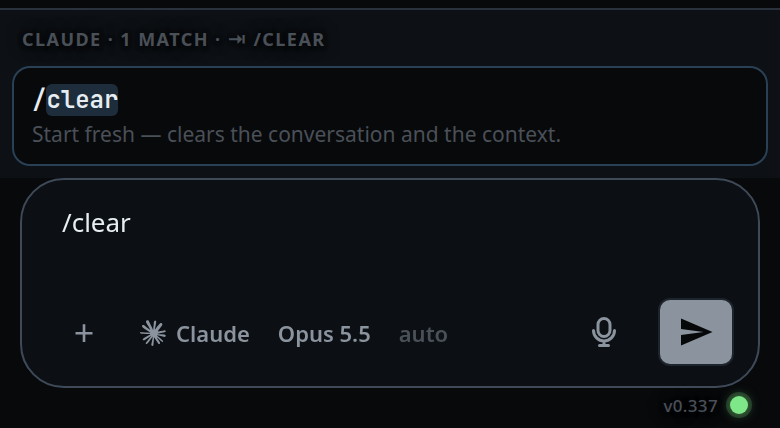
Tap the row.
/cleartakes no argument, so the tap runs it — there is nothing left to send. Typed in full and sent with Enter, it does the same thing.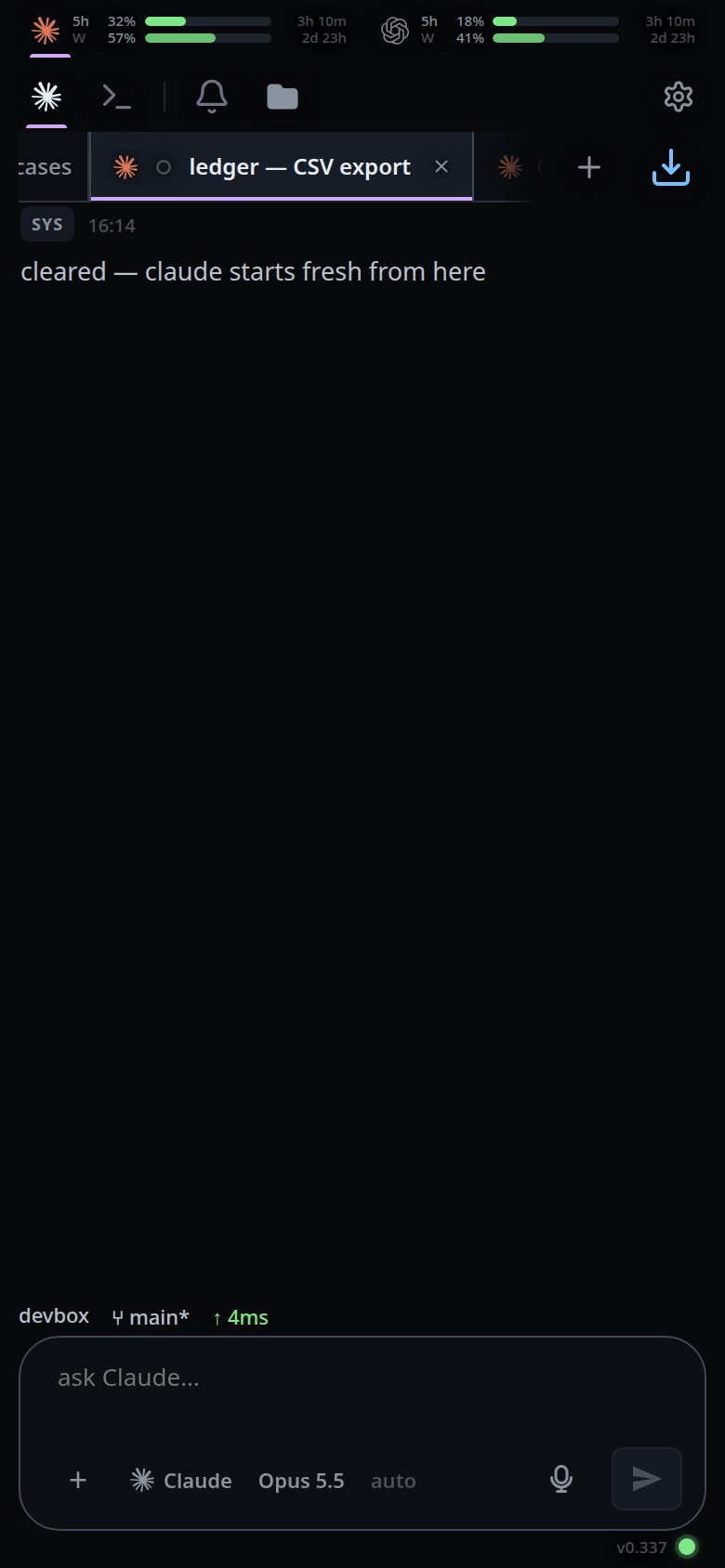
What you see
- The transcript empties and a system line takes its place:
cleared — claude starts fresh from here. - With nothing to clear, a toast:
nothing to clear yet. - While a turn is running it is refused:
stop the running turn before clearing the context. - With no tab open,
/clearis not run at all; the send path answersstart a thread first.
Limits and known gaps
- Tab does not run it. Tab completes the word to
/clear, and the send is yours:/clplus one press must not be a cleared conversation. - The tap runs it only when
/clearis the whole message. Picked out of the middle of a longer one, it is written in as text, because running it there would empty the box and take the message with it. /clearfollowed by other words is prose, not a command./clear the build directoryis sent to the agent as a message.- On codex,
/compactdoes not work over this channel;/clearis the way to start the agent fresh. VCode says so if you type/compacton a codex tab. - On opencode, a session opencode has forgotten fails with
session not found … — run /clear to start this tab on a new opencode session. That is what/clearis for there. - A parked handoff brief is context too, and is dropped with everything else.
- An armed usage-limit retry is cancelled: it would otherwise resume a session that no longer exists and hold the queue until then.
- Nothing is deleted. The thread's append-only log keeps every event; this forgets without deleting. The agent forgets and the screen forgets; the events stay on disk, they are just no longer part of what the tab shows or what the agent is asked about.
Related
- slash-menu — where the command comes from
- vendor-slash-commands — why
/compactbehaves differently per agent - auto-compact — shrink the context instead of dropping it
- hand-a-tab-to-another-agent — drop the session but keep the history as a brief
- close-and-reopen-tabs — dropping the tab instead of its context
- thread-state-on-disk — the log a clear does not delete
- resume-a-session-from-disk — starting a tab on a session that already exists