
What the CLI's own slash commands do here
A slash command typed here is not a slash command typed into the vendor's own terminal UI. Over this channel most CLI built-ins answer "isn't available in this environment", which looks like a bug. VCode recognises them and tells you what to do instead.
Why you would use it
You know the CLI. You type /context or /diff from habit. Rather than a dead
end, you get a one-line answer pointing at the thing in this app that does the
same job.
How to use it
Type the command and send it. If VCode knows it cannot work, the message is not forwarded; you get a toast instead.
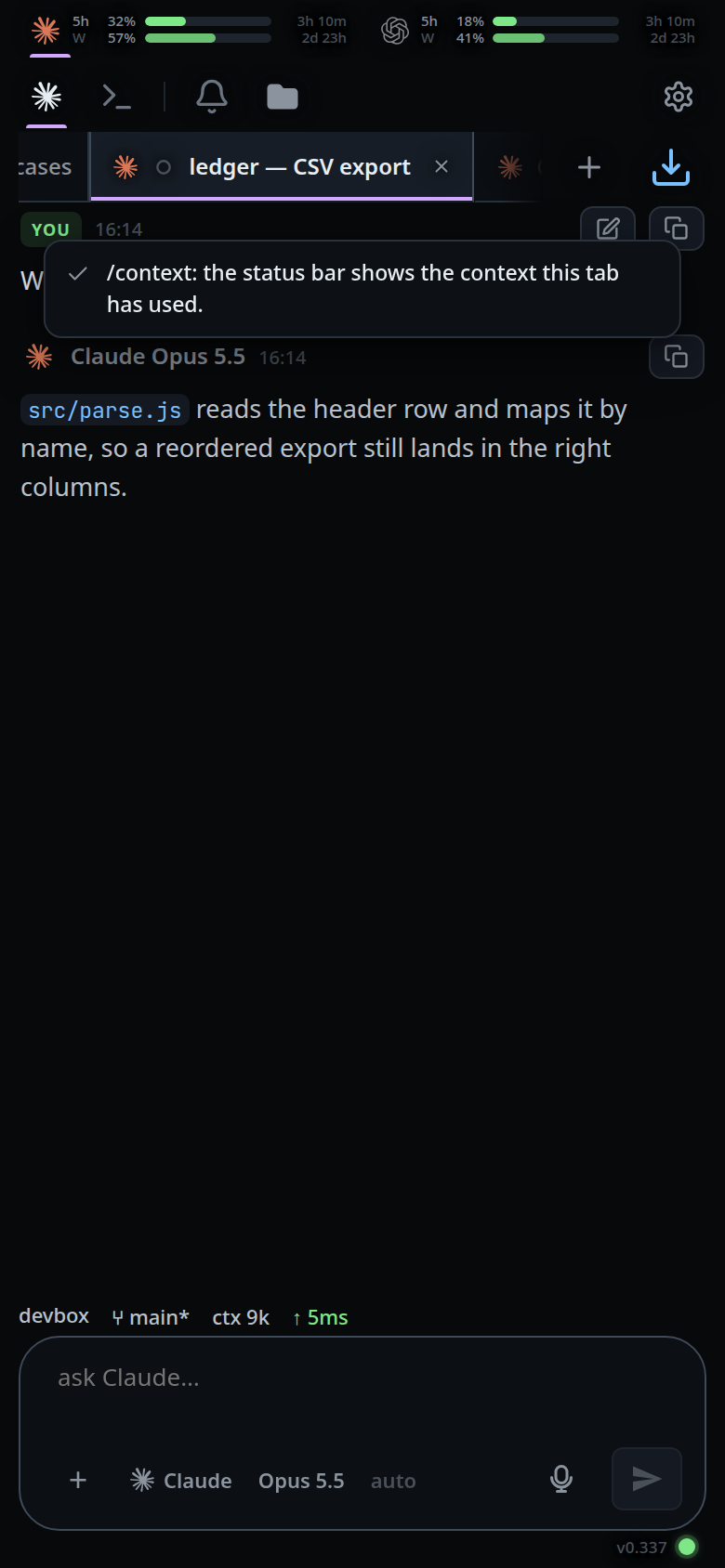
What you see
A toast of the form /<name>: <note>. The notes, per agent:
| Command | Agents | What you are told |
|---|---|---|
/compact |
codex | codex does not compact over this channel — /clear starts the agent fresh instead. |
/context |
claude | the status bar shows the context this tab has used. |
/usage |
claude | the meters above the transcript show your plan usage. |
/status |
claude, codex | the meters and the status bar already show this tab's state. |
/cost |
claude | per-session spend is not surfaced in VCode yet. |
/diff |
codex | switch to Shell mode and run git diff. |
/mention |
codex | attach a file with + beside the composer. |
/undo |
codex | ask the agent to revert the change instead. |
/help |
claude, codex, opencode | type / on its own to see everything VCode can run here. |
/config, /permissions, /hooks, /doctor |
claude | a CLI-only command — switch to Shell mode and run it there. |
/mcp |
claude, codex | a CLI-only command — switch to Shell mode and run it there. |
/login, /logout |
claude, codex | a CLI-only command — switch to Shell mode and run it there. |
/approvals |
codex | a CLI-only command — switch to Shell mode and run it there. |
/compact on claude and on opencode is different: both honour it over this
channel, so it is offered in the slash menu and sent to the CLI exactly as typed.
Limits and known gaps
- Each built-in is recognised only for the vendor that actually has it. On a
claude tab,
/diffis not a codex command, so it stays a plain message and is sent to the agent. - A built-in with an argument is left alone and sent as a message.
- A skill of the same name wins. Skills resolve inside the agent and genuinely work, so shadowing one with an "unavailable" note would break it.
- A VCode command of the same name wins over both.
- An unknown slash word is forwarded untouched — which is what makes skills and the vendor's own custom commands work.
Related
- slash-menu — the commands VCode does run
- clear-the-context — what
/compacton codex points you at - status-bar — what
/contextand/statuspoint you at - usage-meters — what
/usagepoints you at - shell-mode — where a CLI-only command is run instead
- toasts — the line these answers arrive on
- auto-compact — compaction VCode does run