
Edit, drop or steer a queued message
A message waiting to run has three buttons on its card: steer it into the running turn, pull it back into the composer to rewrite, or drop it.
Why you would use it
You queued three things and then changed your mind about the second. Nothing has run yet, so the queue is still editable — unlike a message the agent has already read.
How to use it
Find the queued card in the transcript. It is tagged
◷ QUEUEDand readsruns after the current turn.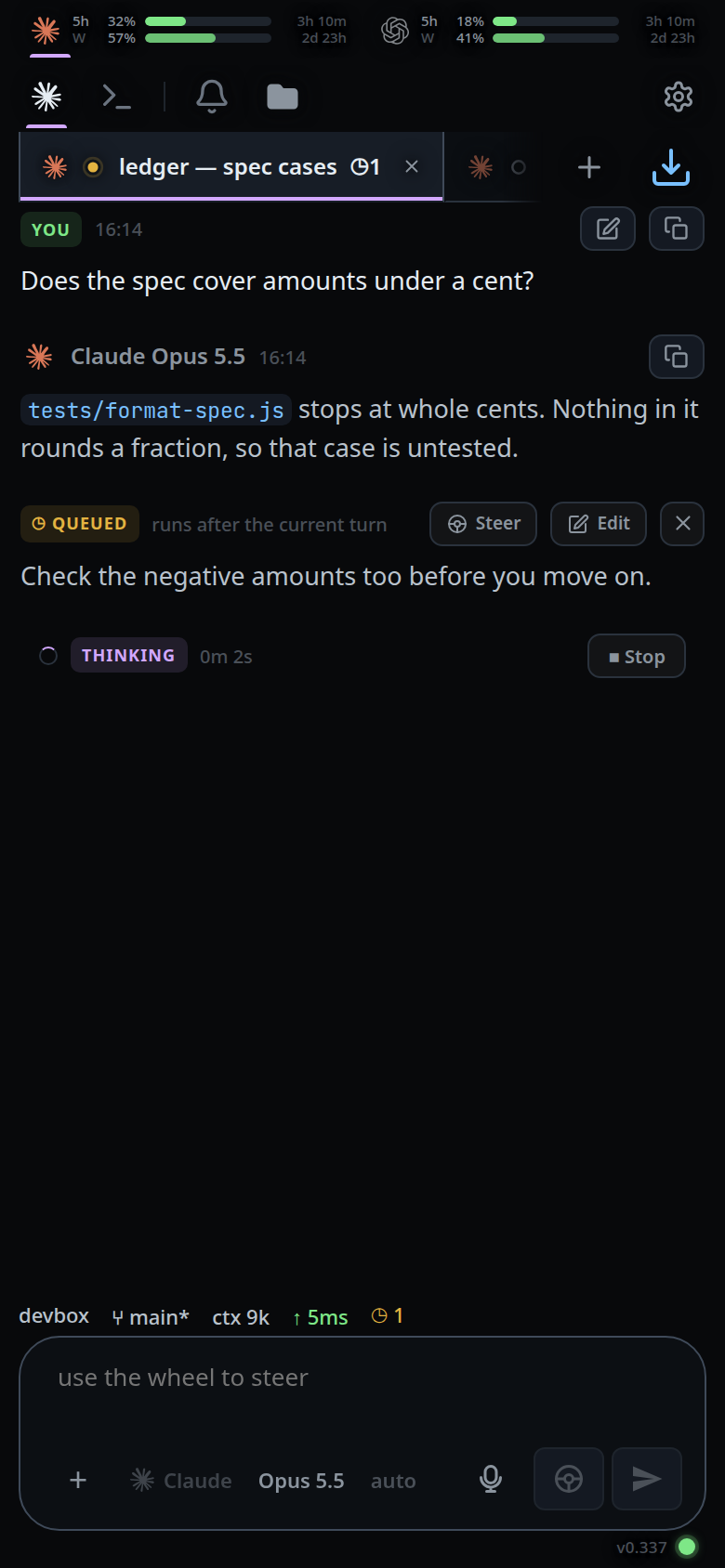
Tap Steer to promote it into the turn already running.
Tap Edit (the pencil) to bring its text back into the box (
#draft). The card leaves the queue.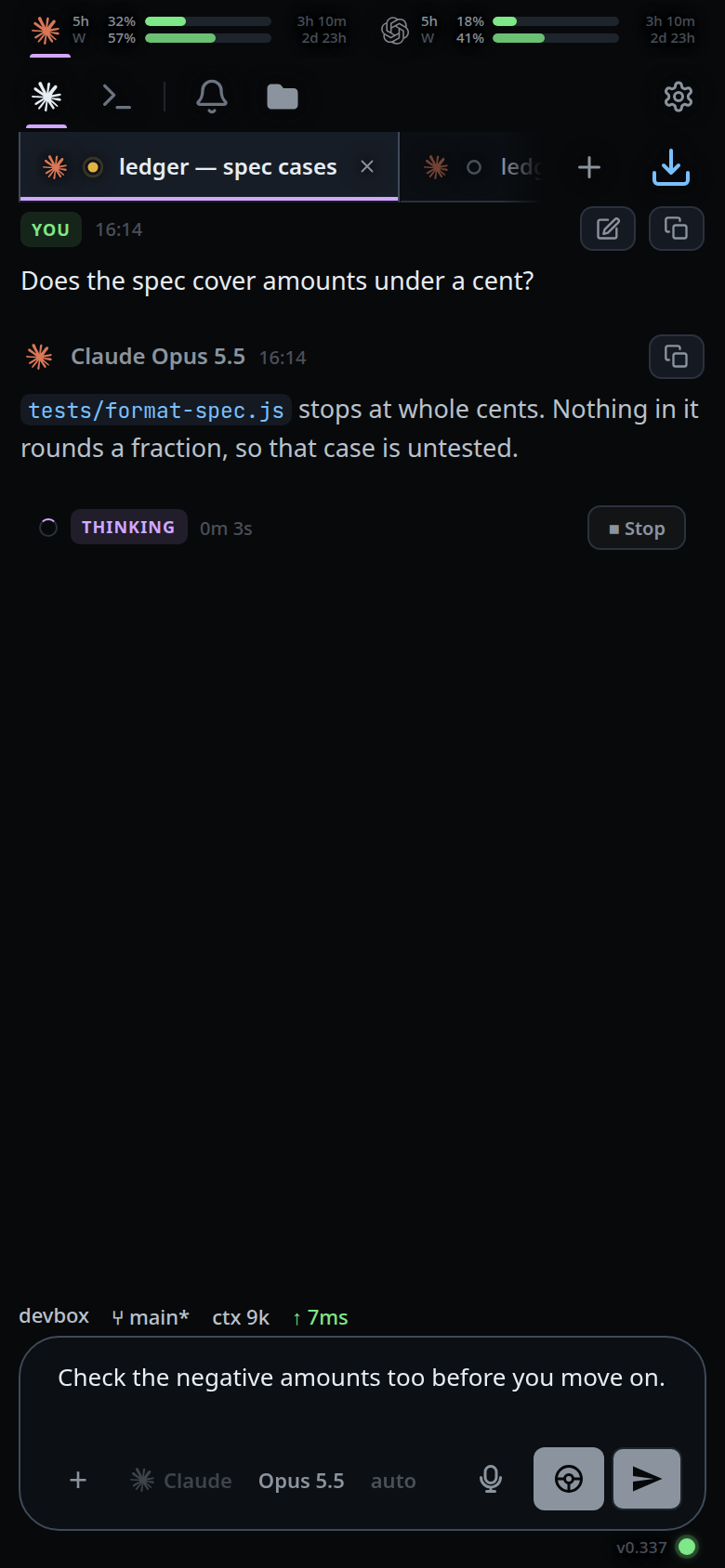
Tap the × to drop it without sending.
What you see
◷ QUEUED · runs after the current turn— the server has the message.◷ OUTBOX · sends when the server is reachable— the message is still only on this device, and has edit and × but no steer button. See queue-a-message-offline.- Steering succeeds with the toast
steered into the running turn; it fails with the server's reason as an error toast. - Editing into a box that already has text is refused:
finish or clear the current draft first. The queued message stays where it is. - The card shows its attachments as chips, so you can see what is waiting.
- A tab you are not looking at shows its waiting messages as a
◷Ncount on the tab in the strip.
Limits and known gaps
- Editing loses the attachments. The text comes back to the composer; the files do not. Re-attach before sending.
- The steer button appears only when steering would actually land — see queue-or-steer for the conditions and the opencode gap.
- A message the agent has already started is not in the queue and cannot be edited or dropped. The pencil on a sent user card copies its text into the composer as a new message; the original stays in the transcript.
- Dropping a message that only ever existed locally still works: the local entry goes and the server-side cancel is allowed to fail.
Related
- queue-or-steer — the two ways a message enters the queue
- send-a-message — the send path itself
- queue-a-message-offline — the outbox card and what happens to it
- attach-photos-and-files — the files an edit drops
- read-the-transcript — the other cards in the same list
- switch-tabs — where the
◷Ncount on a tab is read