
Terminal colour and one-tap links
Command output keeps the colours the program printed, and every URL in it becomes a link with a copy button beside it.
Why you would use it
The reason to look at command output from a phone is usually a URL: the login link an OAuth flow printed, or the address a dev server just came up on. Dragging selection handles across a URL that wraps three times is what this replaces.
How to use it
Find the URL in a tool card's output, or in the shell pane after running the command that printed it.
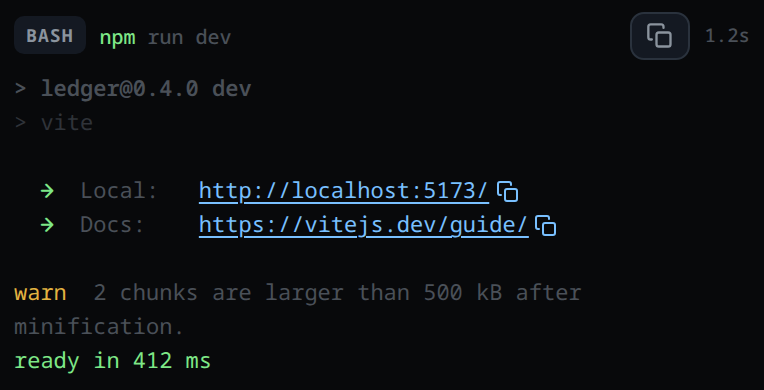
Tap the copy mark (the two-rectangles icon,
.linkcopy) directly after the link to put the whole address on the clipboard.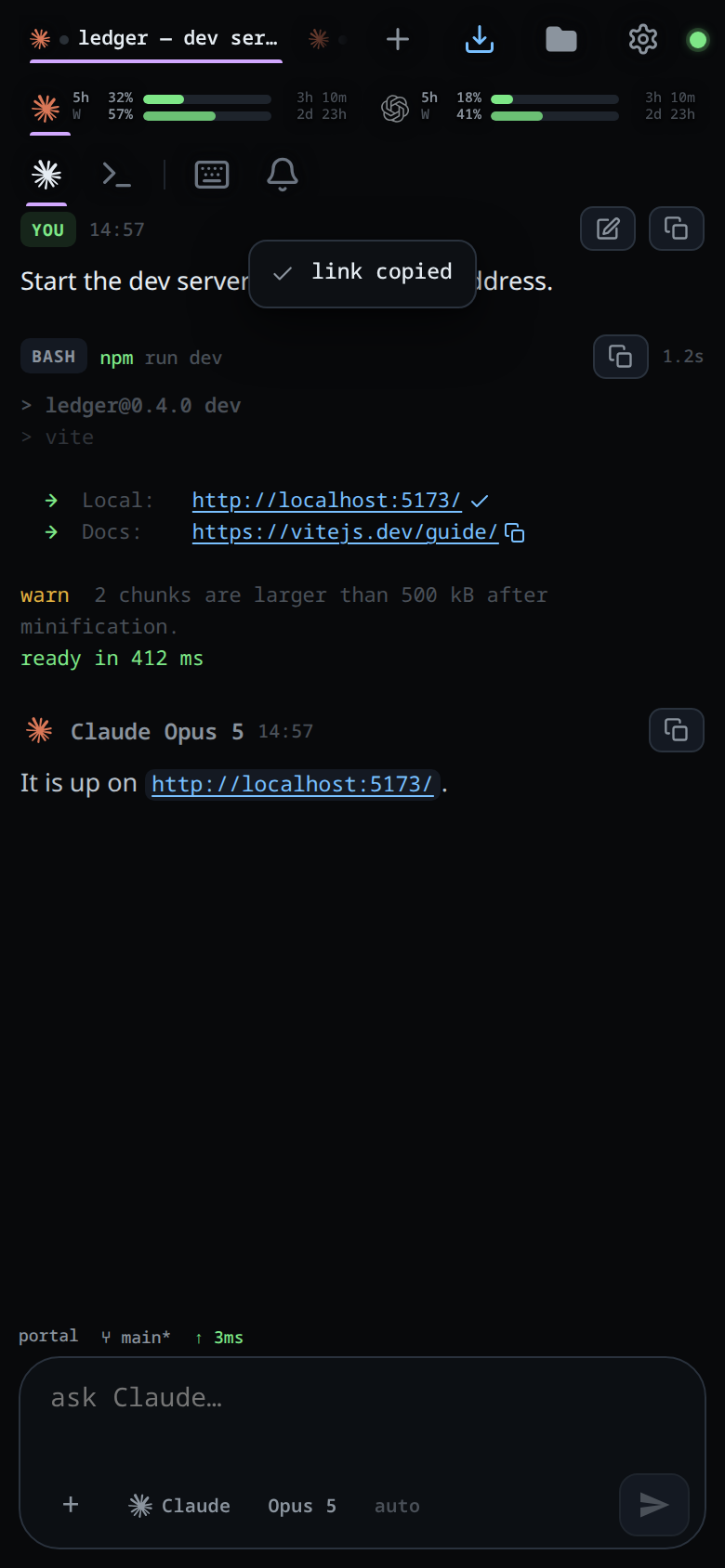
Tap the link itself to open it in a new tab. Tapping copy does not follow the link.
What you see
Output that contained ANSI escape sequences renders with its foreground and background colours, bold, dim, italic and underline. Basic colours, the 256-colour palette and truecolor are all decoded; the escape sequences themselves never appear as text.
A URL renders in the app's link blue even when the program printed it in green,
and a URL whose colour changes part way through is still one link. After every
link sits a small copy button; its title and label read Copy <the url>.
Tapping it copies and shows the toast
link copied, or copy blocked by the browser if the clipboard refuses.
A bare host:port is a link too. Sentence punctuation after a URL is not part
of it, and a link never spans a newline. The copy button briefly turns into a
tick when it worked.
Limits and known gaps
- Matched:
http://…,https://…, and barelocalhost,127.0.0.1,0.0.0.0or a dotted IP with a port of 2 to 5 digits, optionally followed by a path. A bare hostname with no scheme and no port is not a link. - Trailing sentence punctuation is trimmed off the URL.
- A bare
host:portis opened ashttp://, neverhttps://. - Only
httpandhttpslinks are built. - The clipboard API needs a secure context. Over plain http the copy falls back to a hidden textarea, which can genuinely fail — that is why the toast exists.
- In the shell pane, output is polled every 2 seconds and the pane is only rebuilt when the capture actually changed. A live text selection inside the pane suspends the rebuild until your finger lifts, so a long-press on a link is not thrown away mid-gesture.
Related
- formatted-answers — markdown and syntax colouring
- copy-from-the-transcript — the other copy controls
- shell-mode — the pane this output comes from
- read-the-transcript — the tool cards this output sits in
- toasts —
link copiedand what it looks like when it fails - bang-command — running a command without leaving the thread