
Copy a reply, a prompt or an output
Each card has a copy button in its header, and each code block has one of its own. One tap puts the text on the clipboard.
Why you would use it
Pasting an answer into something else, or getting a prompt back to re-send with one word changed. On a phone the alternative is a selection gesture inside a transcript that is scrolling under your thumb.
How to use it
Find the card. The copy icon is at the right of its header row.

Tap it. The icon turns into a tick for about a second and a toast confirms.
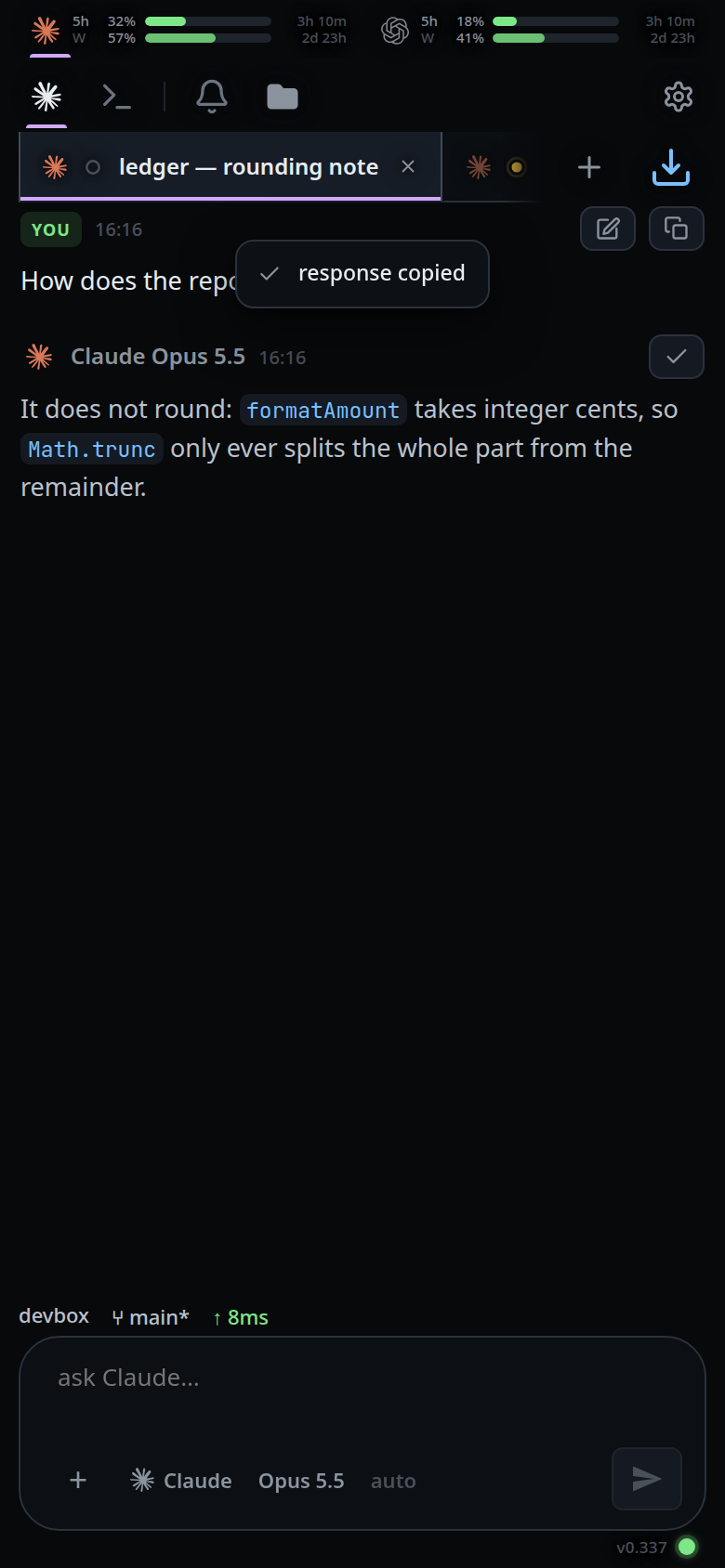
For one block of a long answer, use the copy button in that code block's header bar instead.
To reuse one of your own prompts, tap the pencil next to its copy button: the text goes into the composer for you to edit and send again.
What you see
| Where | What it copies | Toast |
|---|---|---|
| a reply's header | the whole reply text | response copied |
| your message's header | the prompt text | prompt copied |
| a tool card's header | the tool's output | output copied |
| a code block's header bar | that block only | code copied |
| beside a link in terminal output | the URL | link copied |
If the browser refuses, the toast reads copy blocked by the browser and is
shown in the error style with a cross.
Tapping a copy button never folds or expands the card underneath it.
Limits and known gaps
- A reply with no text (an empty answer) has no copy button.
navigator.clipboardis secure-context only. Over plain http the app falls back to a hidden textarea andexecCommand('copy'), which some browsers refuse — hence the failure toast.- Copying the whole transcript at once is not offered.
Related
- read-the-transcript — the cards these sit on
- terminal-output-and-links — copying a URL out of output
- formatted-answers — the code block whose header bar carries its own copy button
- run-a-command-from-a-code-block — the run control beside copy on bash blocks
- toasts — the confirmation these show
- send-a-message — where the pencil puts the prompt
- insert-a-path — the other way text gets into the composer