
Reorder tabs
Drag a tab along the strip, or a row up and down in the drawer or the Threads sheet, to put the tabs in the order you want. The order is stored on the server, so every device and every reload sees it.
Why you would use it
Tabs used to sort themselves by last activity, so the strip rearranged under your thumb whenever an agent spoke. Position is yours now: put the tab you are watching where your thumb lands, and it stays there.
How to use it
In the tab strip:
- Press and hold a tab for about a third of a second, until the phone gives one short tick.
- Drag left or right. The gap follows your finger.
- Lift to drop.

In the tab drawer (#drawer-list) or the Threads sheet (#thread-list), the
same hold-and-drag works up and down. There are no arrow buttons.
There is no keyboard move.
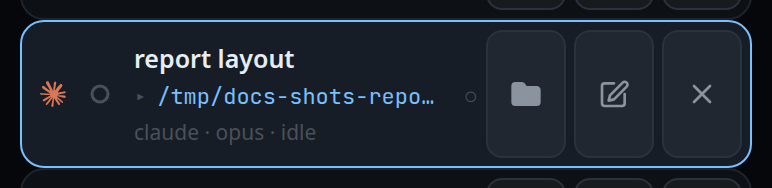
With a mouse, the drag starts after about 6 px of travel — there is no hold. A press that lands on a tab's close cross is left alone, so closing a tab never starts a drag. The same holds for a finger: on a phone the tab you are in has a cross at its right end, so hold that tab by its name to move it.
What you see
The held tab lifts and follows your finger; the others open a gap for it as you cross their middles. Lifting drops it there. The click that a browser sends after a drop is swallowed, so dropping a tab never also selects it.
An order you set is applied on screen before the server answers, so the strip
never snaps back under your finger. If the server refuses the move, the tabs
return to the order they were in and the refusal appears as an error toast:
the tab list changed since this order was made — refresh and move it again.
Limits and known gaps
- Dragging inside the strip is a hold on touch, because a plain sideways drag is how the strip is scrolled. A finger that moves more than 6 px before the hold fires is scrolling, and the drag never starts.
- A tab dropped off the end of the strip means "no move", not an error.
- A tab closed on another device while your finger is down ends the drag without moving anything.
- The whole strip is sent as one order. An order missing an open tab — a list made before someone else opened a tab — is refused rather than merged.
- A new tab opens at the end of the strip its frame asks for: first on a phone, above every tab you have placed — unless it was started from the new-thread page past the right end, when it opens last; last on a window at least 760px wide, behind them all. See start-a-thread.
- Closing a tab keeps its place, so reopening puts it back where it was. Only deleting a thread takes it out of the order.
- In the VCode app with more than one paired box, a tab can go between tabs of any box, and the strip's order is kept on that device only. A drag sends each box whose tabs changed order the new order of its own tabs, so its own page and other devices see those tabs in the same relative order. See work-on-several-boxes.
Related
- switch-tabs — the strip itself
- work-on-several-boxes — the strip holding several boxes' tabs
- tab-drawer — the vertical version of the same drag
- threads-sheet — the same drag on the sheet's rows
- close-and-reopen-tabs — why a closed tab keeps its place
- toasts — where a refused order is reported
- live-updates-and-reconnect — how the move reaches your other devices