
Swipe between tabs
Swipe the transcript sideways to move to the next or previous tab, in strip order. Past either end you land on a new-thread page.
Why you would use it
One thumb, no aiming. On a phone the tab strip is small and the transcript is the whole screen, so a sideways drag is the cheapest way to page between threads.
How to use it
- Put a finger on the transcript, away from the left and right edges, and drag sideways.
- Drag left to bring in the tab to the right; drag right for the tab to the left.
- Release past about 70 px to commit; less than that snaps back.
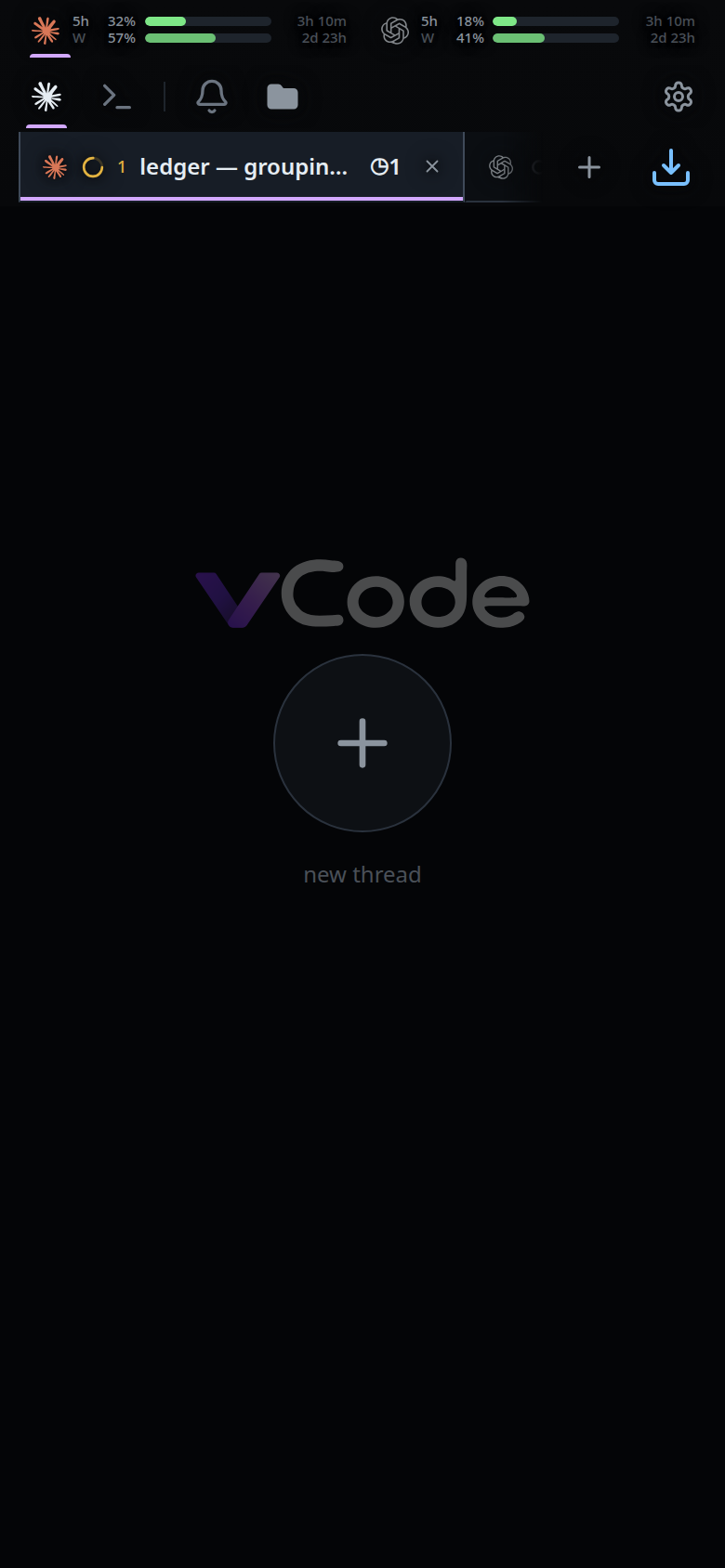
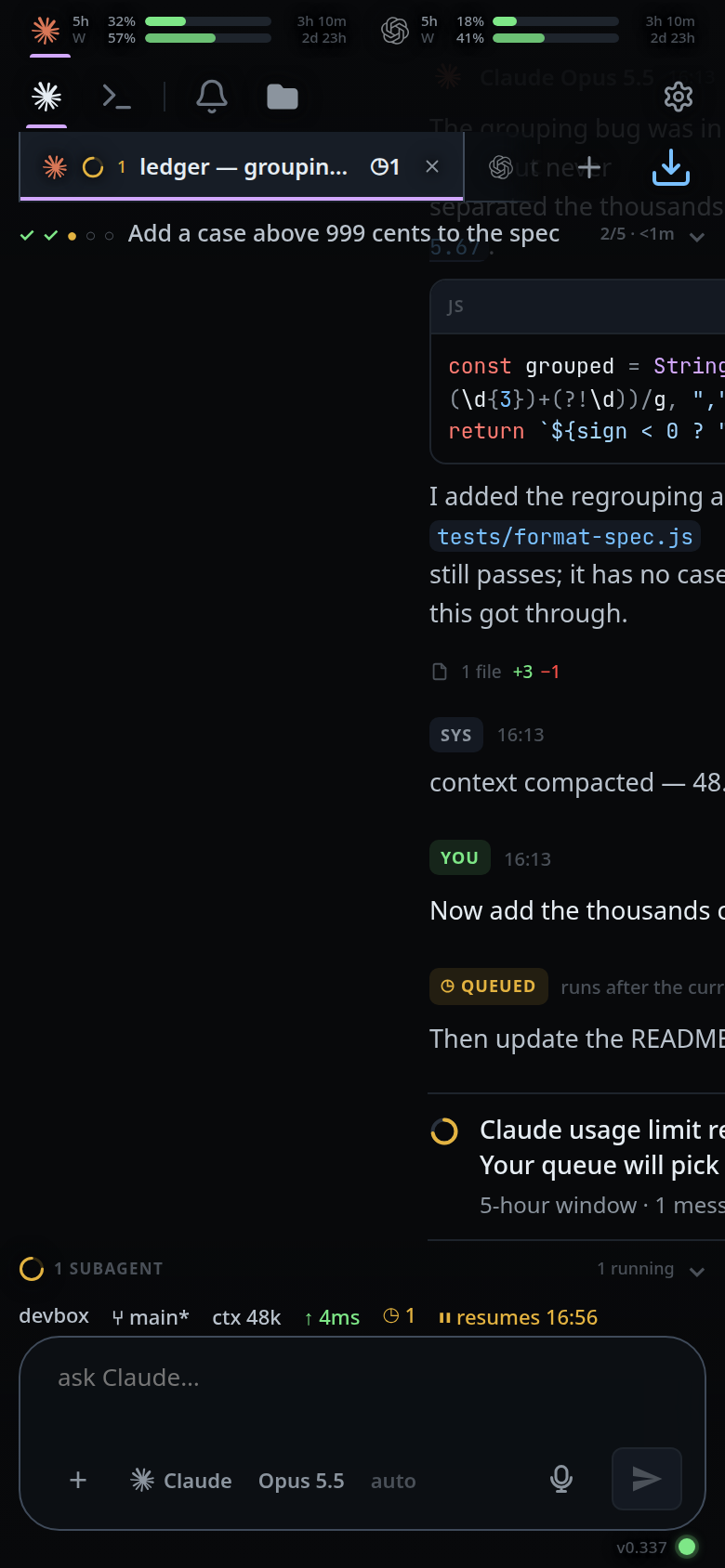 4. From the last tab, one more swipe left lands on the new-thread page
(
4. From the last tab, one more swipe left lands on the new-thread page
(#endpage). From the first tab, one more swipe right does the same. Tap
anywhere on that page, or its plus (#endpage-plus), to open the new-thread
card. A thread started from the right-hand page opens at that end of the
strip; from the left-hand page it opens at the front.
 5. Swipe back the way you came to return to the tab you left.
What you see
The transcript follows your finger. With no tab on that side it drags at a third of the distance — the usual sign that there is nothing there. On a commit the phone gives one short vibration, the old page slides fully off, and the new one slides in from the far edge.
The new-thread page shows the VCode logo, a large plus and the words
new thread, on a background a shade darker than a transcript's. It is also what
you see when no tab is selected at all.
Limits and known gaps
- The ends are ends. There is no wrap from the last tab to the first.
- From the new-thread page the only way on is back to the tab it was reached from; swiping further out does nothing.
- A swipe that starts in the left or right tenth of the screen belongs to a drawer instead — the tab list on the left, the file explorer on the right.
- A swipe that starts inside anything that scrolls sideways — a wide code block, the shell capture — pans that instead.
- The gesture locks to an axis after 9 px: drift more than 9 px down the screen first and the touch becomes a scroll for good.
- Touch only. There is no pointer or keyboard equivalent; use the strip, the drawer or the sheet.
Related
- switch-tabs — the strip
- tab-drawer — the panel on the left edge
- start-a-thread — what the end page opens
- back-button — the way back off the end page
- file-explorer — the gesture on the other edge
- read-the-transcript — what the swipe moves across