
Edit a file
Tap Edit in the viewer, change the text, and save it to disk. A save never overwrites what the agent wrote in the meantime without asking you first.
Why you would use it
The agent got one word wrong in a config file, or you want to fix a typo before you ask for the next change. Typing the fix is quicker than describing it, and you do not need a terminal or a laptop to do it.
How to use it
Open a text file in the viewer. It opens in read mode.
Tap the pencil in the viewer head (
#viewer-edit, "Edit"). The body becomes an editor with line numbers, and the pencil turns into a green tick ("Done"). On a phone the keyboard stays down until you tap the line you want to change.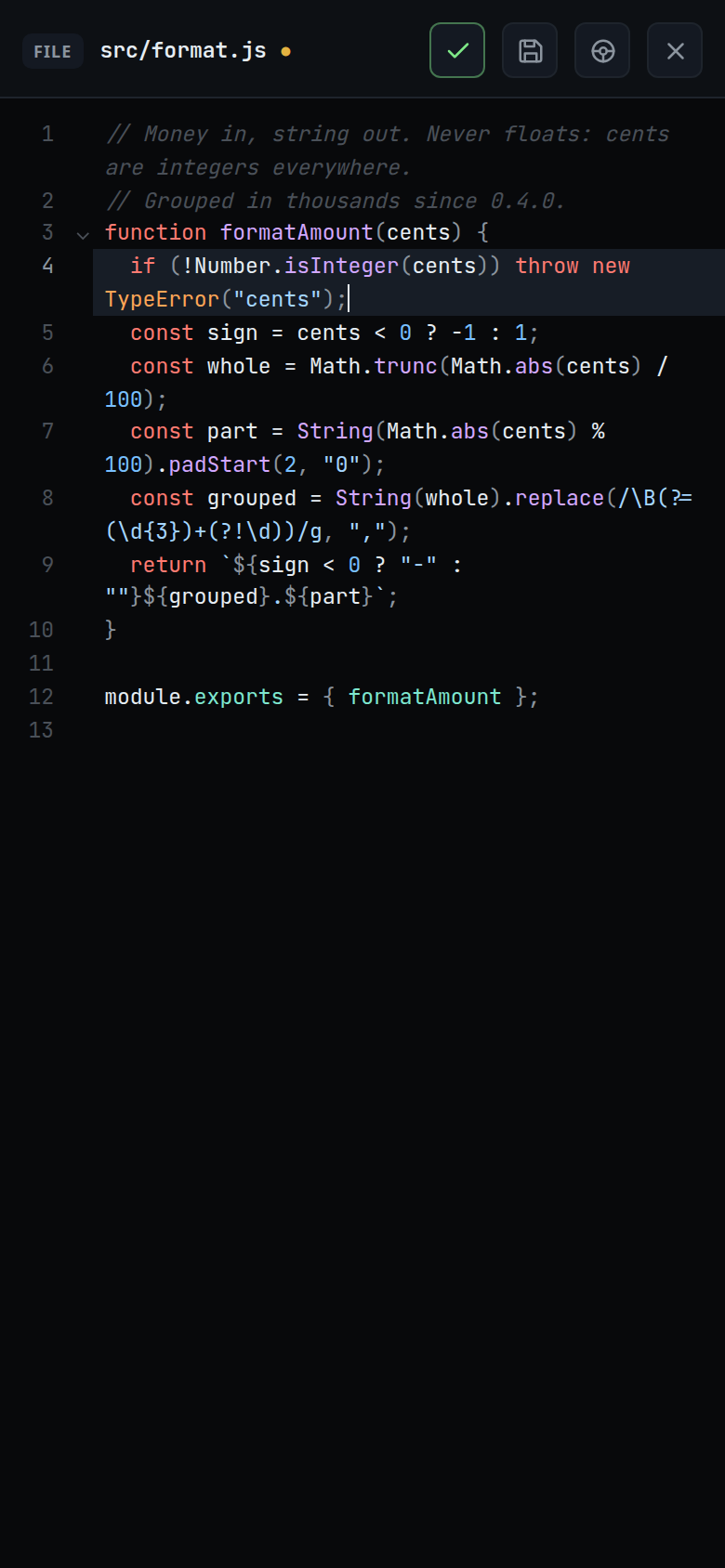
Change the text. A dot appears after the path while there are unsaved edits.
Tap the save button (
#viewer-save, "Save (Ctrl+S)"), or press Ctrl+S (Cmd+S on a Mac). The toast readssaved.Tap the tick to go back to read mode. With unsaved edits, the tick saves them first; tapped while a save is on its way, it waits for that save. Either way it leaves edit mode once the save lands with nothing left unsaved, and stays in edit mode if the save does not land, with the toast or the strip saying why.
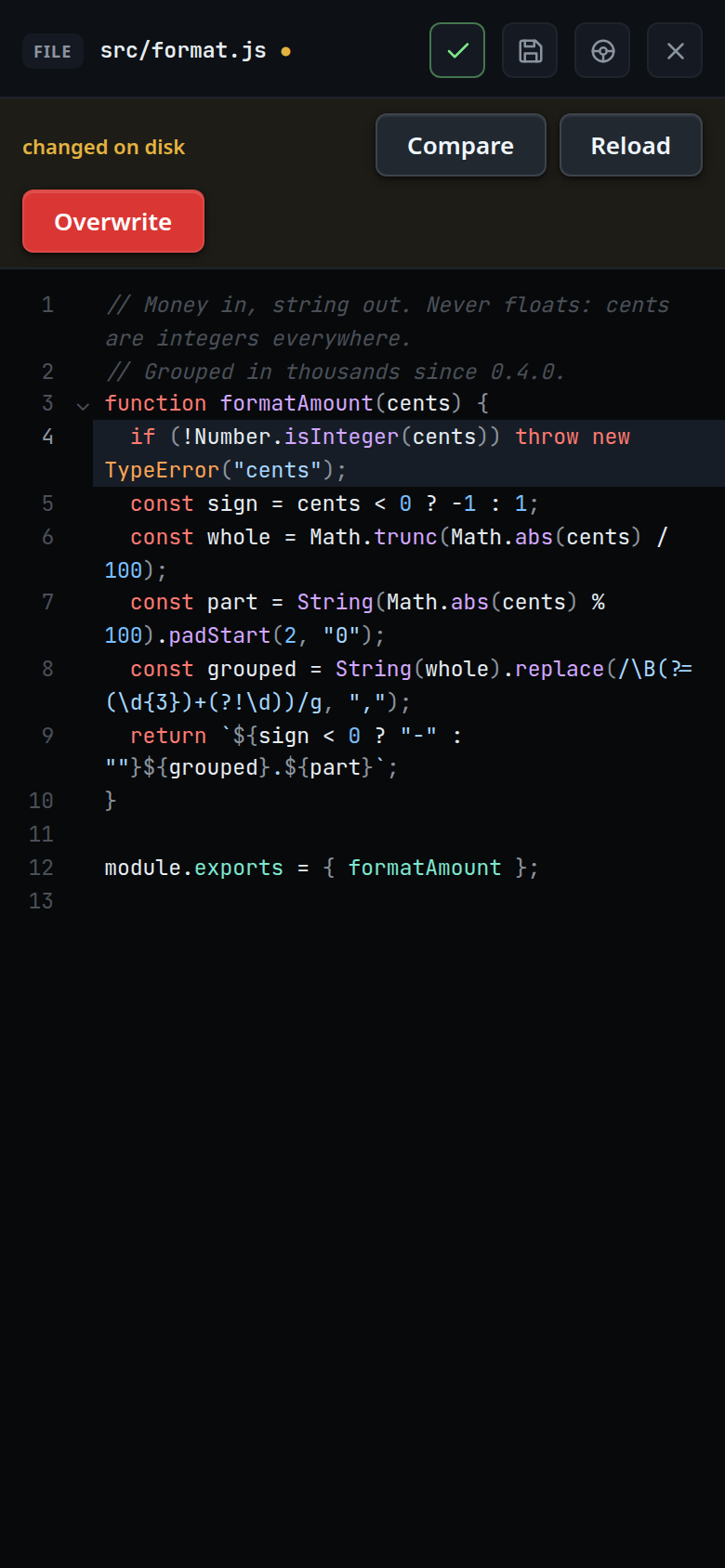
If the file changed on disk since you opened it, the save stops and a strip under the head reads
changed on disk(#viewer-conflict):- Compare (
#viewer-compare) shows your text against the disk, changed lines marked. The button then reads Back; tap it to return. Your edits stay as they are. - Reload (
#viewer-reload) drops your edits and takes the disk's text. You stay in edit mode. - Overwrite (
#viewer-overwrite) saves your text over the disk's.
- Compare (
If the file was deleted on disk, the strip reads
deleted on disk. A save finds it, and so does the disk check while you have no unsaved edits. In read mode the strip only says so, and it goes when the file is back. In edit mode:- Save as new (
#viewer-save-new) makes the file again and saves your text into it. - Discard (
#viewer-discard) drops your edits and closes the viewer.
- Save as new (
To throw your edits away, tap close (
#viewer-close) twice. The first tap turns it red and the toast readsunsaved edits: tap × again to discard them. It disarms after three seconds. A second tap within 0.3 seconds of the first, as in a double tap, does not count.
What you see
- Edit shows only for a text file. An image, a binary file and a file over 1 MiB have no Edit button.
- The editor keeps the viewer's colours for the file's language. It has line numbers, folding, bracket matching, undo and redo, search (Ctrl+F, Cmd+F on a Mac), and Tab to indent. It has no autocompletion.
- In edit mode the diff button is hidden. The diff marks and line comments come back in read mode.
- The save button is dimmed while there is nothing to save and while a save is on its way. Ctrl+S then sends nothing either. Undo back to the text on disk and the dot goes: there is nothing to save, and no draft is kept.
- Toasts:
saved— the text is on disk and the dot is gone.saved · still editing— you typed while the save was on its way. The disk has what was sent; the newer edits are still unsaved.unsaved edits: tap × again to discard them— the close button is armed.the editor did not load— the editor script could not be fetched. The file stays in read mode; tap Edit to try again.the editor did not load — the unsaved edits are kept— as above, for a file with a kept draft. It opens read only and the draft waits; Edit starts from the kept edits, not from the disk.unsaved edits are not being keptorunsaved edits too large to keep— the browser refused to store the draft. Save before you leave the page.the file on disk is not text any more— Compare or Reload found a file that can no longer be edited.- Any other refusal shows the server's words, such as
that file is too large to edit,file is too large to save,that file is not textorcannot write: EACCES. A fault on the server shows the request that failed and the server's answer, such as a 500 withinternal error. The edits stay unsaved.
- Unsaved edits are kept as a draft in this browser. Back, Escape outside the editor, switching threads, changing the thread's folder, opening another file and reloading the page all keep them. The next time you open the file it opens in edit mode with your edits, unsaved. A save still on its way when you left updates the kept draft when it lands, so the edits reopen against what it wrote.
- While the viewer is open and your buffer is clean, it follows the disk: when the agent writes the file, the new text shows within about three seconds, in read mode and in edit mode alike. Unsaved edits are never replaced.
- A file whose every line ends in CRLF (Windows) stays CRLF. New lines you type or paste into it get CRLF too. A file that mixes CRLF and LF is edited on LF: each LF starts a line, a CR stays as a character at the end of its line, and the bytes save back as they were.
Options and settings
| Option | Default | What it changes |
|---|---|---|
| Size limit | 1 MiB | The largest file that opens for editing, and the largest save the server accepts |
| Disk check | every 3 s | How often an open, clean file is read again |
| Draft delay | 500 ms | How long after the last keystroke the draft is written |
Limits and known gaps
- Text only: a file with a NUL byte in its first 8192 bytes, or one that is not valid UTF-8, cannot be edited.
- There is no merge. Compare shows the two texts; you choose Reload or Overwrite. Overwrite replaces whatever the agent wrote.
- The check and the write happen on one open file, but a few microseconds separate them. An agent writing the same file in that moment can still lose its write.
- A save is never queued. Offline, it fails with a toast and your edits stay as a draft until you save again.
- Drafts live in this browser's IndexedDB, on this device only. A browser that refuses the database keeps nothing across a reload, and says so with a toast. So does a tab opened while an older tab of the app still holds the database. That tab also has no offline outbox and no cached threads until you close the older tab and reload it.
- Deleting a thread drops its drafts. Renaming a file moves its drafts to the new path; deleting one drops them.
- The disk check pauses while the page is hidden, while a comment box is open, while you are selecting text in read mode, and while you are signed out. The server counts a request with a rejected cookie as a failed login, so an open viewer would otherwise lock your token out.
- A hard link is not detected. A save writes into the file in place, so a hard link inside the folder to a file outside it writes that file.
- The browser, not the server, names the folder a save goes to. Anyone who can log in, a paired device included, can write any file this user can, as an agent in a thread already can. See trust-model-and-security-headers.
Related
- file-viewer — the sheet you edit in
- manage-files — make, rename and delete files in the explorer
- viewer-diff-marks — see what changed after you save
- comment-on-a-line — ask the agent to change a line instead
- trust-model-and-security-headers — who can write files