
Make, rename and delete files
Right-click or long-press a row in the explorer for New file, New folder, Rename and Delete. Two buttons in the explorer head make a file or a folder at the top of the thread's folder.
Why you would use it
You want a scratch file for the agent to fill in, a folder to put its output in, or a file it left behind gone. Doing it from the tree is quicker than asking the agent, and it does not start a turn.
How to use it
Open the explorer (
#files-open).Right-click a row on a desktop, or hold your finger still on it for half a second on a phone. The menu (
#explorer-menu) opens under the row, or over it near the bottom of the panel.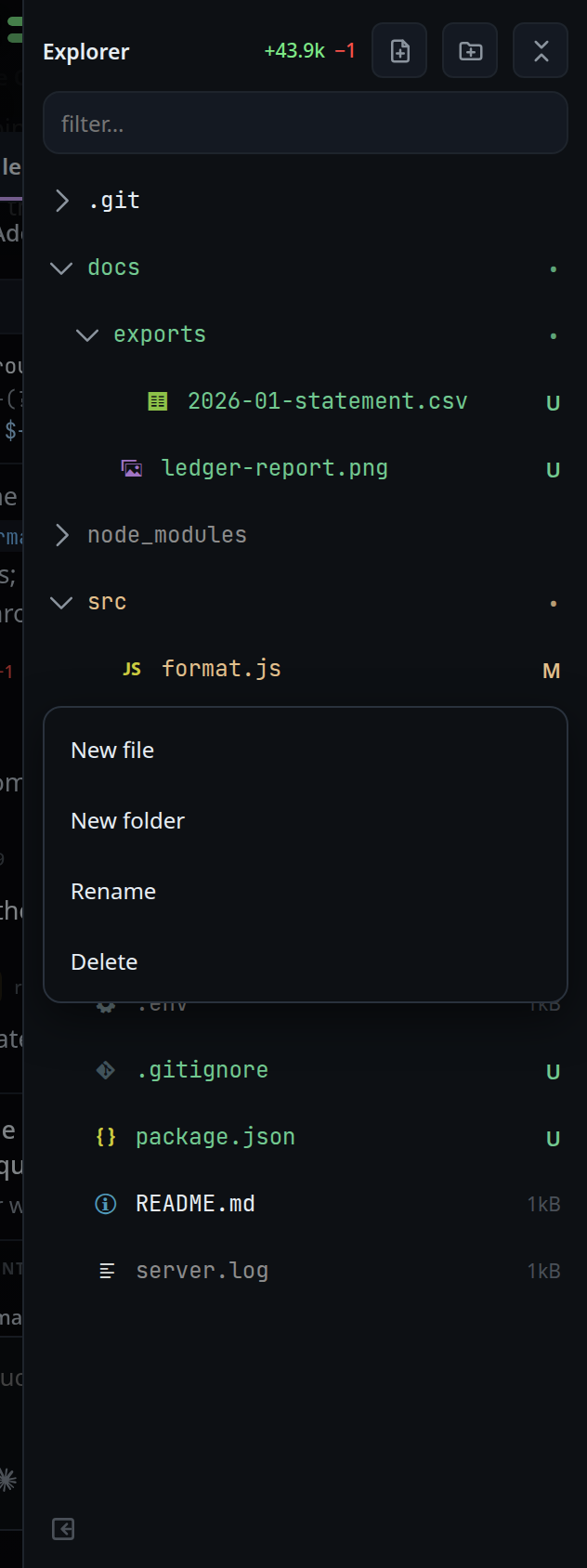
Tap New file (
#explorer-menu-new-file) or New folder (#explorer-menu-new-folder). On a folder row the new entry goes inside that folder; on a file row it goes beside the file. The menu turns into a name box (#explorer-menu-input) headednew file in <folder>ornew folder in <folder>. Type the name and press Enter.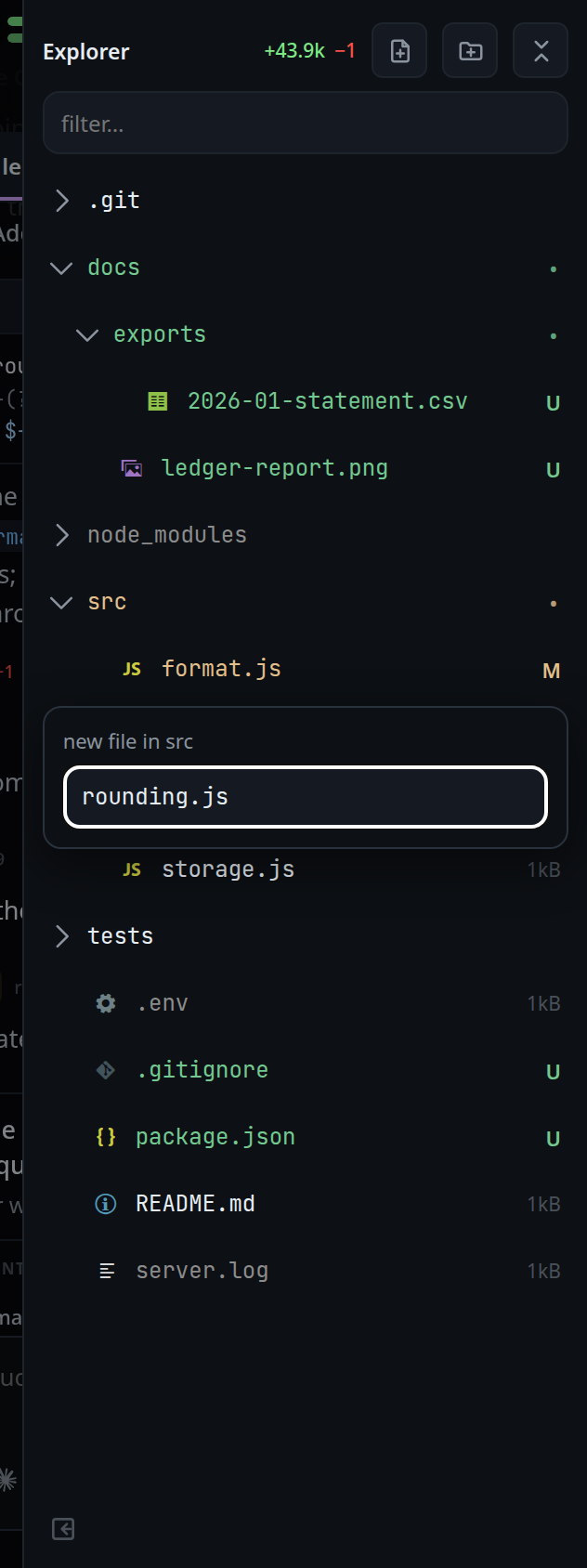
To make something at the top of the thread's folder, tap New file (
#explorer-new-file) or New folder (#explorer-new-folder) in the explorer head. They open the name box straight away.Tap Rename (
#explorer-menu-rename). The box is headedrename <name>and holds the current name, with the part before the extension selected. Type the new name and press Enter. A name with a/in it moves the entry, counted from the folder it is in now;..climbs out of it. The tree, the viewer and the unsaved edits follow the path the server made, not the one typed.Tap Delete (
#explorer-menu-delete). It turns red and readsdelete <name>?for three seconds. Tap it again to delete. A second tap within 0.3 seconds of the first, as in a double tap, does not count.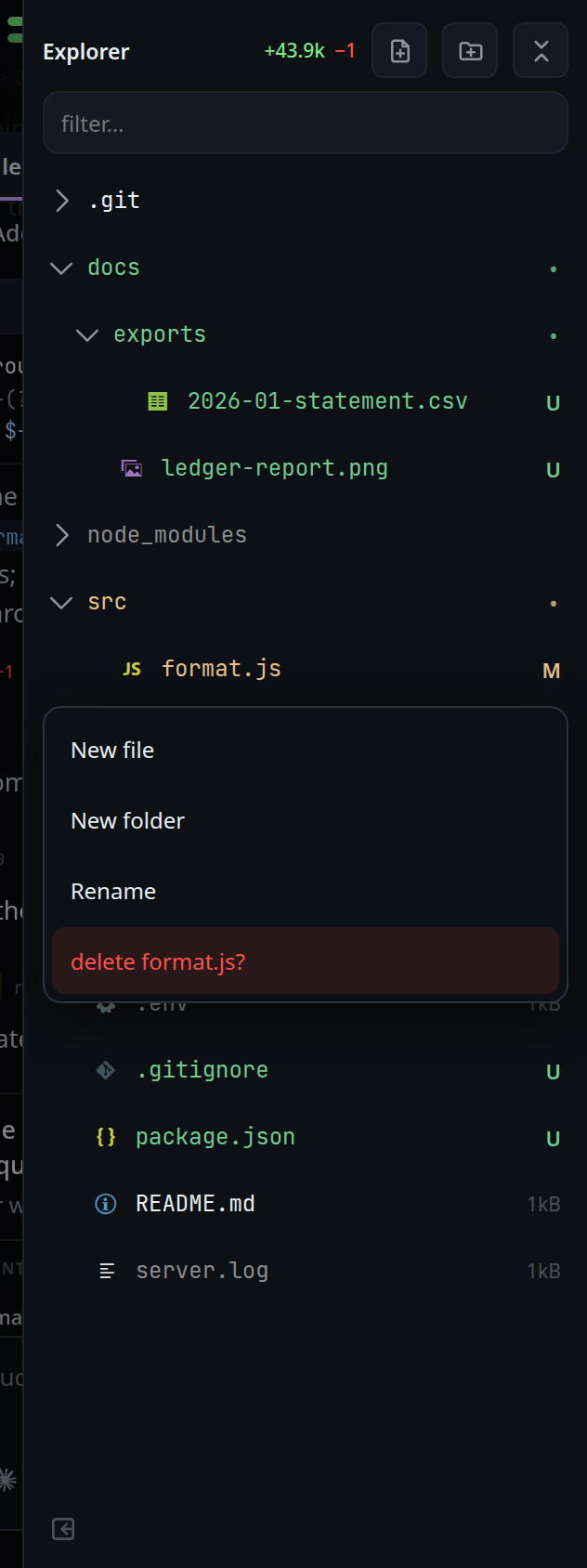
To close the menu without doing anything, tap anywhere outside it, press back or Escape, or scroll the tree.
What you see
- A new text file opens in the viewer in
edit mode, empty, even where unsaved edits were once kept for
a file of that name. A name the viewer shows as an image, such as
logo.svg, opens in read mode. A new folder is opened in the tree. - After a rename the tree opens the folders down to the new place and shows the entry there. After a delete the row is gone. The change counts are read again at once.
- A refused name shows the server's words as a
toast, and the name box stays open with
what you typed. Among them:
already exists: <path>,no such file or folder: <path>,not a plain name: "<name>",name too long,path escapes the folder, andcannot rename: <code>orcannot delete: <code>when the disk says no (EACCES,EXDEVand the like). - Spaces at either end of a typed name are dropped. An empty name does nothing, and a rename to the same name closes the menu. The current name is trimmed the same way first, so a name ending in a space, left as it was, stays as it is.
- Rename and Delete are not offered in the head: the thread's folder itself cannot be renamed or deleted.
- Renaming the file open in the viewer, or a folder above it, closes the viewer. Its unsaved edits move to the new path and are there when you open it again. Edits kept for an old file at the new path are dropped.
- Deleting the open file, or a folder above it, closes the viewer and drops its unsaved edits.
- The menu works on the filter's results too. See find-a-file.
Limits and known gaps
- A folder is deleted with everything in it. There is no trash and no undo. An untracked file deleted here is gone; git can only give back what it tracks.
- Deleting a link deletes the link, not what it points at. A folder delete does not follow the links inside it either.
- New file and New folder never replace anything: a name that is taken, a
broken link included, is refused with
already exists. - A rename checks that nothing is at the new name, then renames. Node has no rename that refuses to replace, so something made at the new name in between, by the agent for instance, is replaced.
- The parent folder has to exist:
new/file.jsin a folder with nonewis refused. Make the folder first. - There is no upload, copy or drag and drop.
- Drafts move or go only in this browser. Unsaved edits kept on another device still name the old path.
- The browser, not the server, names the folder the menu acts on. Anyone who can log in, a paired device included, can create, rename and delete anything this user can, as an agent in a thread already can. See trust-model-and-security-headers.
Related
- file-explorer — the tree the menu opens on
- edit-a-file — what a new file opens in
- find-a-file — the filter, whose results have the menu too
- explorer-change-counts — the marks a new file gets
- trust-model-and-security-headers — who can change files