
Open the app offline
The app opens and shows your threads with no connection to the server. You can read transcripts, switch tabs, copy text and review diffs from a local copy.
Why you would use it
The phone has left wifi, the tunnel is down, or the VCode machine is asleep. You still want to read what the agent wrote, and you do not want an app that opens on "is it running?".
How to use it
Install the app first, or at least open it once over https while the server is reachable. That is what fills the caches.
Open it with no connection. It boots from the cache.
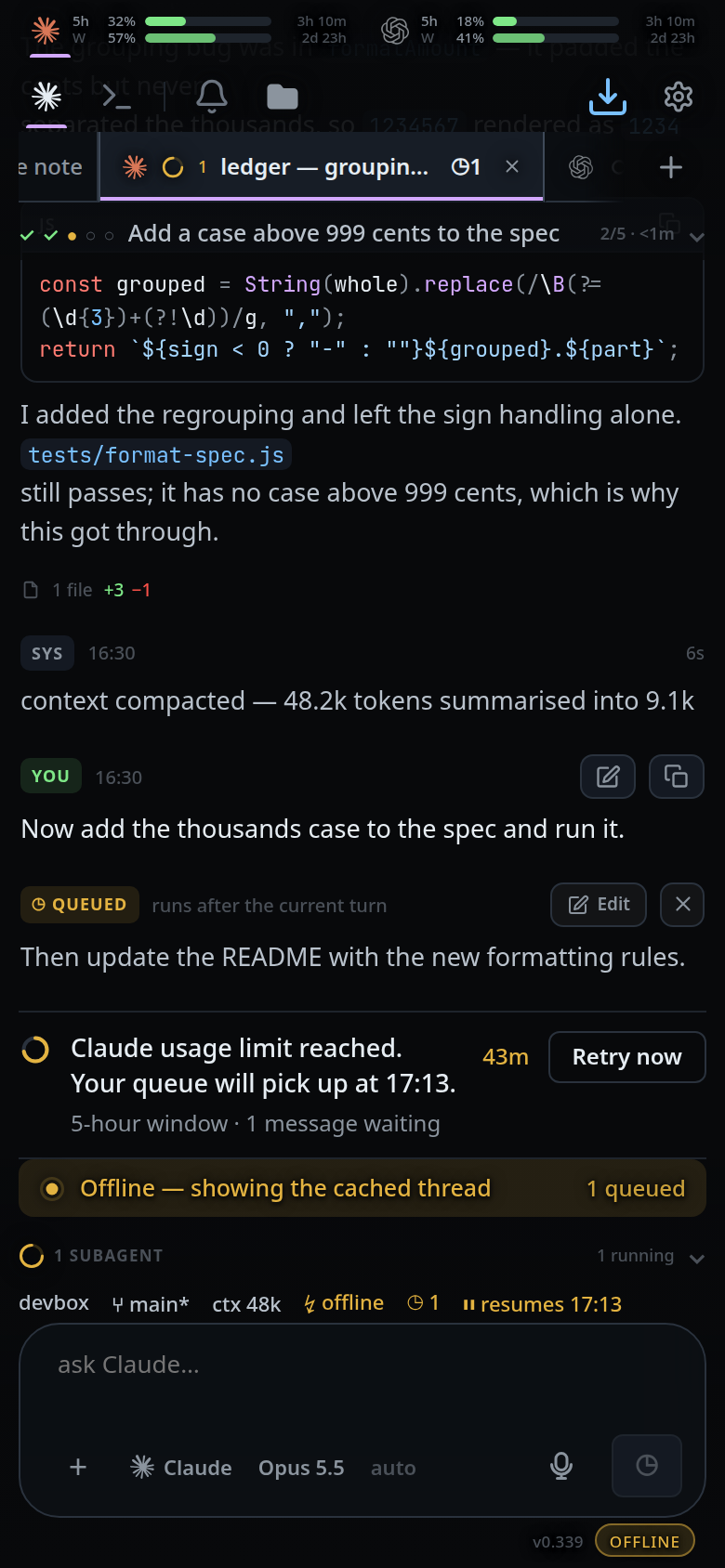
Read and swipe between tabs as usual. The banner stays at the bottom of the screen while you do.

What you see
- The app opens to its last active thread with real history.
- The offline banner (
#offline-banner) appears at the bottom: a rounded amber tint with a pulsing dot,Offline — showing the cached threadand, on its right,<n> queued(#offline-queue). - The connection dot right of the version (
#link-dot) turns amber and readsOFFLINE. Its title isno connection to the VCode server. When connected it is a plain dot with the titleconnected. - If you have never reached this server from this browser, there is nothing
cached: the sign-in card shows
Cannot reach the VCode server. Is it running?. - If the server needs a token and you never logged in from this browser, the
sign-in card shows
Offline, and no saved session. Connect once first. - If your Cloudflare Access
session ran out, the banner becomes
Access session expired — tap to sign in againand a tap reloads the page.
Limits and known gaps
- The cached copy is a replica, not the live thread. Nothing moves until the connection comes back.
- Only the newest 30 threads are pre-cached, at most 4 refreshed per sweep, and a replica less than 10 minutes old is not refreshed at all. A thread you have not opened recently can be behind, or empty.
- When the browser's storage quota is full, the replica drops its oldest saved views — down to 90 — so the newest one can be written. The outbox is never dropped.
- Pre-caching stops while the tab is hidden, while the open thread is working, and while offline.
- Over plain http there is no service worker, so nothing is cached and there is no offline boot.
Related
- queue-a-message-offline — writing while disconnected
- live-updates-and-reconnect — how the app decides it is offline, and how it comes back
- install-on-a-phone
- log-in-with-the-token — the sign-in card an uncached browser falls back to
- swipe-between-tabs — what still works from the replica
- diff-review-sheet — reviewable offline, sent when the link returns