
Log in with the token
Paste the server's AUTH_TOKEN into the sign-in card once per device. The server
swaps it for a cookie that lasts 90 days, and the raw token is never sent again.
Why you would use it
Every installed machine sets a token, because the app runs agents with approvals bypassed. This is the one screen that stands between a browser and a shell on your machine.
How to use it
Open the app. The sign-in card (
#auth) covers the screen.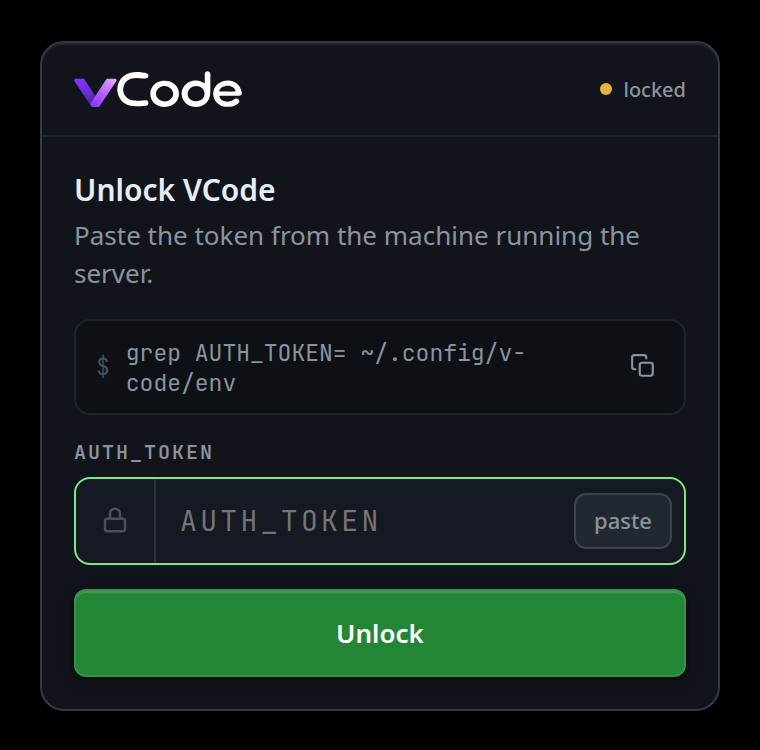
On the machine running the server, read the token with the command the card shows:
grep AUTH_TOKEN= ~/.config/v-code/env. The copy button at the end of that row (#auth-copy) copies the command. It prints only theAUTH_TOKEN=line, so the tunnel token in the same file stays off the screen. On the dev instance (install.sh --instance dev) the file is~/.config/v-code/dev.env. The token is a 64-character hex string thatinstall.shminted withopenssl rand -hex 32.Paste the token into the field (
#auth-token), or copy it and tap thepastechip at the field's right end (#auth-paste), which reads the clipboard and fills the field. It is a password field with autocomplete, autocorrect, autocapitalise and spellcheck all off, and the placeholder readsAUTH_TOKEN. Spaces round the value, a leadingAUTH_TOKEN=and quotes round the value are stripped, so the grep's line pastes as it prints.Tap Unlock (
#auth-go), or press Enter in the field.The card closes and the app loads. The device stays logged in.
What you see
The card's header shows the VCode logo and an amber dot with locked
(#auth-box). Once this browser has been signed in and learnt the box's name,
it reads locked · <box>. The title reads Unlock VCode, with a hint
line under it (#auth-hint) that changes with the situation:
| Hint | When |
|---|---|
Paste the token from the machine running the server. |
The default in index.html |
Session expired — unlock with the token. |
A request came back 401 or 403 while the app was open |
Cannot reach the VCode server. Is it running? |
The server is unreachable and this browser has never talked to it |
Offline, and no saved session. Connect once first. |
Unreachable, the remembered server wants a token, and you never logged in here |
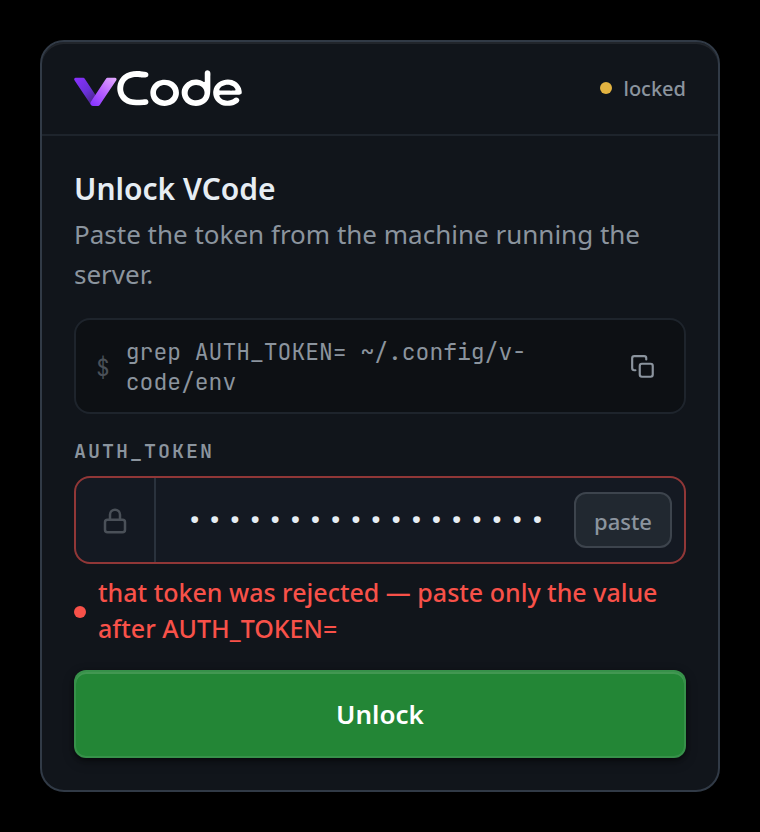
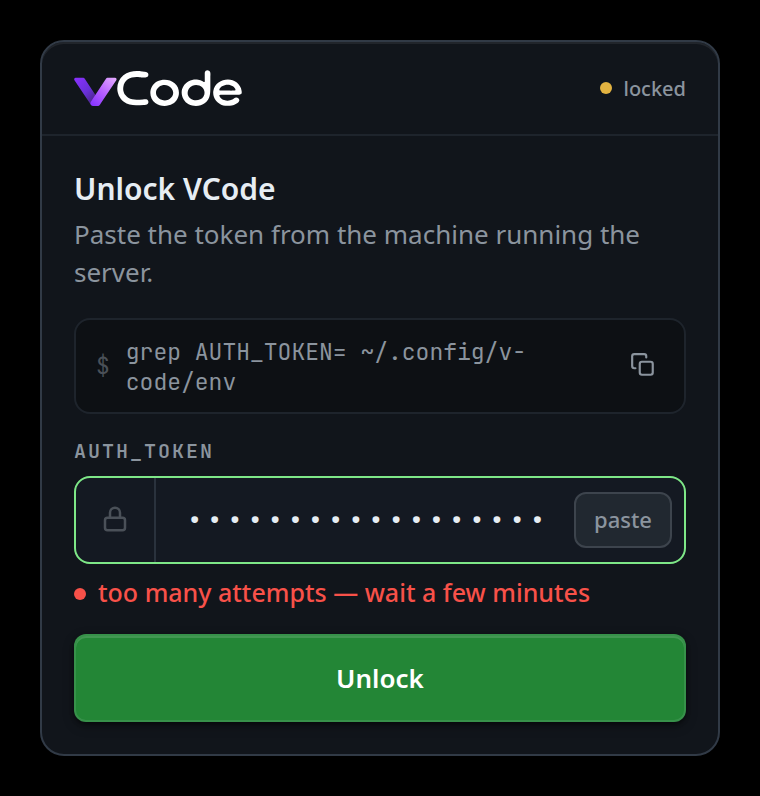
The error line (#auth-err) under the field shows
that token was rejected — paste only the value after AUTH_TOKEN= for a wrong
token (the server answered 401), and the field's edge turns red until you type in
it again. The other messages leave the edge alone:
too many attempts — wait a few minutes after the limiter trips,
the server answered <status> — try again for any other failed answer (a 502
from the tunnel while the server restarts, say), server unreachable, or
offline.
The paste chip says why when it cannot fill the field:
this browser does not let the page read the clipboard — paste by hand,
clipboard read was refused — paste by hand or the clipboard is empty. A
copy button that cannot write the clipboard says
could not copy — select the command by hand.
The server's own replies, which you see with curl rather than in the UI:
| Status | Body |
|---|---|
| 400 | {"error":"token required"} — the POST had no token string |
| 401 | {"error":"wrong token"} |
| 429 | {"error":"too many auth attempts; wait a few minutes"} |
| 401 | {"error":"unauthorized"} — no credential on an API route |
| 401 | {"error":"session expired"} — a cookie that no longer verifies |
Options and settings
| Option | Default | What it changes |
|---|---|---|
AUTH_TOKEN |
(unset — auth off) | The token the card accepts. Unset means no card at all |
VCODE_REQUIRE_AUTH |
0 (1 in the unit) |
1 refuses to boot without a token |
| Session lifetime | 90 days | SESSION_MAX_AGE_MS in lib/auth.js |
| Clock skew tolerated | 5 minutes | SESSION_SKEW_MS |
Limits and known gaps
- There is no
?token=link. cloudflared and the Cloudflare edge log full request URLs at ERR level, so a token in a URL lands in two log stores. A stray?token=in the address bar is deleted from the URL on sight and never exchanged. The token crosses the wire exactly once, in the login POST body. - Too many wrong tokens lock out the address they came from for a while, and only that address. Requests with no token at all do not count.
- The cookie is
Secure, so it is never set over plain HTTP. On a tailnet IP without HTTPS there is no session to keep. - The token is never written to stdout or to any log line. Read it out of the env file.
- The box name in the header comes from
localStorage, written after a signed-in session read the box's name. Nothing reachable without signing in says the hostname, so a fresh browser reads justlocked. - There is no sign-out button in the UI. See sign-every-device-out.
- A Cloudflare Access session expiring is a different thing and does not raise this card. It is meant to raise a banner instead, and currently raises nothing. See reach-it-from-a-phone.
Related
- sign-every-device-out — revoking every session
- trust-model-and-security-headers — which routes need what
- reach-it-from-a-phone — the Access gate in front of this one