
Choose how a recording shows
The VCode machine turns every dictation into text. The cog's Show the recording as picks what you watch while you speak: a waveform, or the words typed as you say them.
Why you would use it
The waveform records a clip and shows its level; the words arrive when you stop. Live text shows the words as you speak, so you can stop as soon as they read right; when you stop, the machine replaces them with its own punctuated text. Live text downloads an 86 MB speech model to the phone once, and is offered only on a box that has it — see dictate-live.
How to use it
Tap the cog (
#settings-open).In the Voice group (
#settings-voice), find the Show the recording as row. Its control (#voice-display) is two segments: Waveform and Live text.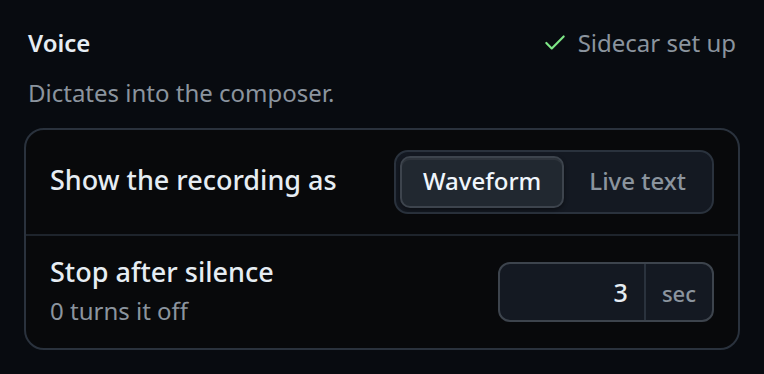
Tap Waveform or Live text.
The choice saves at once and applies to the next recording.
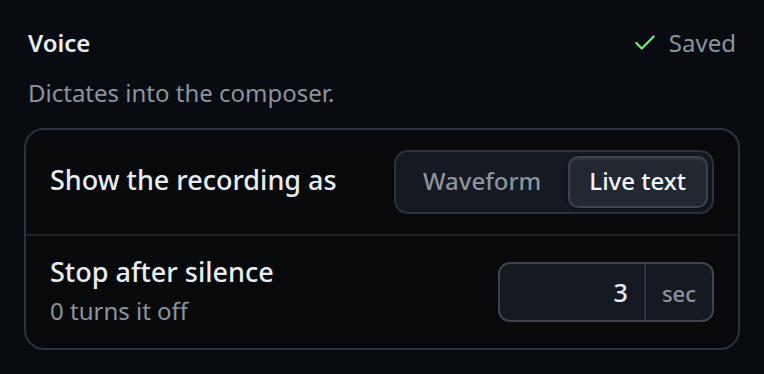
On a box without the live engine there is one segment, Waveform, and it is disabled.
What you see
With Waveform, a tap on the mic records a clip: a strip of bars takes the place of the composer's text line, or sits under its text if it has some. The strip is 48 px tall on a phone; over an empty composer on a wide screen it is the height of the composer's one line. See dictate-a-message.
With Live text, the composer's text stays in view and the words appear in it as
you speak, with no waveform. The first tap after a fresh browser downloads the
model: the mic shows a download arrow with a filling ring and Downloading the speech model, 42%. See dictate-live.
The right end of the Voice title (#voice-hint) shows Saving…, then a green
check and Saved. On a box with the transcription service set up, it reads
Sidecar set up with a green check whenever it has nothing newer to say. That
means VCODE_STT_URL is set, not that the sidecar answered.
Options and settings
| Option | Default | What it changes |
|---|---|---|
#voice-display (voice.display) |
none saved, which is waveform |
waveform or live. Anything else is refused with voice.display must be one of waveform, live |
live saved on a box or a browser without the live engine |
— | Records a waveform clip instead, rather than leaving a mic that cannot start |
A settings.json written by a build that had the Engine pick still loads:
engine: "live" becomes display: "live", and the other engines and the old
correction switch are dropped. A save that still names engine or liveCorrect
is refused with unknown voice setting: engine.
Limits and known gaps
- The choice lives in
settings.jsonon the box, so it is shared by every device signed into this box. A phone cannot hold its own choice. - Live text needs
Worker,AudioWorkletNodeand WebAssembly in the browser. Without them the row offers only Waveform. - There is no mic at all without the transcription service, live engine or not: the machine transcribes every dictation. See install-the-voice-sidecar.
- The app on app.v-code.dev offers only Waveform — see use-the-app.
- With Waveform, a tap while the app is offline is refused with
offline — dictation needs the server. Live text still starts offline once its model is loaded in the page, and skips the correction: the live words stay as they are.
Related
- dictate-a-message — the waveform recording
- dictate-live — live text, and how to install its engine
- install-the-voice-sidecar — the service that transcribes
- where-your-voice-goes — what happens to the audio either way
- stop-recording-on-silence — the other knob in the same group
- use-the-app — the app on app.v-code.dev records a waveform only