
Turn on notifications
Tap the bell to have this device buzz when a thread finishes, fails, or needs an approval. In the app on app.v-code.dev the one bell covers every box on your account.
Why you would use it
You start a long task and put the phone in your pocket. You want to be told when it is done or stuck, rather than checking the app every few minutes.
How to use it
Find the bell (
#notify) in the mode strip, right of the Agent and Shell chips.
Tap it. The browser asks for notification permission the moment you tap.
Allow it. The device subscribes and the chip lights up.
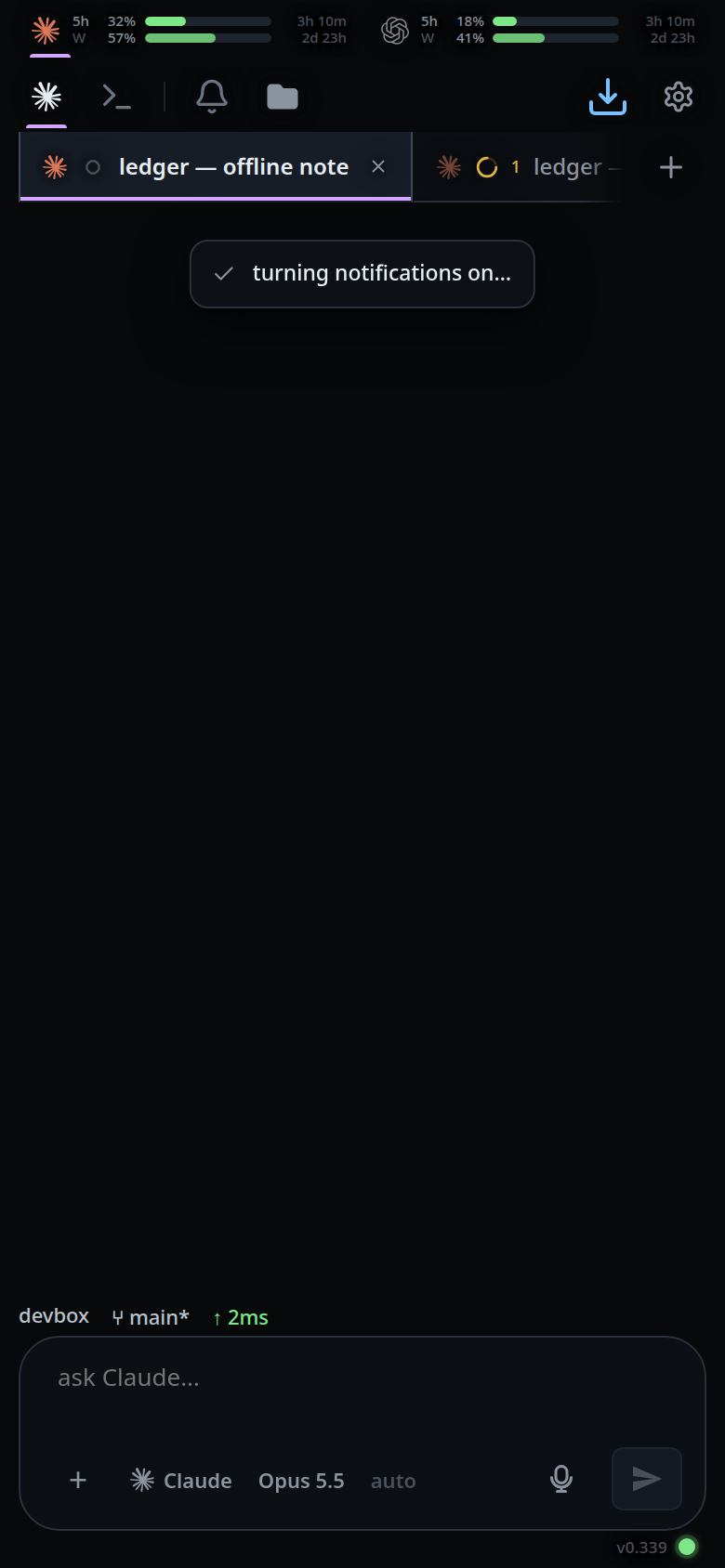
Tap it again to turn notifications off for this device.
In the app on app.v-code.dev the bell is the same, and one tap covers every box on your account. There is no switch per box.
What you see
- The chip is a bell, drawn dim while off and bright while on. Every chip in the
strip is icon-only — the label
Notifyis in the markup but never drawn — so the name is in its title:Notify when a tab finisheswhile off, andNotifications on — tap to stopwhile on.aria-pressedfollows the state. - Turning it on shows
turning notifications on…first, because subscribing goes out to the push service and can take many seconds on a cold install. - Then
notifications on for this device. - Turning it off shows
notifications off for this device. - If you blocked notifications in the browser, the toast is
notifications blocked in browser settingsand nothing changes — only you can undo that, from the browser's site settings. - If permission is neither granted nor denied, the toast is
notifications not enabled. - On iOS in a Safari tab the chip is there but tapping it says
add to the home screen first, then turn notifications on. - On an iOS version with no web push at all, the toast is
this iOS version has no web push — iOS 16.4 or newer is needed. - Any other failure shows
notifications: <message>. - In the app, a box that cannot be reached when you tap does not stop the others.
The toast is
notifications: <message>only when no box took the subscription, and then the bell stays off. - In the app, when every connected box is on a release from before the app's
notifications, the toast is
notifications: no connected box is on a release that sends notifications to the app.
Options and settings
| Option | Default | What it changes |
|---|---|---|
VCODE_PUSH_SUBJECT |
mailto:push@v-code.dev |
The VAPID sub claim that identifies this server to the push service. Nothing is sent to it |
VCODE_STATE |
~/.v-code/threads |
Where vapid.json and push-subscriptions.json are written |
Limits and known gaps
- The chip is hidden where push can never work: plain http, or a browser with no service worker. See where-notifications-work.
- The switch is per device, not per account. Each phone subscribes for itself.
- In the app, a box that is offline when you turn the bell on, or one you pair later, is sent the subscription when it next connects while the app is open. A box that drops and reconnects is sent it again.
- In the app, a box on a release from before the app's notifications never notifies you there. The app does not send it the subscription. It updates itself within the hour; reopen the app after that.
- In the app, a box that is offline when you turn the bell off keeps the subscription until its next push to it fails, and then drops it.
- A phone you remove from your account on the website keeps getting
notifications from each box, with the thread title and the start of the last
reply. To stop them, remove the phone on each box as well (Remove in the box's
settings, or
v-code box forget <id>), or turn the bell off on the phone first. - The state is re-read from the browser on every boot rather than remembered, so a browser that silently dropped its subscription shows the chip as off.
- Clearing site data unsubscribes that device.
- Rotating the server's VAPID keypair would orphan every subscribed device. It is generated once, on first use, and never touched again.
Related
- thread-finished-notification — what arrives and when
- where-notifications-work — platform limits
- install-on-a-phone — required first on iOS
- shell-keys — the chip beside it in the mode strip
- toasts — where every message above lands
- use-the-app — the app on app.v-code.dev, where one bell covers every box