
Log in to Claude or Codex from your phone
When Claude or Codex is logged out on the computer a tab runs on, the tab says so and offers a login right there. You open the vendor's page on your phone, finish the login, and VCode sends your message again. The settings sheet lists every agent's login and lets you log in again at any time.
Why you would use it
Claude's login expires, or Codex's token is revoked, while you are away from the computer. The next message fails. You fix it from the phone instead of finding a terminal on that computer.
How to use it
From the tab that failed
Send a message. If the agent is logged out, the line at the end of the transcript (
.fault) readsClaude is logged out on devbox., with the vendor's own words under it in grey. The name afteronis the computer the tab runs on.Tap Log in to Claude (
.agent-login-go). The login starts on that computer and its steps replace the button.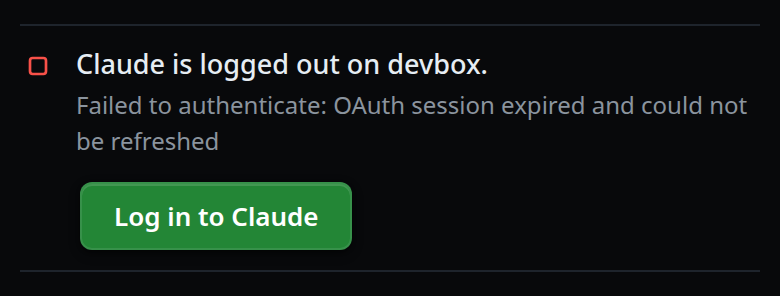
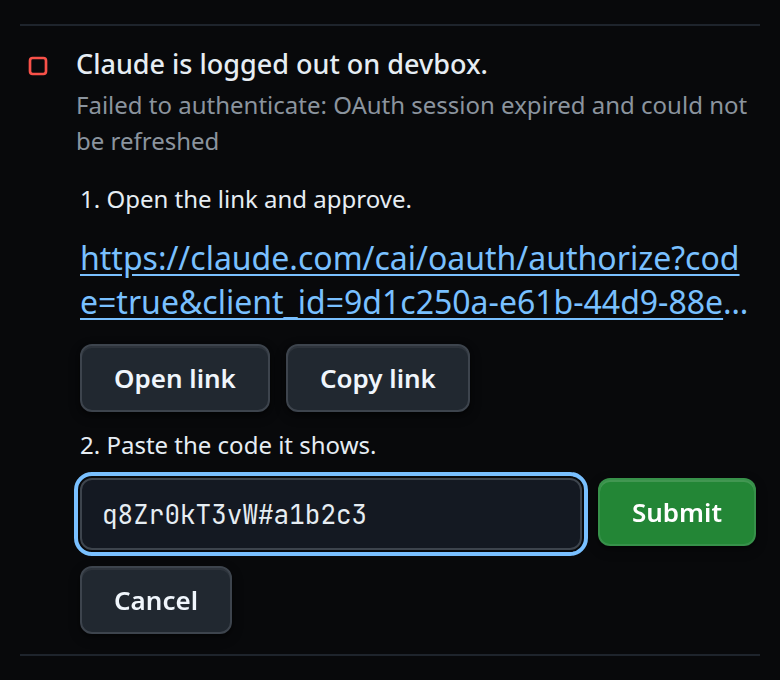
For Claude:
- Under
1. Open the link and approve., tap Open link, or tap the link itself (.agent-login-link). Copy link (.agent-login-copy) copies the whole URL. - Approve on Claude's page. It shows a code.
- Under
2. Paste the code it shows., paste the code into the field (.agent-login-code, placeholderPaste the code from the page) and tap Submit (.agent-login-submit) or press Enter.
- Under
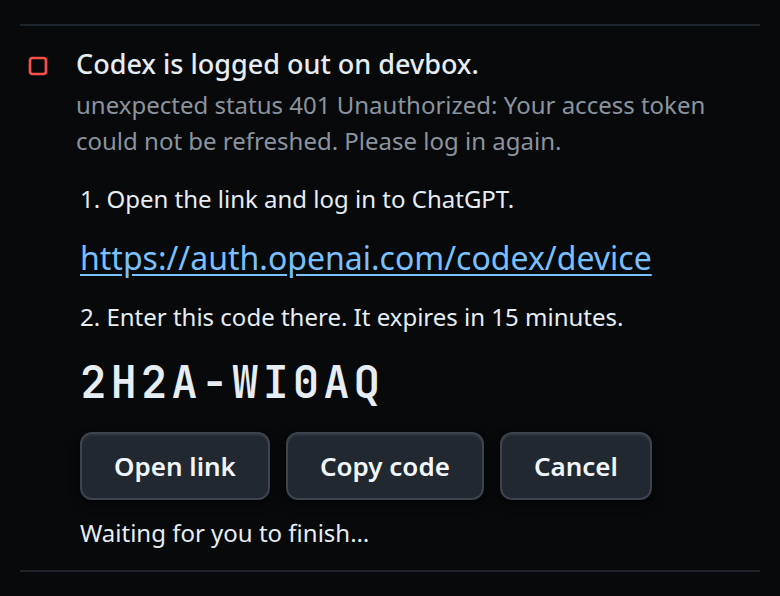
For Codex:
- Under
1. Open the link and log in to ChatGPT., tap Open link or the link. - Type the code shown in large letters (
.agent-login-usercode) on that page. Copy code copies it. - Come back to the tab. There is nothing to paste; it says
Waiting for you to finish…until Codex reports the login done.
- Under
When the login is done the line reads
Logged in to Claude as you@example.com. Sending your message again…and your last message goes again. The line goes when the new turn starts.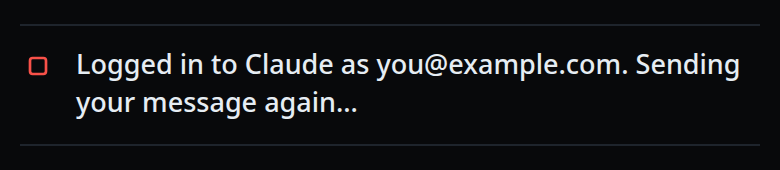
Cancel (.agent-login-cancel) puts the Log in to Claude button back.
From the settings sheet
Tap the cog (
#settings-open). The first group is Agents (#settings-agents):Each computer has its own logins. Every tab on that computer uses them.Each row (
#agents-rows) names an agent and its login. A logged-out agent has a green Log in button; a logged-in one has Log in again.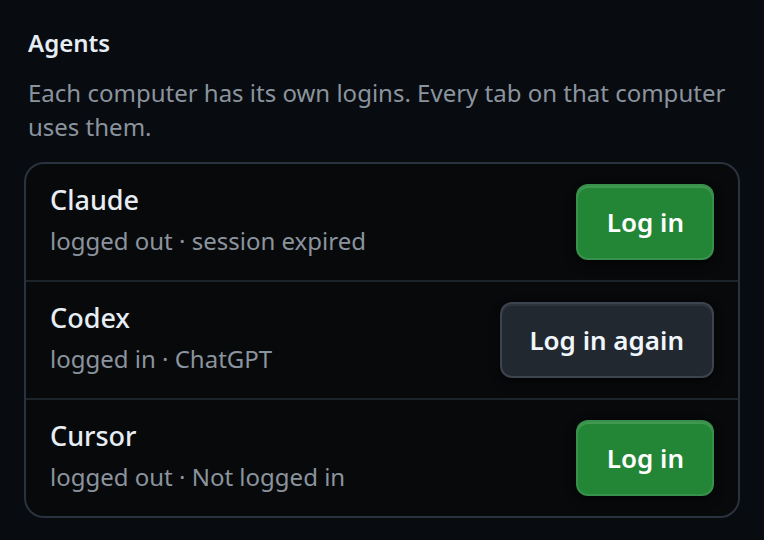
Tap the button. The same steps as above open under the rows. When the login is done the rows update and a toast says
Claude logged in.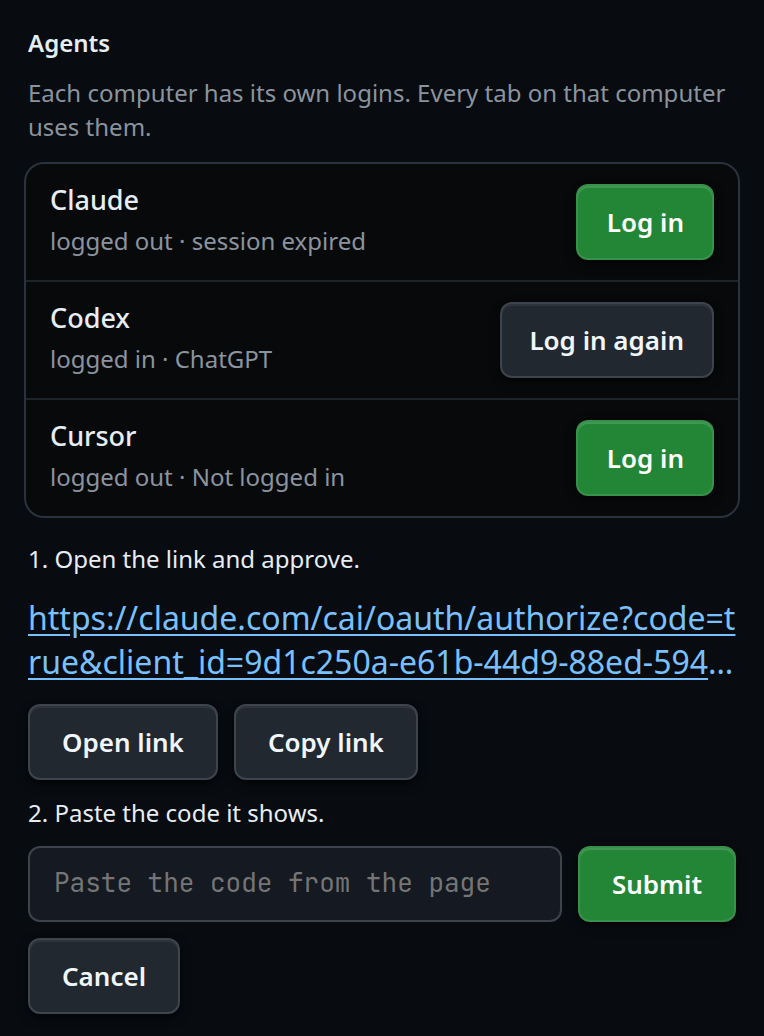
In the app on app.v-code.dev, with several computers paired, the group's title
carries a computer pick (#agents-box). It starts on the active tab's computer.
Tap it to open the list (#agents-box-menu) and pick another; the rows then
show that computer's logins, and a login you start runs there. On a computer's
own page there is no pick.
From the New thread form
A logged-out agent reads Claude · log in in the agent list (.new-agent). Tap
it: the form asks Claude isn't logged in. Log in?. Log in runs the same
steps, and the agent is picked when the login is done. The agent picker in the
composer (#agentpick) does the same before a handoff.
What you see
| Where | Text |
|---|---|
| Fault line | Claude is logged out on devbox. / Codex is logged out on devbox. |
| Claude step 1 | 1. Open the link and approve. |
| Claude step 2 | 2. Paste the code it shows. |
| After Submit | Checking the code… |
| Codex step 1 | 1. Open the link and log in to ChatGPT. |
| Codex step 2 | 2. Enter this code there. It expires in 15 minutes. |
| Codex waiting | Waiting for you to finish… |
| Done, in the tab | Logged in to Claude as you@example.com. Sending your message again… |
| Done, elsewhere | Logged in to Claude as you@example.com., then the toast Claude logged in |
| Failed | Login failed: … with Retry and Cancel |
| Submit with an empty field | toast Paste the code from the page first |
The notes in the settings rows:
| Note | Means |
|---|---|
logged in as you@example.com |
Claude, with the email it reports |
logged in · ChatGPT |
Codex, with what codex login status names; it reports no email |
logged in |
logged in, no account named |
logged out · session expired |
logged out, with the reason the CLI gave |
The computer pick in the app says per computer Claude logged out,
Claude, Codex logged out or all logged in. A computer that is offline,
still connecting, or has refused this device is listed with that reason and
cannot be picked.
Options and settings
| Option | Default | What it changes |
|---|---|---|
| Poll interval | 3 seconds | How often an open login asks the computer whether it is done |
| Login timeout | 15 minutes | A login still running after this is stopped and reads login timed out; try again |
| Code length | 1 to 512 characters | A pasted code outside this, or with control characters, is refused |
Limits and known gaps
- A wrong Claude code ends that login: Claude does not ask again. Tap Retry for a new link and a new code.
- Codex reports no email, so its note and the done line name
ChatGPT(oran API key) instead. - OpenCode has no login here. It has no row in the Agents group, and a failure shows the plain error line with Retry.
- An agent whose CLI is not installed on the computer has no row and no
· log inin the agent list. - Cancel stops the page from checking; it does not stop the login running on the computer. Starting again while one runs shows that same login.
- Only an
https:link is tappable, or on a computer's own page anhttp:link to that computer. Anything else in the CLI's output shows as text you can copy. - Anyone who can open VCode can log the computer's agents in, a paired phone included. Treat that as you treat approvals-are-bypassed.
Related
- log-in-to-cursor-from-your-phone — the same login for Cursor
- errors-and-retry — the other lines at the end of a transcript
- the-three-agents — the agents and what each one can do
- start-a-thread — the agent list with
· log in - hand-a-tab-to-another-agent — a handoff to a logged-out agent logs in first
- work-on-several-boxes — why each computer has its own logins