
Approvals are bypassed — the agent runs as you
Nothing in a VCode thread asks permission. The agents run with approvals turned off and full access to your files, as your user on the machine. Anything that can log in can run code on this machine.
Why you would use it
You need to know this before you give anyone the login, and before you leave a thread running unattended. It is not a setting you forgot to turn on: it is how VCode is configured.
How to use it
Treat login as full trust.
- Keep the login token secret, and keep VCode behind one gate you control. The security model has the details.
 2. Do not leave a thread running on work you would not let it do alone.
What you see
Usually nothing: no prompt ever appears, because nothing is ever asked.
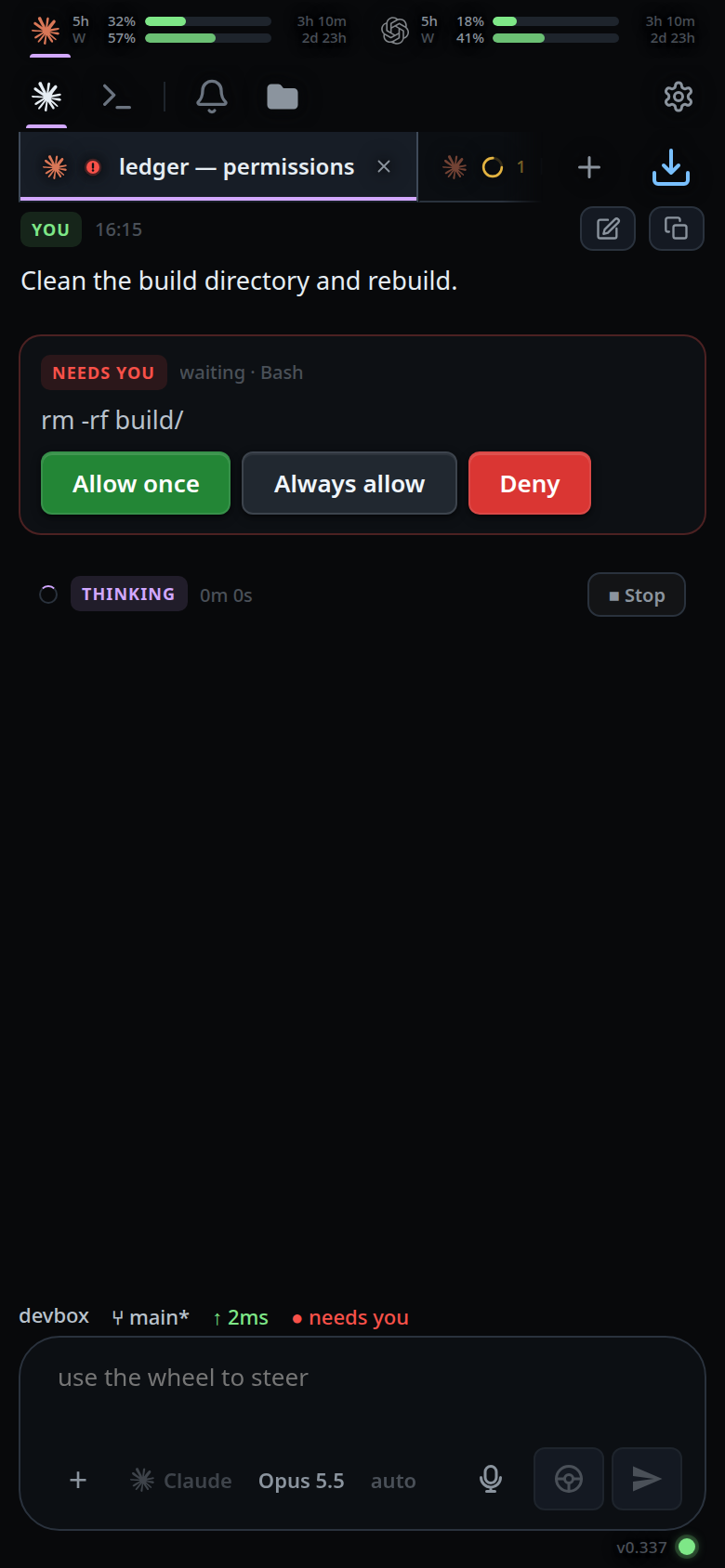
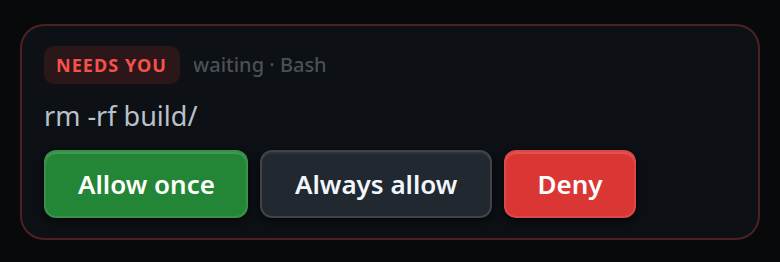
If a request does arrive anyway, the transcript shows a card tagged NEEDS YOU
with waiting · <tool> beside it and the target or detail as its body, and three
buttons: Allow once (green, primary), Always allow and Deny (red). While one is open the
thread's status is waiting, which outranks a running turn, and the status bar
shows ● needs you in red. The card is answered automatically before you can
reach it. The buttons work, but nothing waits for them.
Limits and known gaps
- VCode does not sandbox, review or veto anything the agent runs.
Shell mode,
!commands and the agent's own Bash all run as this user. /cleardrops any pending approval, because an approval outranks everything in the status and would otherwise leave the thread waiting with nothing behind it.
Related
- what-the-agent-is-told — the other half of the environment agents run in
- the-three-agents — the
approvalscapability each agent advertises - trust-model-and-security-headers — what a login is worth
- read-the-transcript — the other transient rows
- errors-and-retry — the other card that asks for a decision