
When the mic button is missing or the microphone is refused
Two different failures look alike on a phone: no mic button at all, and a mic button that cannot open the microphone. They have different causes.
Why you would use it
You installed dictation and the composer looks unchanged, or the mic is there but every tap says the permission was denied.
How to use it
Work through it in this order.
No mic button. Open
https://<your box>/healthand readvoice. False means the box has no transcription service — see install-the-voice-sidecar.liveVoice: truealone does not make a mic: the machine transcribes every dictation. Remember the server must be restarted afterVCODE_STT_URLchanges./healthsays true and there is still no mic. The browser has nothing to record with.navigator.mediaDevicesis undefined on an insecure origin, so reaching VCode over plain http by IP or tailnet address shows no mic; use the https hostname. Older Safari has noMediaRecorder.The button is there and a tap says
microphone permission denied. The browser refused. Grant the microphone for this site in the browser's own settings and tap again. The app does not re-prompt: every retry would be another prompt you already answered.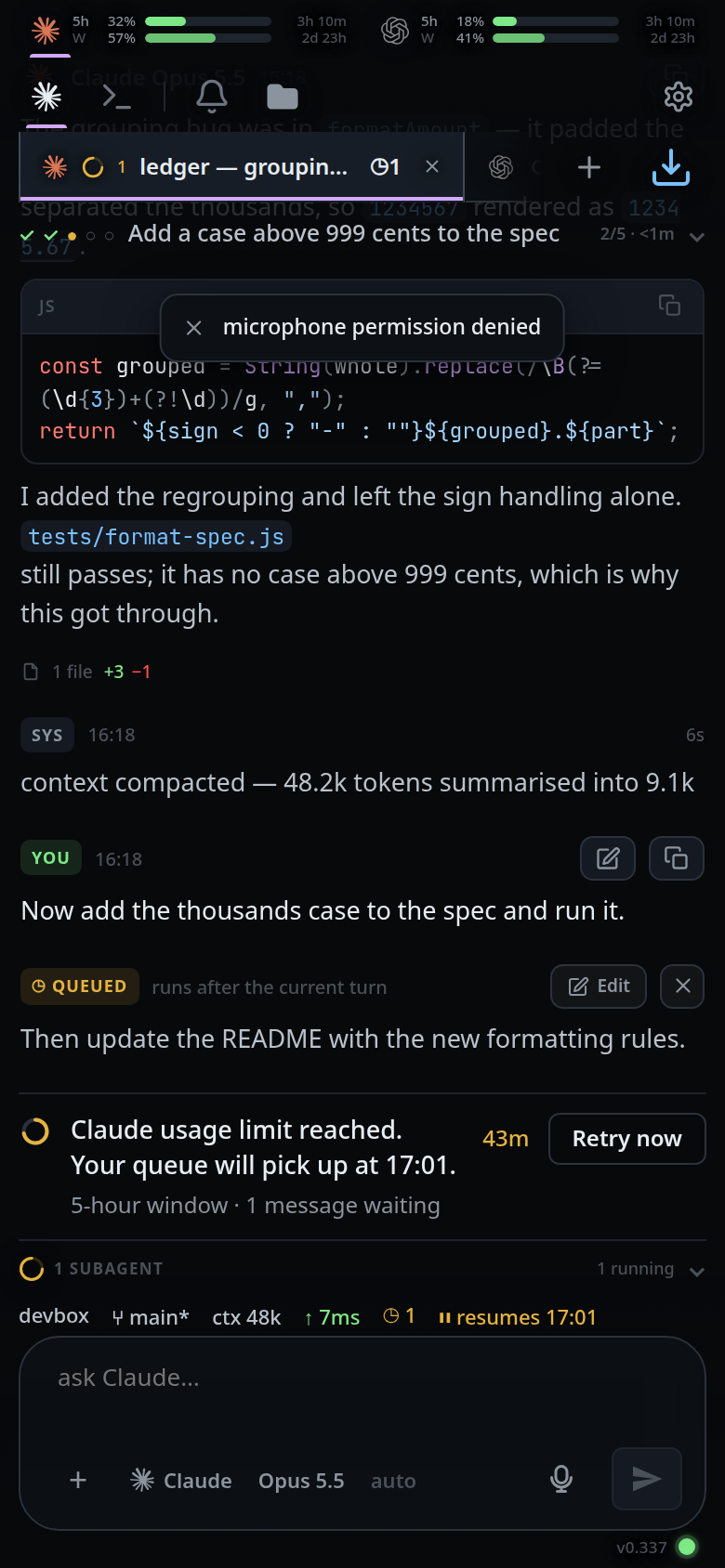
The browser's own permission prompt is drawn outside the page, so it is not shown here. It appears on the first tap, between the tap and this toast.
no microphone on this device. No capture device the browser can see.An installed phone still behaves like the old version. The service worker serves the shell it cached.
VERSIONinpublic/sw.jsmust be bumped for a change to the shell to reach an installed phone; the bump shows the "update ready" button — see update-to-a-new-build.
What you see
| Symptom | What it means |
|---|---|
| No mic in the composer | /health reports voice: false, or the browser cannot record |
microphone permission denied |
The browser refused, or the origin is not allowed the microphone |
no microphone on this device |
No capture device |
the microphone did not open: <reason> |
Anything else getUserMedia threw |
| The mic stays disabled with the × showing | The permission prompt is open. The × cancels |
Limits and known gaps
permissions-policy: microphone=(self)is sent on every response from every box, whether voice is installed or not. It used to follow the voice setting, and installed phones keptmicrophone=()from the cachedindex.htmlafter voice arrived, which made Chrome refusegetUserMediawith no prompt. Whether there is a mic to tap is/health's answer, not the header's.- The app remembers
/healthinlocalStorageunderv-code-health, so a boot with no network still draws the mic the box had last time. A tap then fails onoffline — dictation needs the server. - A cancel during the permission prompt reports nothing: a refusal you caused by cancelling is not worth a toast.
- The mic button is disabled while the microphone is opening. That is deliberate
— a tap then has no single meaning — and the × (
#mic-cancel) is the way out.
Related
- dictate-a-message — the feature itself
- install-the-voice-sidecar — making
/health.voicetrue - dictate-live — making
/health.liveVoicetrue - update-to-a-new-build — the cached shell an installed phone keeps
- reach-it-from-a-phone — the https hostname the microphone needs
- trust-model-and-security-headers — the
permissions-policyheader