
Claude Code hit its limit. Keep going in Codex, or for free.
On Claude's Pro plan, Claude Code gets a 5-hour usage window and a weekly one. When one runs out in the middle of your work, you can wait for the reset, pay for extra usage, or hand the work to another agent. VCode does the last one from a button under the message box. Pick Codex if you pay for ChatGPT. Pick OpenCode or Antigravity to keep going for free. The new agent gets a written summary of the work so far and carries on in the same tab.
Your options when the limit hits
| Option | What it costs | What happens |
|---|---|---|
| Wait | Nothing | Claude Code carries on after the reset. In VCode the tab pauses and picks the work up by itself ten minutes after the reset. |
| Extra usage | Pay as you go | Anthropic sells usage past your plan's window. Claude carries on where it stopped. |
| Hand it to Codex | A ChatGPT plan | Codex reads a summary of the work and carries on in the same tab. |
| Hand it to OpenCode or Antigravity | Free | The same, on a free model. Free models are weaker than Claude. |
Waiting is often the right call. Forty minutes left on the 5-hour window is a coffee break. Two days left on the weekly window is not. The meters, further down, tell you which one you have.
Hand the tab to another agent
These steps are the same for every agent. The sections after this one say what each agent needs first.
- When the limit hits, Claude has already stopped. If it is still working, stop it first: a tab cannot change agent mid-task.
- Tap the agent button under the message box. It shows
Claude. - The menu opens, headed
agent for this tab · now: claude. Every other agent's row readshand this tab over — it reads the transcript as a brief. Tap the one you want.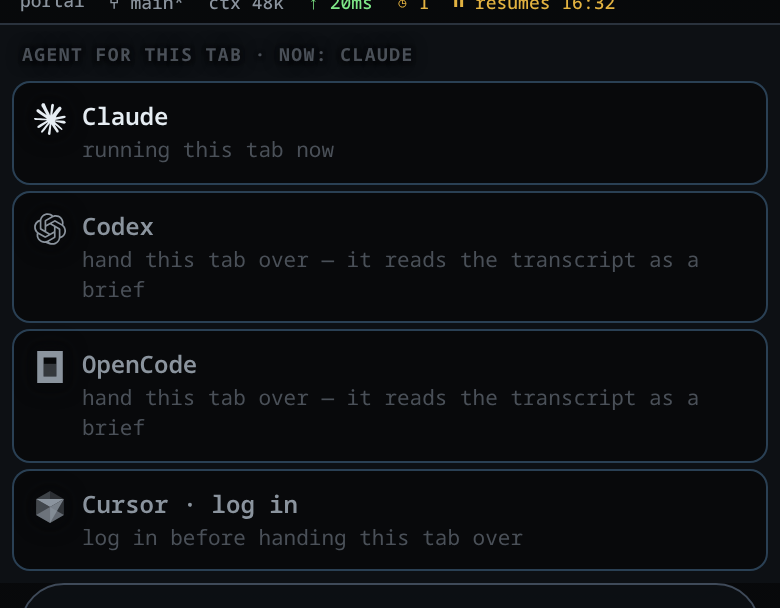
The agent menu. Tap the agent you want. - A note appears in the conversation, for example
handed off from claude to codex — codex gets a brief of 18 items with your next message.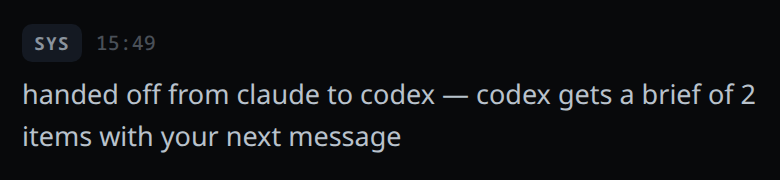
The note says how much of the conversation the summary holds. - Type what you want next and send it. The summary goes in front of your message, once.
What the new agent gets: your messages, Claude's replies, and one line for each command Claude ran and each file it changed. The output of those commands is left out, so the new agent runs again whatever it needs. The summary keeps the newest 24,000 characters. On a long conversation the start drops off.
The new agent starts its own session. It cannot open Claude's. Claude's replies stay in the tab with Claude's mark on them, so you can see who did what.
Codex: if you pay for ChatGPT
Codex is OpenAI's coding agent. It comes with ChatGPT's paid plans. It has its own usage windows, separate from Claude's.
- On the computer that runs VCode, install Codex:
npm install -g @openai/codex - Run
codexonce in a terminal and sign in with your ChatGPT account. - In the agent menu, tap Codex.
OpenCode: free, no account
OpenCode is an open-source coding agent. Its own service, Zen, has free models that need no account and no key. A new OpenCode starts on one of them, Big Pickle.
- On the computer that runs VCode, install OpenCode:
curl -fsSL https://opencode.ai/install | bash - In the agent menu, tap OpenCode. You do not need to restart anything.
- Send your message. The tab runs on Big Pickle. To pick another free model, tap the model button next to the agent button. The free ones are
opencode/big-pickleand the names that end in-free.
The free models change as providers come and go, and they are weaker than Claude. Give them small, clear steps, and read what they change before you build on it.
Antigravity: free with a Google account
Antigravity is Google's coding agent. Its free tier needs only a Google account. It has usage limits of its own, which reset on their own schedule.
- On the computer that runs VCode, install the Antigravity CLI:
curl -fsSL https://antigravity.google/cli/install.sh | bash - Run
agyonce in a terminal and sign in with your Google account in the browser that opens. - In the agent menu, tap Antigravity.
See the limit coming
A row of meters sits at the top of the screen: one card for Claude, one for Codex. Each card shows the 5-hour window (5h) and the weekly window (W): how much you have used, and how long until it resets, such as 42m or 2d 4h.

OpenCode and Antigravity have no card.
When the window runs out in the middle of a task, the tab does not fail. An amber card appears, headed USAGE LIMIT, saying when the tab will carry on, for example Claude 5h usage limit reached · resumes automatically at 14:20 (in 1h 12m).
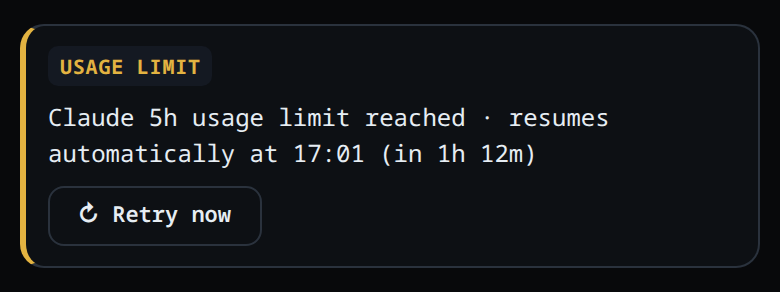
Leave it, and the tab picks the work up by itself ten minutes after the reset. Send a message or hand the tab over, and the wait is cancelled.
On your phone
Everything above works on a phone at app.v-code.dev. The meters are at the top, the message box at the bottom, and the agent button sits under the message box.
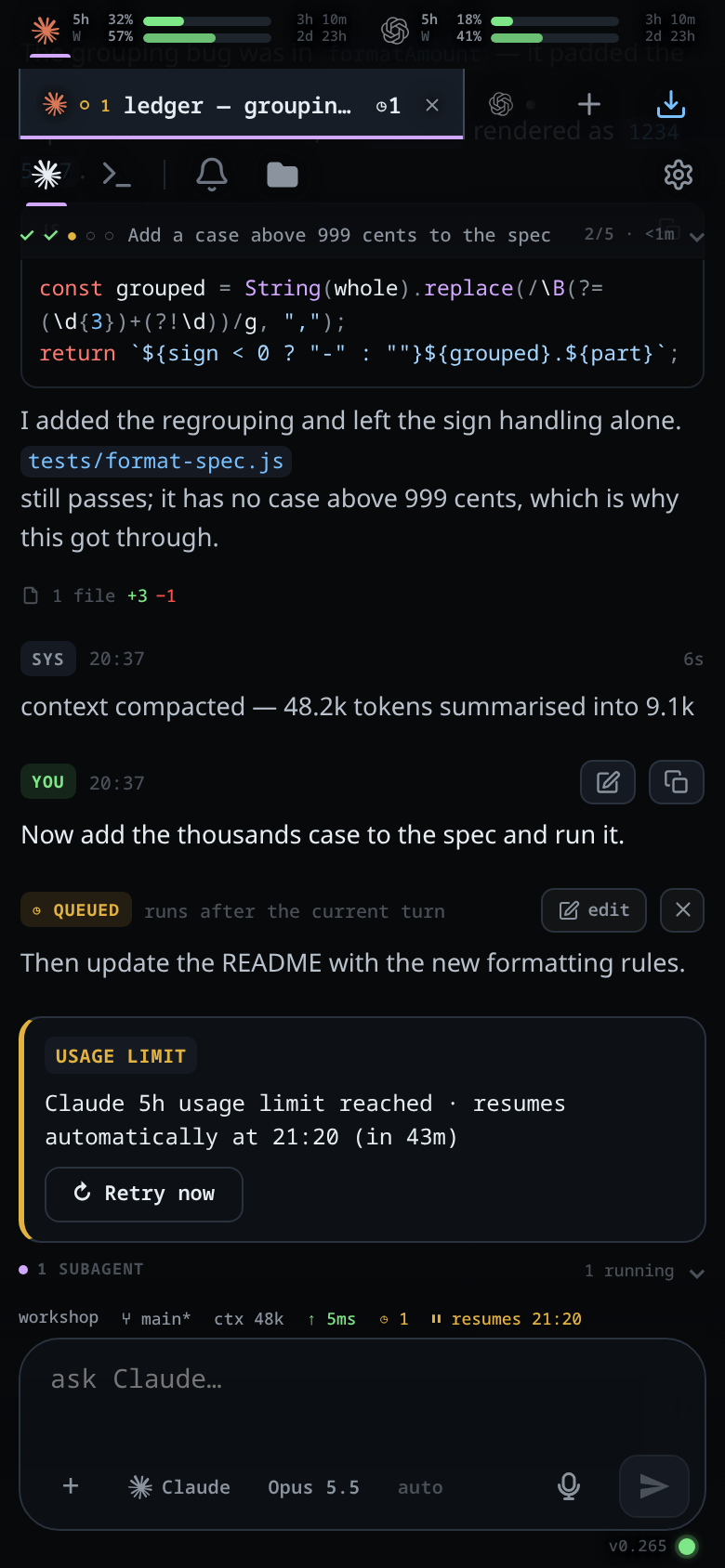
Keep a Claude tab and a Codex tab open side by side, and swipe the conversation sideways to move between them. From the last tab, one more swipe opens a page for starting a new tab.
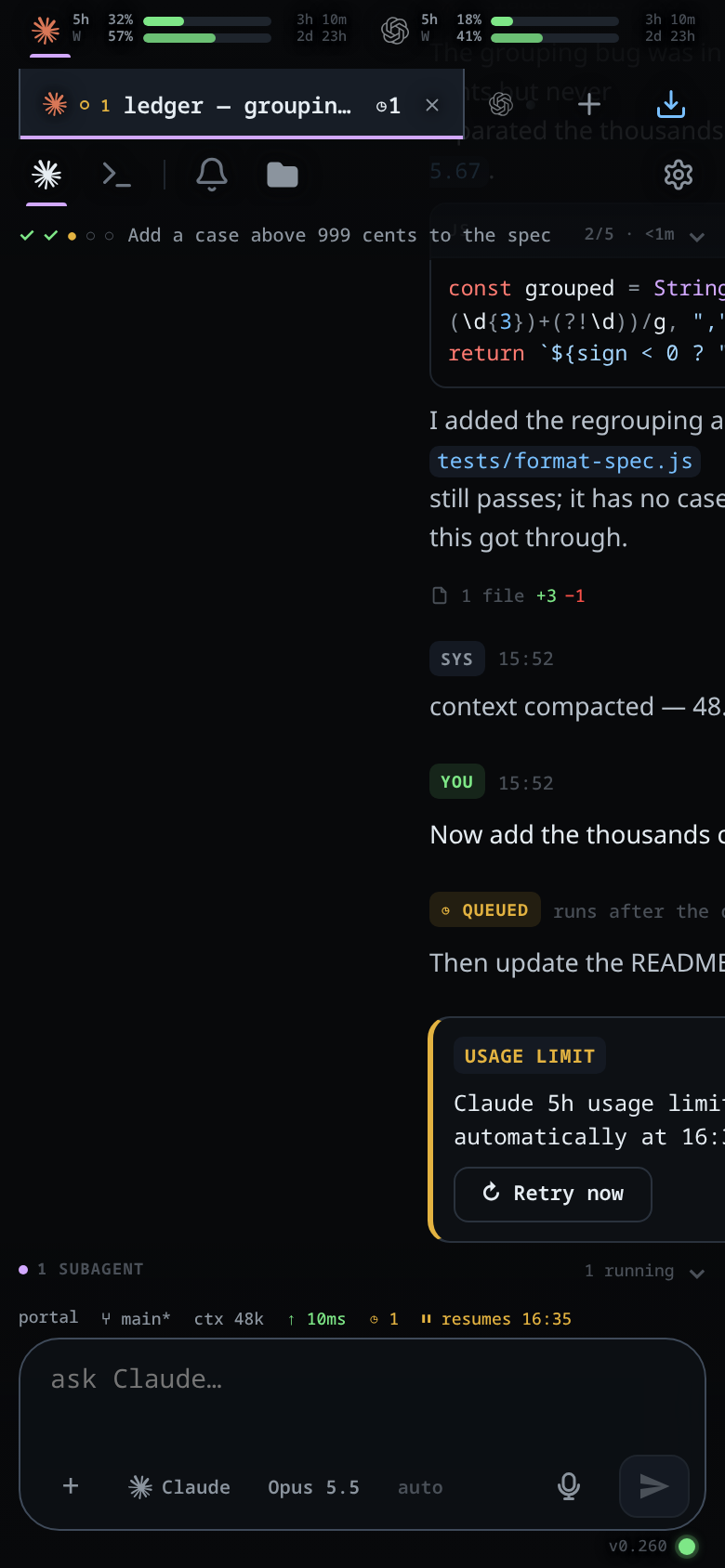
Each tab keeps its half-written message. Type in one tab, swipe away, come back, and the text is still there.
Set up VCode
You need a Linux PC or a Windows PC with Claude Code on it. There is no Mac version yet.
- Open app.v-code.dev and log in with your email. A code arrives by email.
- Tap Add a computer, pick Linux or Windows, and copy the command it shows. The command works once, for 15 minutes.
- Paste it into a terminal on your computer (PowerShell on Windows). It installs VCode, starts it, and connects it to your account. Leave the app open while it runs.
- A few seconds after the install finishes, the app opens your computer. Start a tab on Claude and work as usual. When the limit hits, hand the tab over.
FAQ
Does the new agent see what Claude did?
It gets a written summary in front of your next message: your messages, Claude's replies, and one line for each command Claude ran and each file it changed. The output of those commands is left out. The summary keeps the newest 24,000 characters of the conversation.
Do I have to pay for another AI plan?
No. OpenCode's free models need no account, and Antigravity has a free tier with a Google account. Codex needs a ChatGPT plan.
What does VCode cost?
VCode is free for 90 days, then £3.99 a month ($4.99, €4.49). The agents' own plans are separate: VCode runs the agents you have and sells no AI usage of its own.
Does my computer have to stay on?
Yes. The agents run on it, and your phone shows that computer's tabs. Switch it off and the tabs stop.
Does it work on iPhone? On a Mac?
iPhone: yes, in Safari at app.v-code.dev. Mac: not yet. The computer that runs the agents has to be a Linux PC or a Windows PC.
Log in with your email, then tap Add a computer. Free for 90 days.
More guides are on the guides page.